customer payment applied to invoice - can not remove payment from invoice


Hi,
We have received a duplicate payment from a customer.
The duplicate payment has been entered via 'receive payments' and then applied to a invoice.
My issue is, payment has been applied to the wrong invoice but i cannot undo the payment to the invoice to apply to the right invoice
Comments
-
Go to the receive payment window and unapply and then tick the correct invoice
0 -

When the payment was done back in 2024 it wasnt applied to a invoice….. Im unsure how exactly it was applied
0 -
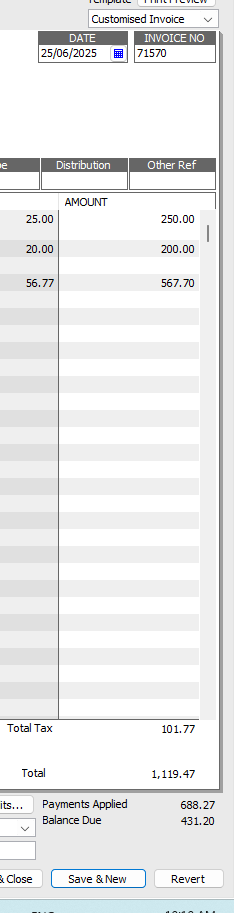
I can see that its somehow been applied to this invoice but when i click on the payments applied to rove the payment from the invoice - i doesnt remove it
0 -
Welcome to the Community @CuttingEdge !
You just need to click on the allocation tick (in that Receive Payment window) to de-select it, then you can click (tick) the correct invoice instead ☺️
0 -

But there is no tick to untick….. When i click from the above to open the payment it comes up with the below
0 -

I can see the credit in the amount due colomn
0 -
The above is showing when the payment was aplied back in 2024
0 -
there is a zero in the right hand column so it hasn’t been applied to anything
1 -
when you do a receive payment now is there anything down the bottom that says there is a credit ?
1 -
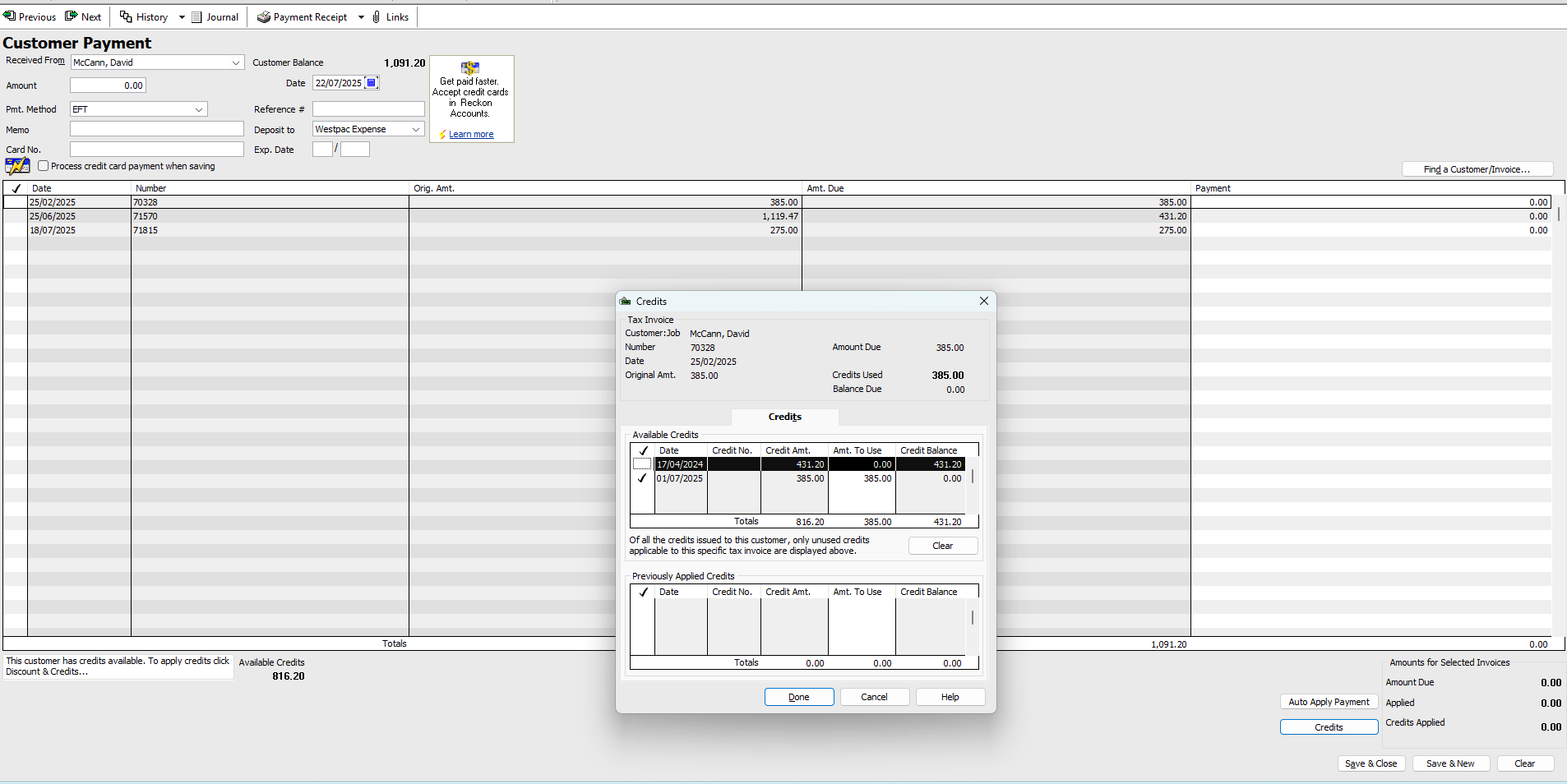
This is all very strange…. Yes its saying the credit is still there
0 -
As @Kris_Williams said, it looks to have been entered, but not actually allocated to anything. If you do a new Receive Payment for this customer name, you should see the credit amount available, displayed at the bottom of the window. Click on the relevant invoice line to select, then on the Apply Credit button.
IMPORTANT:- Make sure you have $ 0.00 in the actual Amount field at the top as you’re not recording another payment, just allocating an existing one!
- If you are on a Cash basis for GST reporting (BAS), you will need to ensure you enter a date in the current quarter (eg today) so the allocation doesn’t impact the original period’s BAS figures.
0 - Make sure you have $ 0.00 in the actual Amount field at the top as you’re not recording another payment, just allocating an existing one!
-
So that means you can apply it to whichever invoice you want. Highlight the invoice you want to apply it to and click on set credits
0 -
@CuttingEdge Untick the current invoice selected in that Credits window to un-apply it. Then, you can just tick the correct one instead & click Done to save the change 😁
0 -
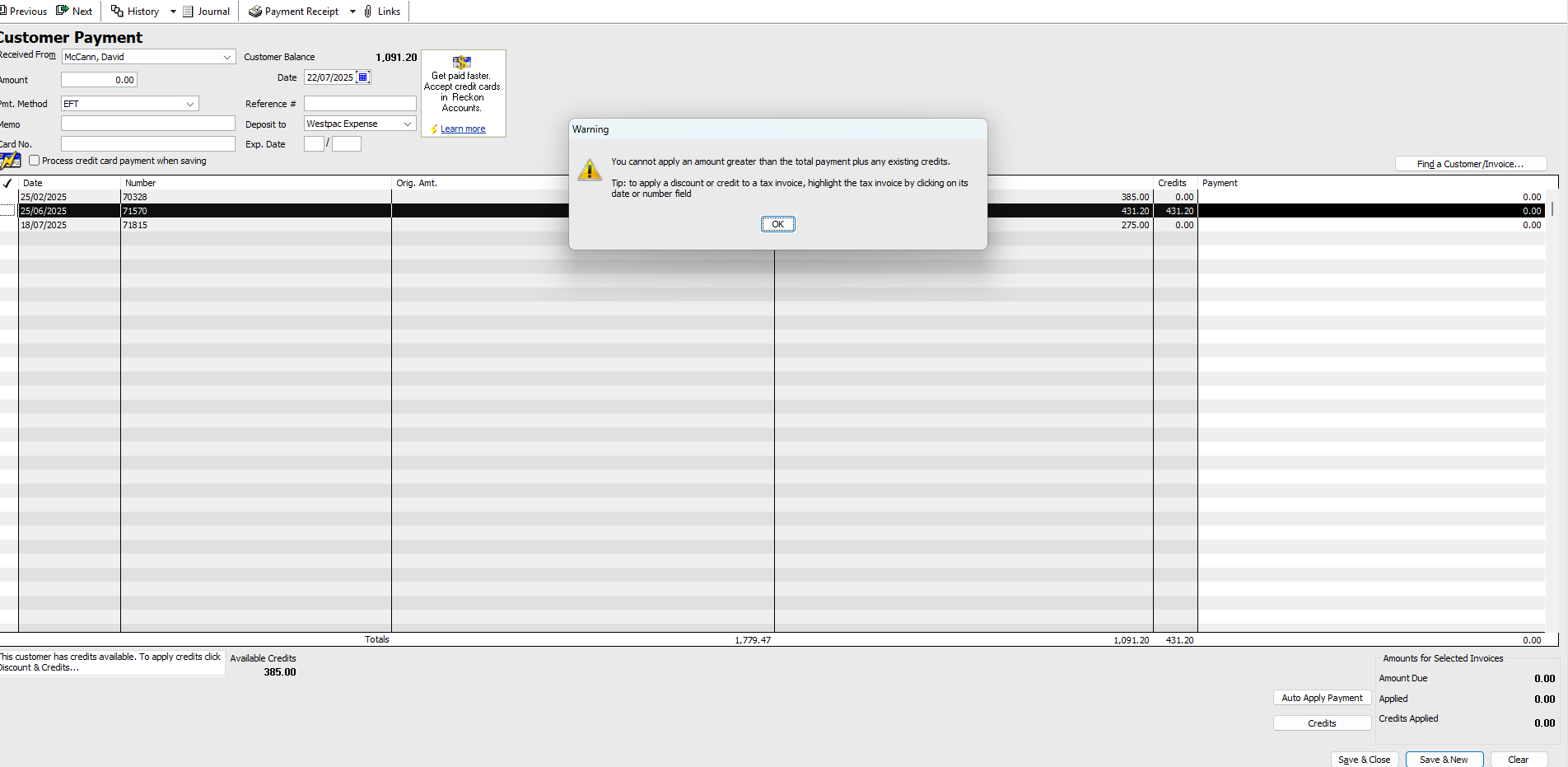
Iv just tried to do this but because im not entering a amount its not allowing me
 0
0 -
Shaz can you also provide some more info on entering the date for the current quater for BAS
0 -
Because the amount of the credit is only 385 that is all you can apply to the invoice. You must have applied part of it to another invoice.
0 -
Yes, it seems to have already been applied to Inv71570 - Im trying to unapply it so i can apply to correct Inv
0 -
Thats what im having trouble doing :(
0 -
So find that invoice, hit Ctrl H and that will bring up the payment window- delete the payment from the right hand column
0 -
@CuttingEdge Feel free to shoot me an email direct & we can hop on a quick remote session if you like 😁
(I have to pop out now but will be back home in an hour or 2 ☺️)
1 -
All sorted!
Thank you so much for your assistance :)
1 -








