Downloading a Read Only Version of Reckon Hosted

Lee
Lee Member Posts: 2 Novice Member Novice Member

We have migrated to a different invoicing program but need to refer back to our history in Reckon as it is quite extensive.

I have followed all the steps online on how to download a read only file of Reckon Hosted and my computer has downloaded something, but when I open up the Reckon Accounts Enterprise Icon on my desktop and select "open an existing company file" then "open a company file" it opens up a test company, and if I choose "restore a backup copy" I cannot find where the file has downloaded to. I will be the first to admit that I am very technically challenged but all possible options available to choose from look like they don't have any information downloaded (I have attached an image to illustrate).

I have seen online that if we just let our subscription lapse, we can still log in and access the history, is this correct or do I need to be downloading a read only file? I hope someone can help.
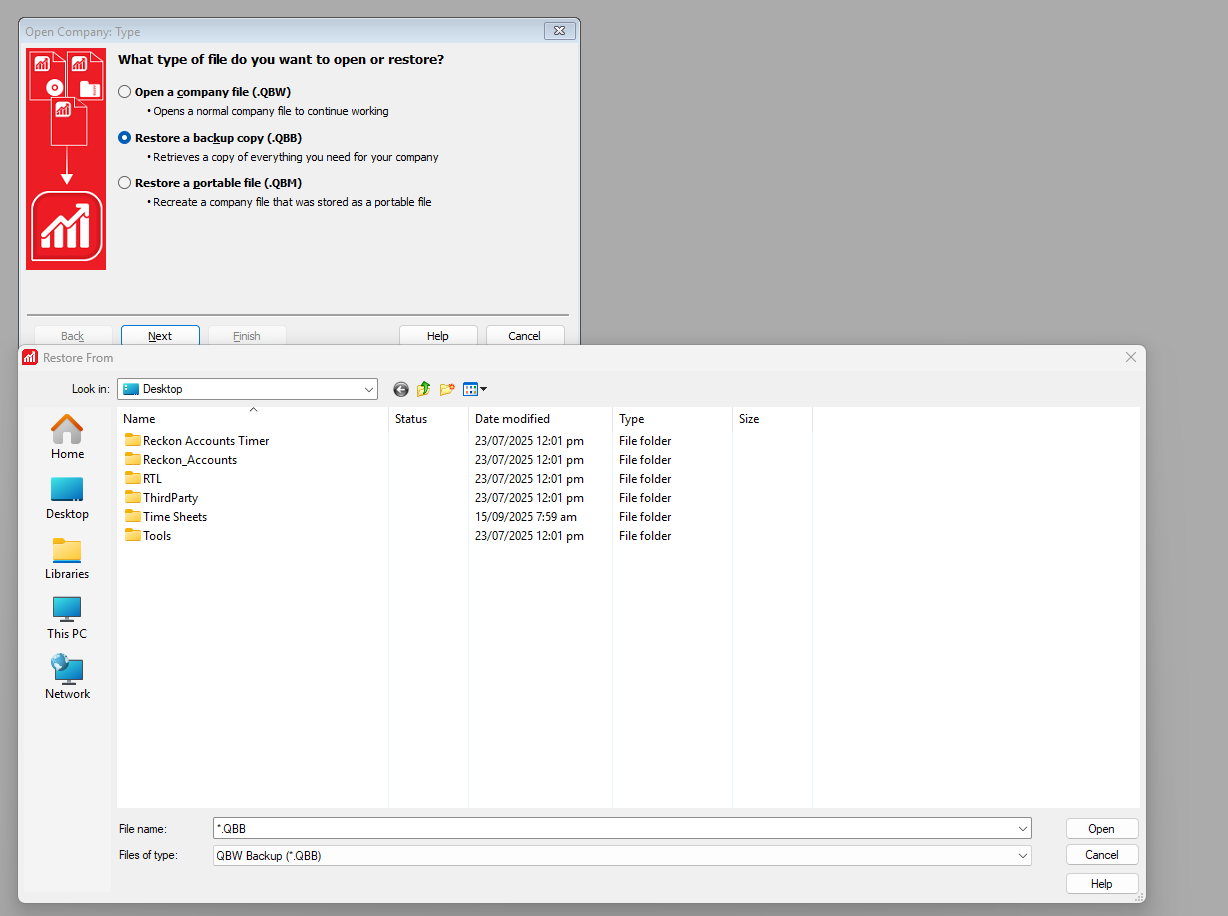

Screenshot 2025-09-18 112417.png

Answers

  • Rav
    Rav Administrator, Reckon Staff Posts: 14,208 Reckon Community Manager Community Manager

    Hi @Lee

    When you downloaded your file from Reckon Accounts Hosted, where did you save it on your PC?

    Typically, files that you download will save to your Downloads folder on your PC so perhaps take a look at that folder and see if your file is in there. If not, can you outline the steps you went through to download your file from Hosted.

  • Lee
    Lee Member Posts: 2 Novice Member Novice Member
    edited September 17

    Hi @Rav

    The below is what downloaded into my downloads folder but this wants to do a new installation, should I go ahead and do it? Will it affect the current data I already have for the company>

    Screenshot 2025-09-18 114256.png
  • Rav
    Rav Administrator, Reckon Staff Posts: 14,208 Reckon Community Manager Community Manager

    No, that is the installation file for the Reckon Accounts Enterprise desktop edition, not your company file.

    Did you download your company .QBW file from Reckon Accounts Hosted to your PC?

    If not, you'll need to do that by following the steps outlined here - Downloading & uploading files in Reckon Accounts Hosted ⬇️⬆️

    Since you're downloading a company QBW file, please ensure the file is closed before you download it (File ➡️ Close Company).

  • Zappy
    Zappy Accredited Partner Posts: 5,252 Accredited Partner Accredited Partner

    @Lee

    Download the portable backup and restore to your reckon desktop version

    Call me Kevin if you need help

    0407 744 914

