Can ITEM in Invoice Template be wrapped?
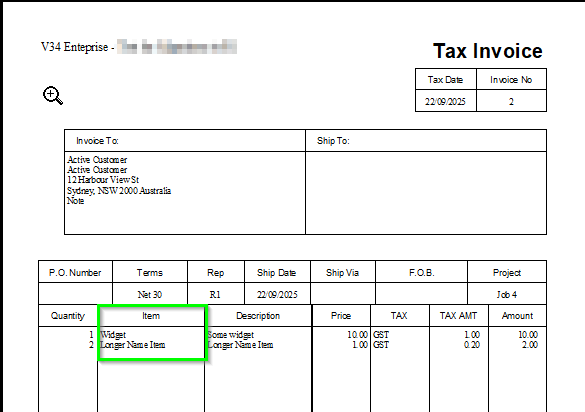
I have Item Code in the most left column and Description in next column. Description wraps lines but the Item Code does not -
Is there a way to make the Item Code wrap? ours is generally short so don't want to make the column too wide, but there are a few longer ones that are clipped

Answers
-
Are you referring to the way things are displayed on the screen or when printed?
You need to provide specific examples to clarify or illustrate the issue.
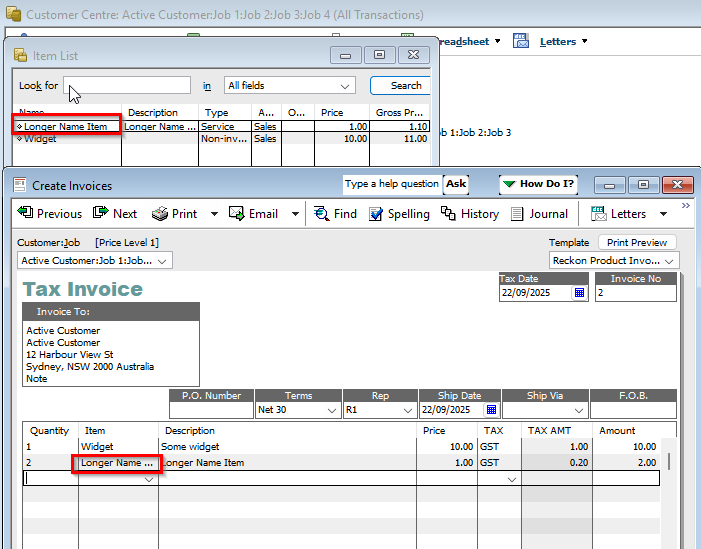
On the screen you can adjust the width of the Item column, however it will not wrap to a new line.
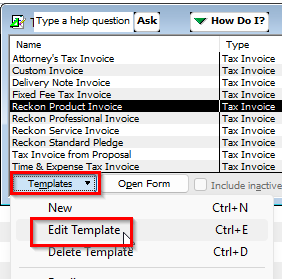
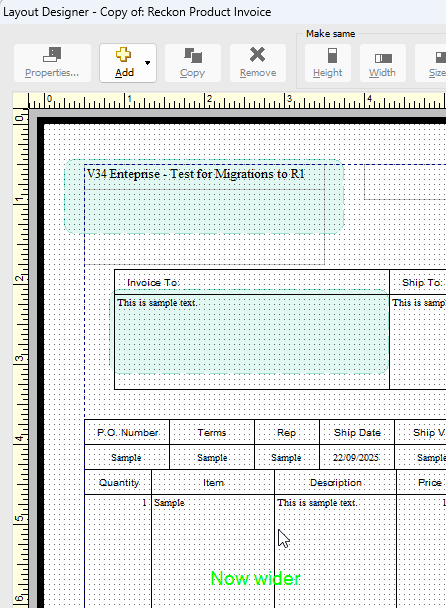
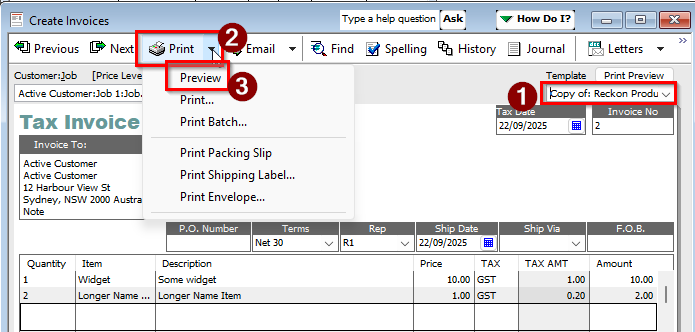
You can go to the Templates List and edit the specific template you are using.
In the example above it is the "Reckon Product Invoice".
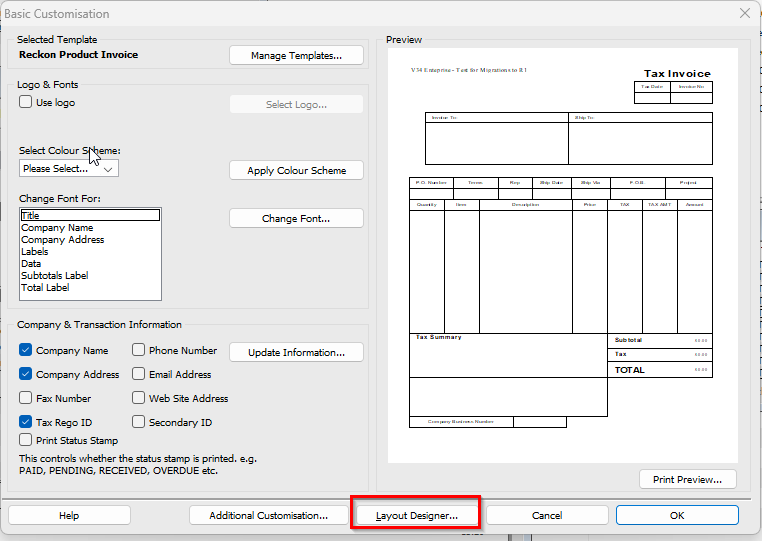
There you can go to the Layout Designer.
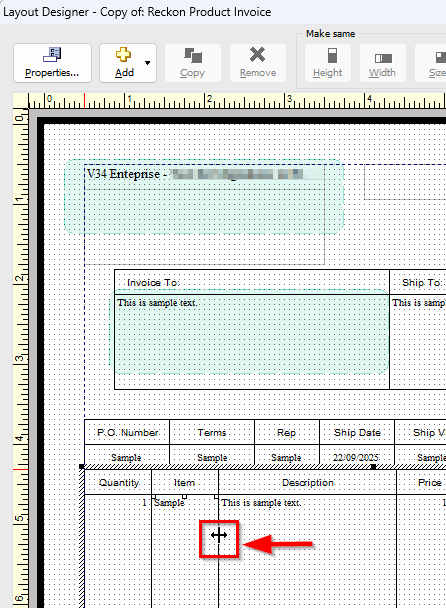
You can place the cursor on the edge of the column bounding box, then click-n-drag to your preferred size.
Then when you are in the invoice, ensure that you are using the modified template before you print or preview.
Searching the Reckon Help and Support Centre | Asking good questions on the Community
#TipTuesday: Picture Paints a Thousand Words | How do I add screenshots to my discussion?
0 -
Thanks - this is specific to printing - I've worked out how to change the column widths but as noted, I waste alot of page space for 95% of items that have shorter names so that the other 5% with longer names fit - hence was hoping for line wrap options
I can't find one and if it's just not there then so be it, but was hoping maybe I've just missed it
0 -
Unfortunately, since there is no text wrapping for the item name column, consider creating a COPY of your template and modify that copy to be suitable for the items that have longer names.
The template that can cater for those items that have shorter names can be the default one whilst the modified one that has a wider item name column can be used when needed.
Does the Description of those items that have longer names not clearly indicate what the item name would be?
Would including the item name at the start of the items description text for those items that have a longer name be a suitable workaround?
Searching the Reckon Help and Support Centre | Asking good questions on the Community
#TipTuesday: Picture Paints a Thousand Words | How do I add screenshots to my discussion?
0 -
Thanks for the suggestions - will have a bit more play and get something working :)
1