Customer report balance with country & abn
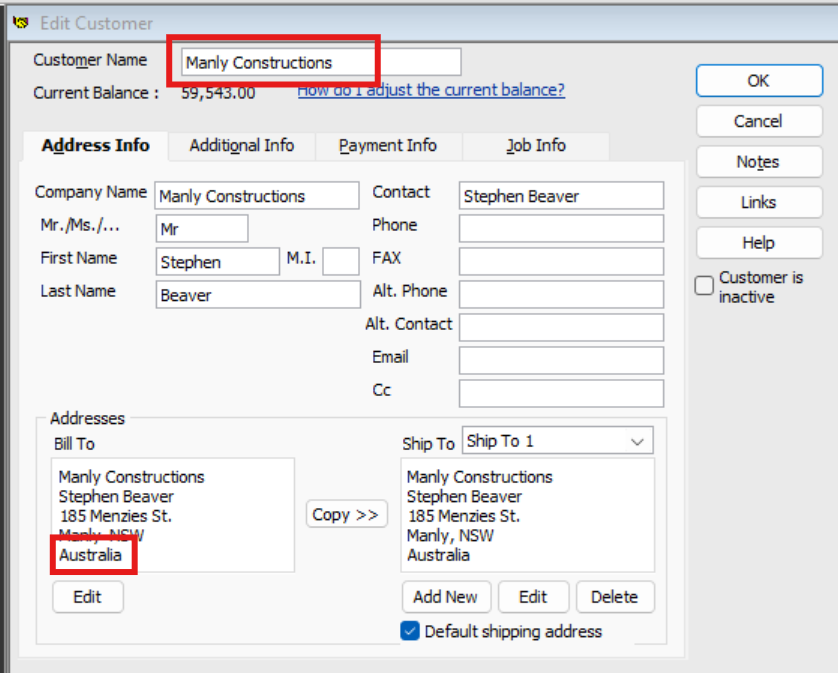
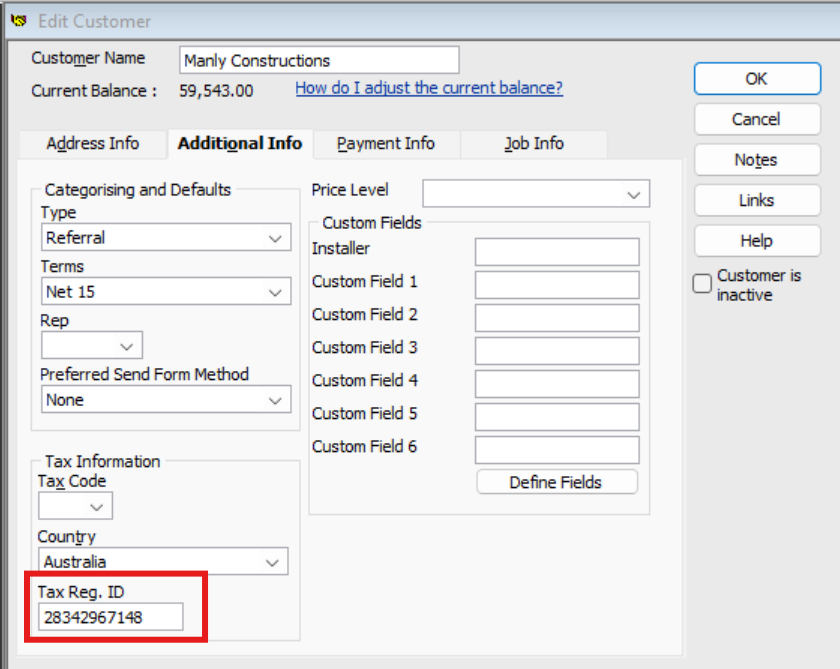
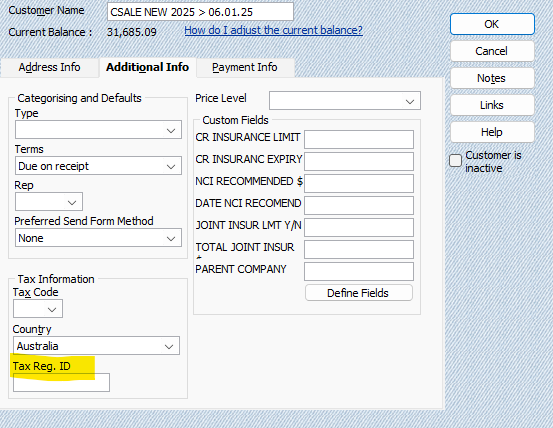
Hi, is there a report we can run to export to excel to display customer name, balance, country & ABN number in QuickBooks desktop? We fill in the Tax Reg. ID in field highlighted below. We need to create this report for our credit audit in excel format with all information as above. Could you please advise best way to achieve this report, thank you.
Answers
-
Hi @Beehive
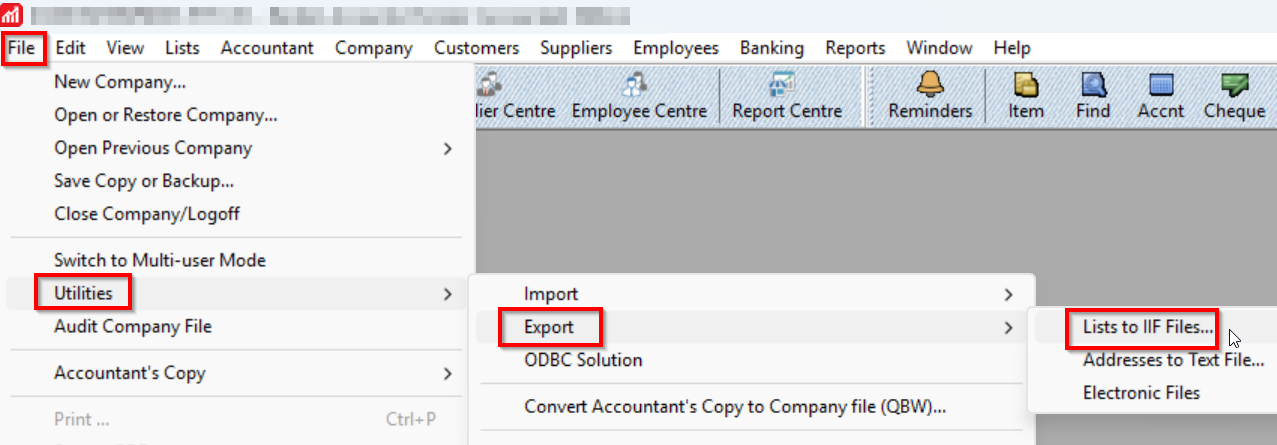
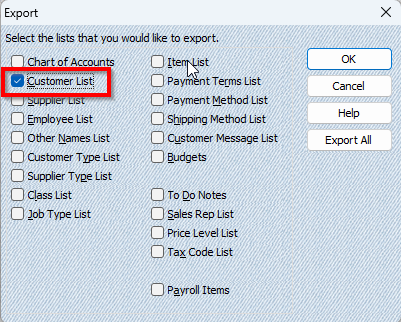
You can export the Customer List in a tab-delimited text format.
You can give the export file a name such as "CUSTOMERS.IIF"
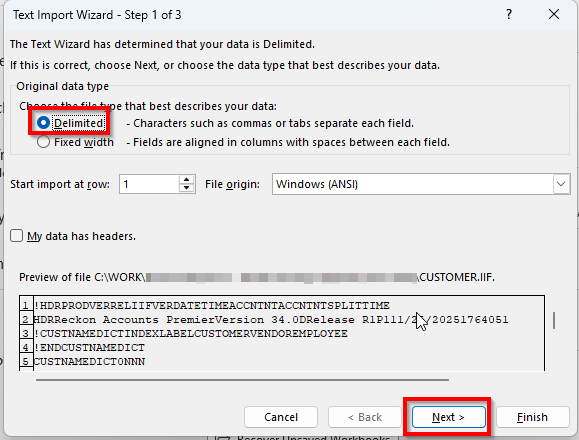
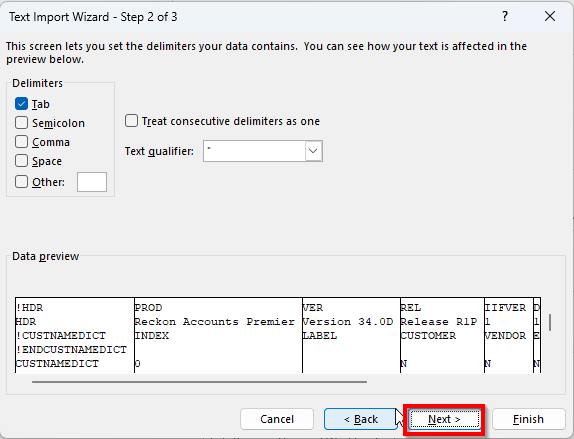
You can then open the exported IIF file in Excel as a tab-delimited text file.
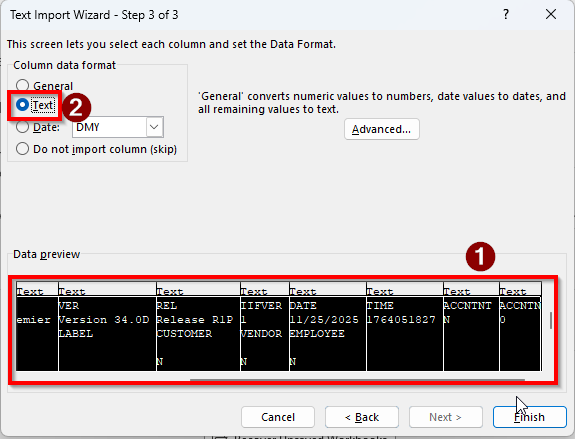
Go through the Text Import Wizard:
Select all columns then choose the "Text" format.
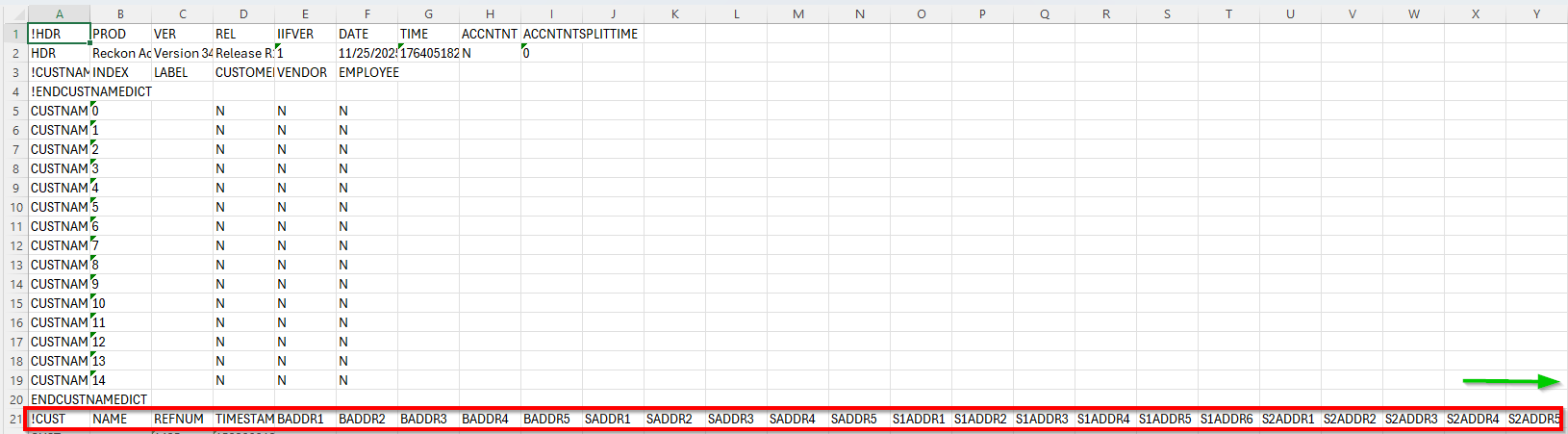
You can remove the rows from 1 to 20 to make things a bit easier.
Then use the column headers designated at the start by "!CUST" where you can choose which columns you want to keep and which to remove to provide you with the info you need.
Searching the Reckon Help and Support Centre | Asking good questions on the Community
#TipTuesday: Picture Paints a Thousand Words | How do I add screenshots to my discussion?
1 -
Hi @Beehive
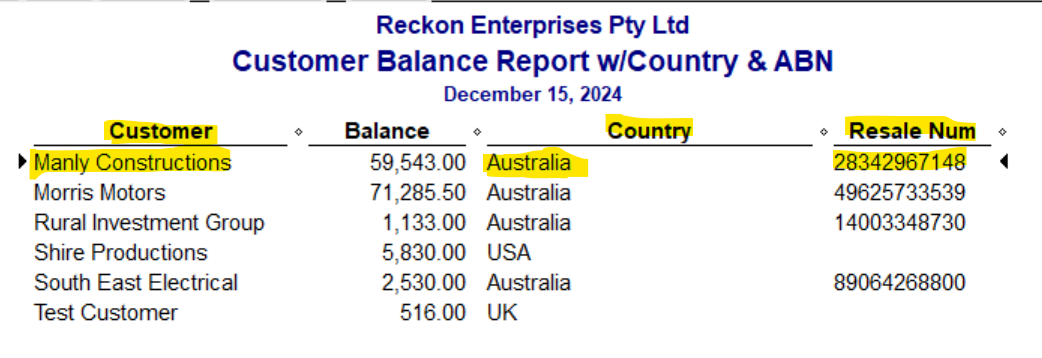
If you just want to report on data you've already got entered in the customer records, you can just generate & Modify a List report as these are generated from your database information.
(The Resale No column is the ABN - eg "Tax Regn. ID" - field 😁
😊
1 -
@Acctd4 I didn't realise that 'resale number' was a tax id. Good to know
Searching the Reckon Help and Support Centre | Asking good questions on the Community
#TipTuesday: Picture Paints a Thousand Words | How do I add screenshots to my discussion?
1