How to change a funds transfer to an expense in Reckon One?


I accidentally made a transfer instead of an expence. How do I change that. In reckon on under R1 transactions it does not give me an option to make a change.
Thanks in advance for help
Anita
Best Answers
-
Hi @Anita,
Unfortunately, you can't just turn a funds transfer into an expense after you've saved it.
I suggest deleting the transfer in R1 Transactions and then creating a new expense. You can do this by clicking the Add Payment button and assigning it to a bill if needed.
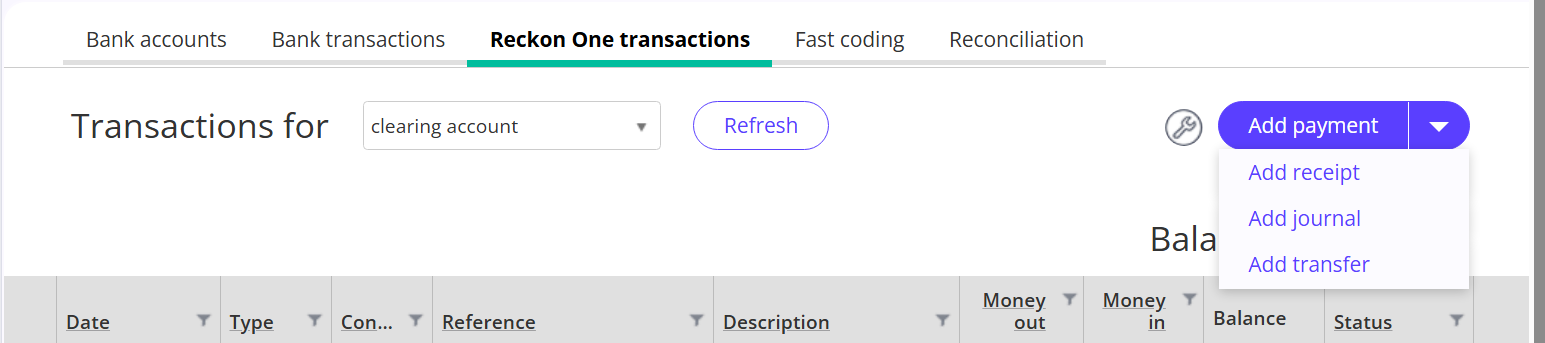
Or navigate Day-to-Day → Money Out → Make Payment.
I hope it helps.
Kind regards,
 0
0 -
Thanks Karren, Another question, how do I get a transfer report. I want to be sure transferred funds were not sales.
cheers Anita
0

 Reckon Staff

Answers
-
Hi Anita,
Apologies for the late reply. I believe that one of our colleagues has already responded to your questions in a different thread.
Kind regards,
0 -
Hi Karen, That was a different problem. He replied to the Detailed P+L problem and the info was of no use to me.
His reply was "
"Please note you can find the P&L report under reporting-> Reports and select Financial in categories."
Totally inadequate especially considering all the effort I have put into explaining the situation with screenshots and information. Someone in the community answered that problem , but he replied to the P+L or general ledger problem and the reply was of no help to me.
Please note you can find the P&L report under reporting-> Reports and select Financial in categories.
Please see my reply to your reply about the Detailed P+L info required.
0