Cash Detail Reports: Cash Net & Cash Tax are not matching


In all those 15 + years I use Reckon I have never seen this till today: The Tax Detail Report Cash Net shows a total amount for November which includes an Invoice issued on 28 November and partially paid on 5 December. The Cash Tax Report is correct.
How can I fix this? See attached.
Thank you
Gitta
Best Answer
-
if it wasn’t paid until Dec it shouldn’t be on the Nov report
1


Answers
-
was it partially paid in Nov?
0 -
@Gitta This is a known glitch for Cash basis Tax Detail reports & occurs because a detail report is trying to apportion 10% GST line-by-line. When there are split payments, discounts or mixed tax codes involved, the payment can't be displayed as being split pro rata across multiple, different lines because each line is not 10%, so it will result in showing some odd numbers ! 😬😩
NOTE: The Summary tax reports are not affected, so I always rely on those - I use the detail ones solely for checking tax code allocation accuracy, only 😊
Accrual basis is also unaffected because the detail report isn't trying to apportion the payment, only the original bill/invoice 😊
2 -
Hi Shaz,
Thanks for the explanation, but the Summary Tax Report shows the higher tax too. Please see attached.
Can you also advise on what should I do?
0 -
Hi @Gitta
As expected, the summary looks correct & the detail shows anomalies due to the part payments/allocations (eg Inv 2043) ? 🤔
If you open Inv 2043 & click on the History button, you can see the specific allocations - Can you upload a screen snip of that ?
0 -
Hi Shaz,
Thanks for this explanation, but the Summary Tax Report shows also the higher Tax amount, which is not correct as this Invoice issued in November was not paid till December.
0 -
Hi Shaz,
the Summary is not correct - it also shows the higher amount. I can't log-in at the moment. I share the log-in with the owner, as I am only there once a week.
When I am logged in next I will make a screen shot of the history.
Thanks soo much for helping.
1 -
If there are any credits, discounts or payments allocated prior to the invoice date, that will be the reason.
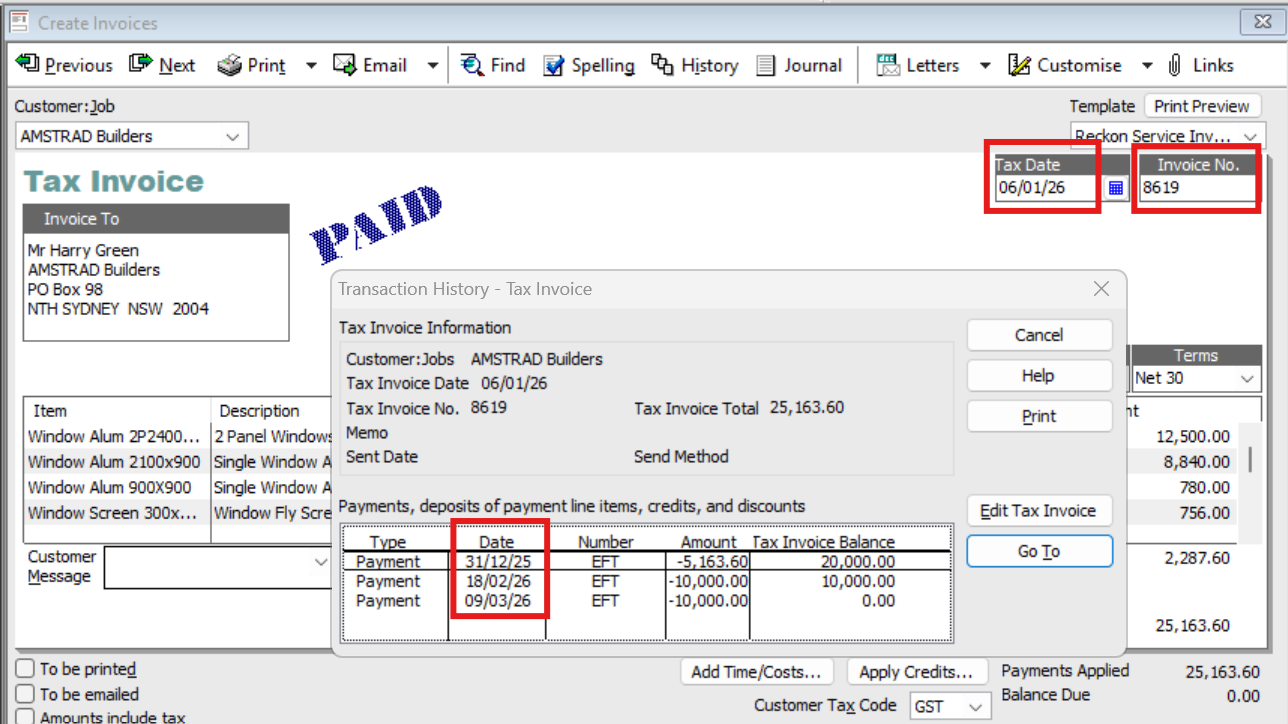
You can see on here that the Invoice itself is dated 06/01/26 but the initial deposit payment was pre-paid the month before & - at that point - this invoice hadn't been created yet. Therefore, the system allocates that Dec pre-payment in line with the Jan (invoice) date. However, all the others are showing their actual Payment Dates:
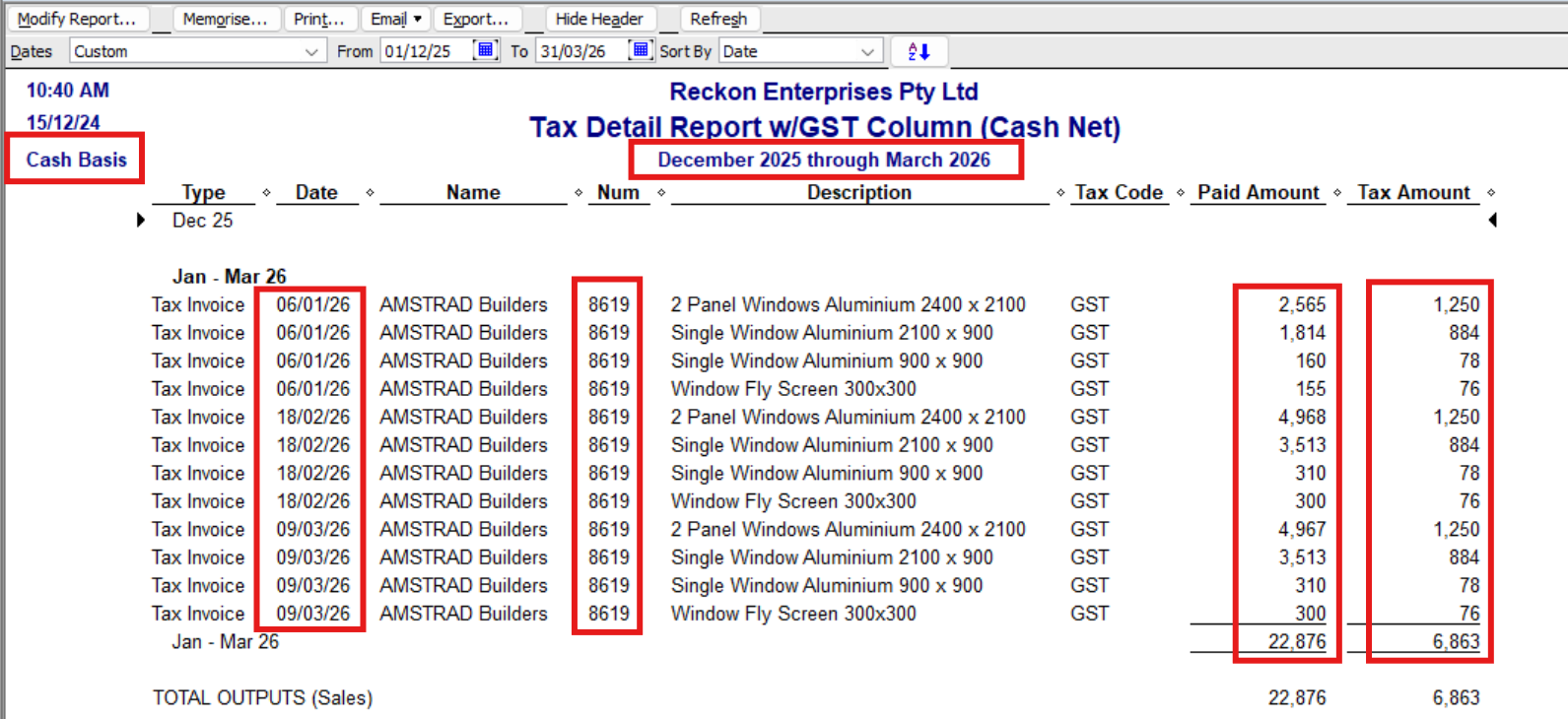
By contrast, you can see the detail report on a Cash basis whilst showing the correct net total Paid Amount, is unable to reflect the payment (cash basis) breakdown scenario accurately (either the dates or amounts !):
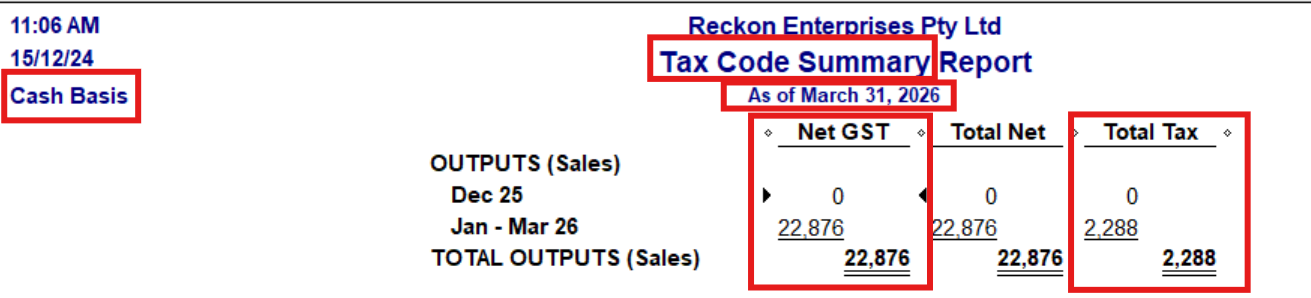
The Tax Code Summary however, doesn't have this inaccuracy issue because it doesn't have to break down the amounts:
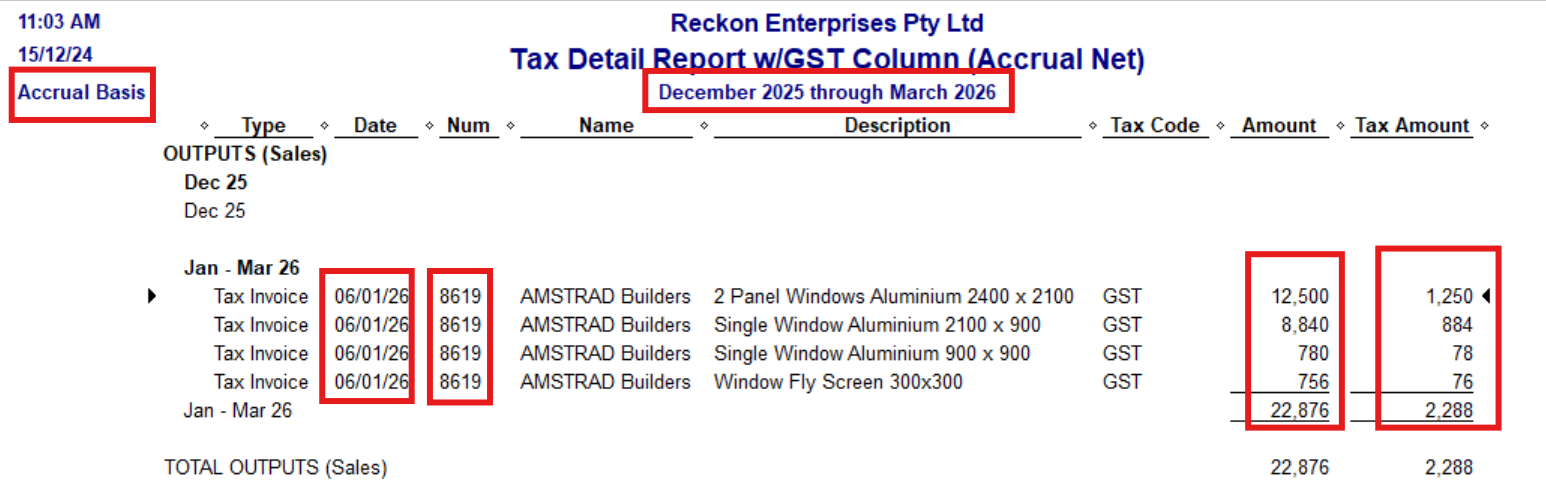
By comparison, the same report on Accrual basis doesn't have any problem, because it's purely reporting only each line of the invoice (not each-line-apportioned credit/payment):
So … if your Tax Code Summary report is also incorrect, that suggests either a tax coding error or corruption 😬
Hope that helps! 😁
0





