Payroll saving


Hi there,
We use Reckon Hosted and our payroll process is this:
- Payroll is entered into Reckon, screen shots taken and included into a spread sheet but not saved
- Payroll is reviewed the next day by our CFO and approved for processing
- Payroll Officer must enter payroll again and then save and process
This is not ideal and time consuming. Is there any chance at all to save payroll so it can be completed the following day?
Answers
-
Hi @SuzanaVarga,
Just a suggestion, you can still process and create the pay run and edit it by unlocking the payrun later if not approved by the CFO. This might be a better option instead of having to create it twice.
There is no option currently to truly "save" a payroll entry without processing it at this stage in Reckon Accounts.
Let me know if you require further information.
 0
0 -
Hi Lucas,
Thanks for your quick response.
Can you please run thorugh the process step by step as I am unfamiliar with unlocking payroll?
0 -
Hi @SuzanaVarga,
After you have created the pay runs, you can click on the individual pay run within the employees record and open up the Pay cheque detail:
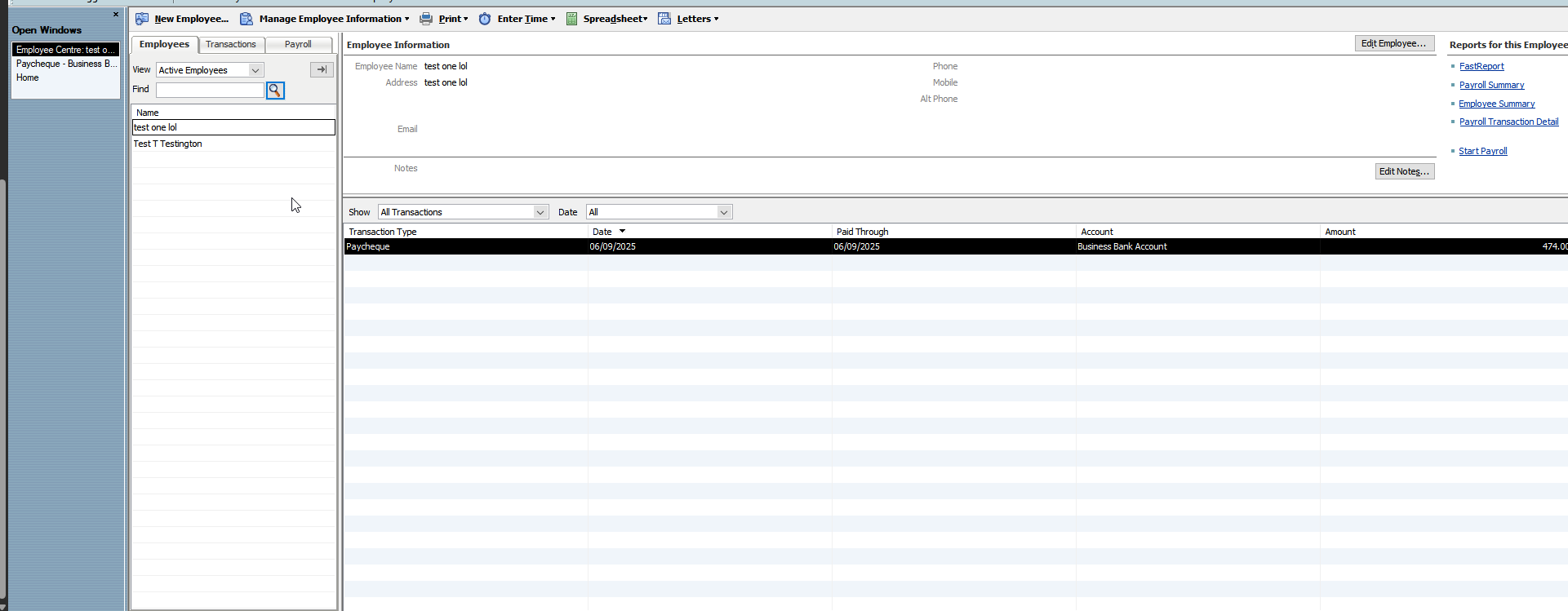
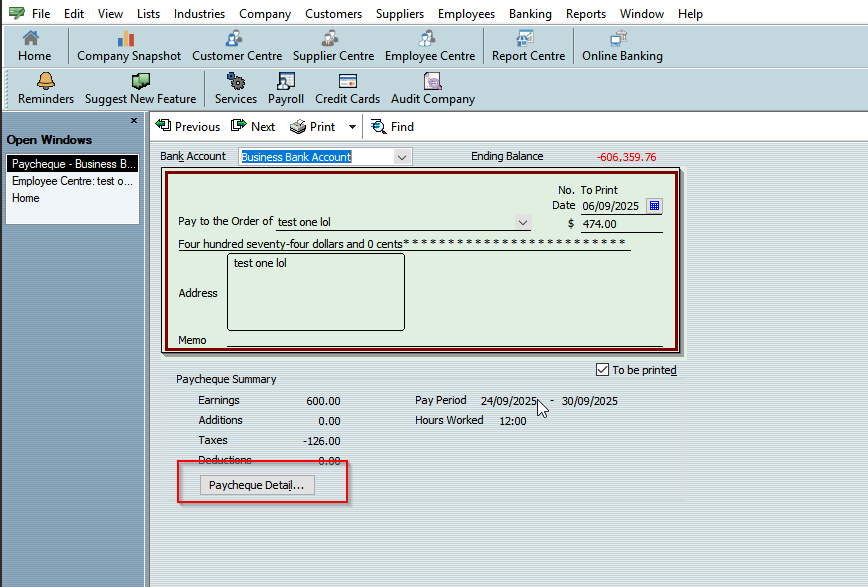
Once you have the Paycheque window open up, we want to select 'Unlock Net Pay' (it will display a caution warning) and click 'ok'.
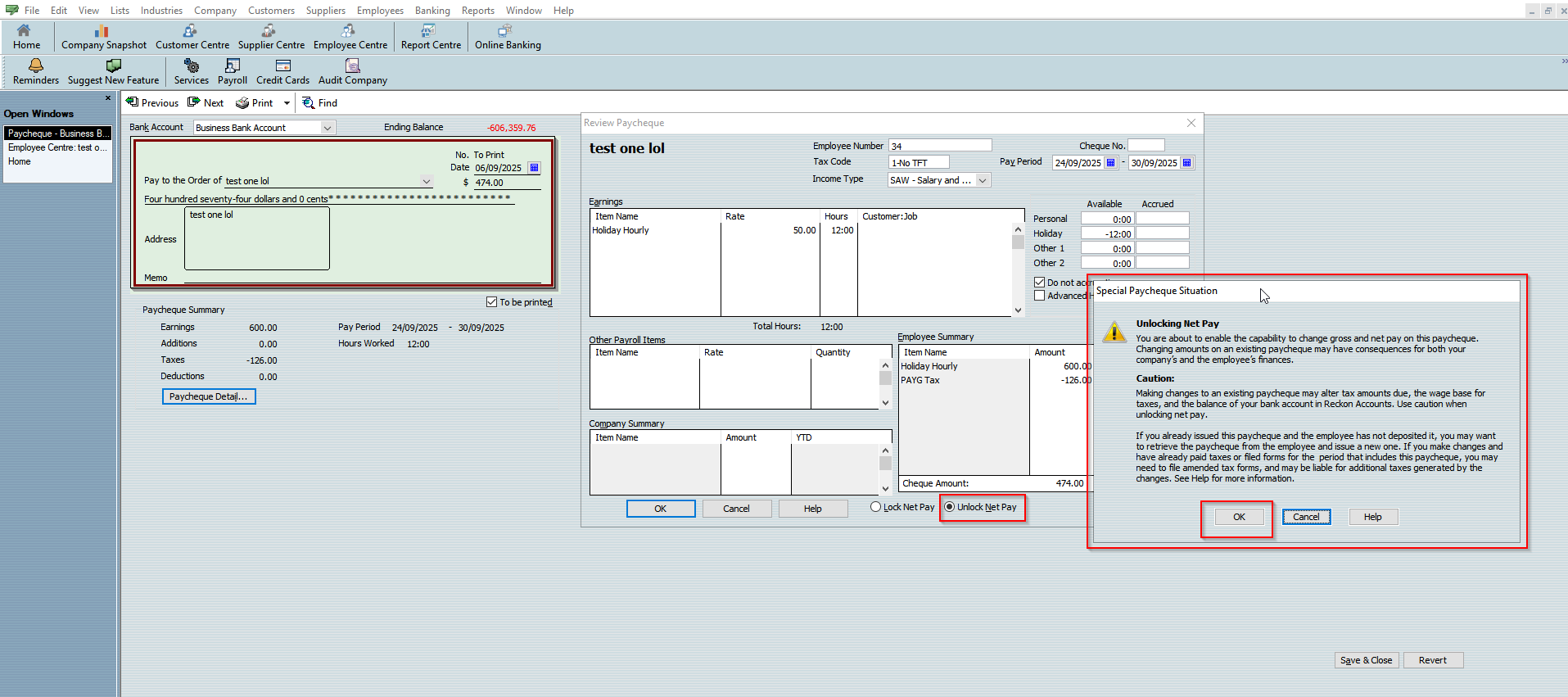
Once you have done that, you can edit the rate, hours and other information. Once you are finished
- Click 'Lock Net Pay'
- Click 'OK'
- Save & Close
This should save you some time so you do not have to reenter the pay run information every time.
1 -
Hi Lucas,
Sorry but I don't think I made it clear on what we have to do. We enter payroll, we do not select create payment which woudl save the payroll as our CFO needs to review the screen shots we give her, then the following day we receive her approval but the payroll we entered the day before is not in Reckon anymore, therefore, we have to enter it all again.
0 -
Hi @SuzanaVarga,
Sorry for the confusion, but is there a reason why you can't create the pay runs in Reckon Accounts and edit it afterwards by unlocking the net pay if not approved by the CFO? If not approved simply adjust the NET pay for each employees pay cheque and seek approval again.
You do not need to email the employees payslips until revision is done and met to the approval standards of the CFO than you can generate the STP file, email payslips, ABA file etc. This should make it easier compared to having reentering multiple times.
Let me know what you think.
1 -
Still confused lol. So once we ahve entered all of the details for the pay slips, you click continue then create payment, this is the only way the information is saved in the system. But we don't won't to create payment on this day, because our CFO needs to review it the following day.
0 -
Hi @SuzanaVarga,
So for the pay run review process is intended to occur at this step:
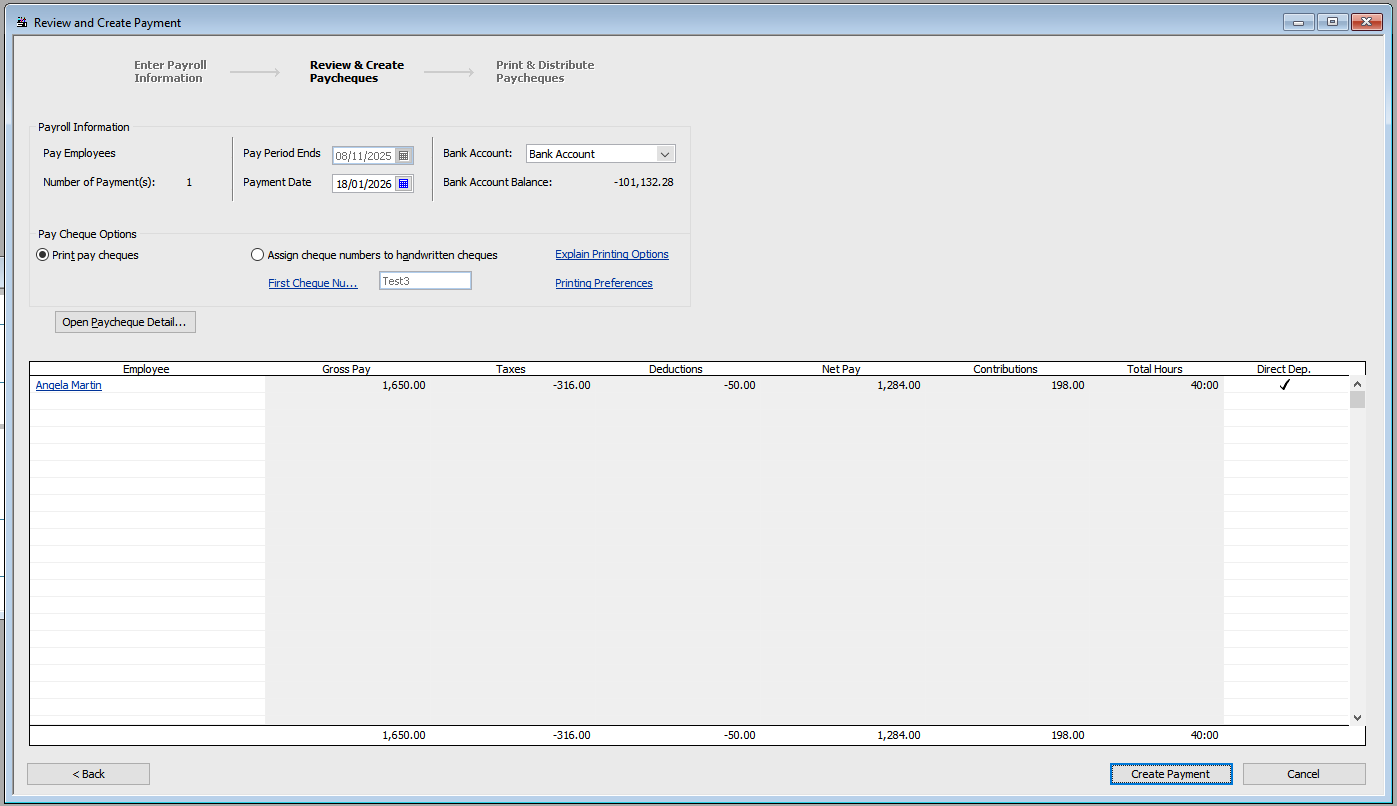
However the pay us not "saved" at this point. In order to do so, you need to proceed after the Create Payment Step.
You can edit the paycheque if not approved by the CFO and have the CFO review the pay cheque after you have edited it for approval. This should decrease the workload, I do understand that you don't want to create the pay run until approval.
However, you can resubmit again after adjusting the pay runs with the new amounts until you get approval. Once you have approval, you can email the payslips to your employees, generate the STP file etc.
Sorry, if I am not being clear in the instructions or if I am confusing you.
1 -
Thank you so much Lucas, you have been so helpful! Have a great weekend!
0 -
That's no problem, anytime 😊
Hope you have a great weekend and stay safe!
1

 Reckon Staff


