Inactive Items not able to make active again?



Comments
-
Hi Amanda
In Reckon Hosted you can change the status of inactive items to re-establish them but they don't appear on your item list unless you go to "Item" (bottom left) and select "Show inactive items" then select inactive item you wish to make active again, un-tick make inactive box and they should then be visible.
Hope this helps.
Cheers Lisa
1 -
I have the same problem, the above works on most but some items the box to untick is greyed out and the system will not react, have tried in single user as well. Is it possible that the items are to old to re-activate?0
-
Hi tony, in your item list bottom left click on "item" button and chose resort list.
follow by verify and rebuild the data file and give it another try.
hope this helps.0 -
I'm having the same issue, where do you verify & rebuild the data file?
0 -
Hi Kerry,
You'll find info on how to verify and rebuild your company file here -
How to Verify Data and Rebuild Data for a company data file in Accounts Business (Desktop)
0 -
Thank you very much. Wish me luck!!0
-
Hi I'm having the same issues as the above person.
I have backed up verified data twice the system now states data is ok.
And yet some items that I still have stock numbers of I cannot make active again as the make active is greyed out.
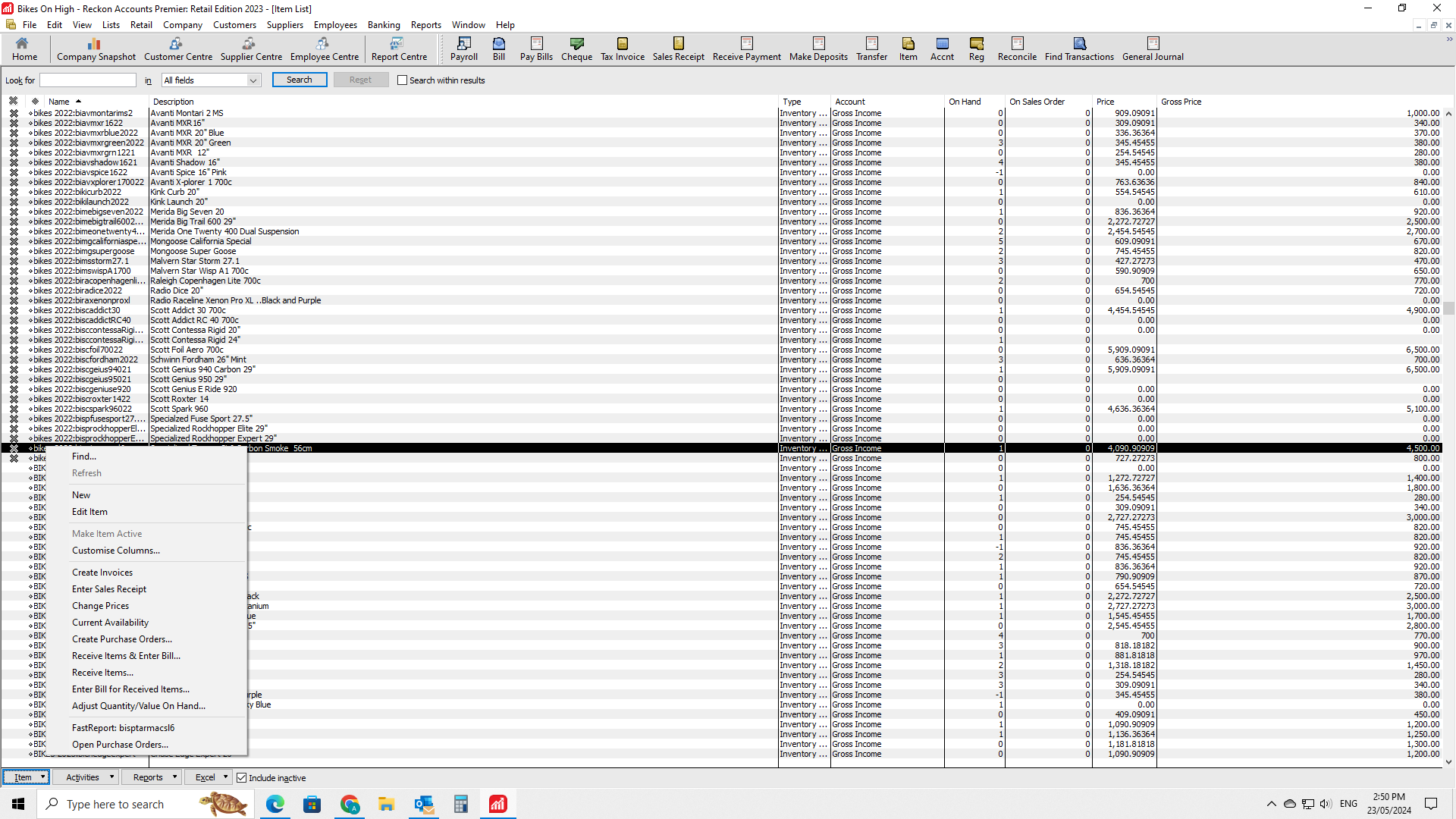
Any kind of settings that would cause this?
0 -
Hi @212206
Apologies for the inconvenience.
Can you please confirm if the inactive items (that you're trying to activate) are the sub-type of an item?
If yes, you are supposed to make the actual item active first before it allows to activate the sub-type of that item.
Please let me know, for any concerns/issues and will be happy to investigate further for you. Thank you!Regards
Tanvi
 0
0





 Reckon Staff
