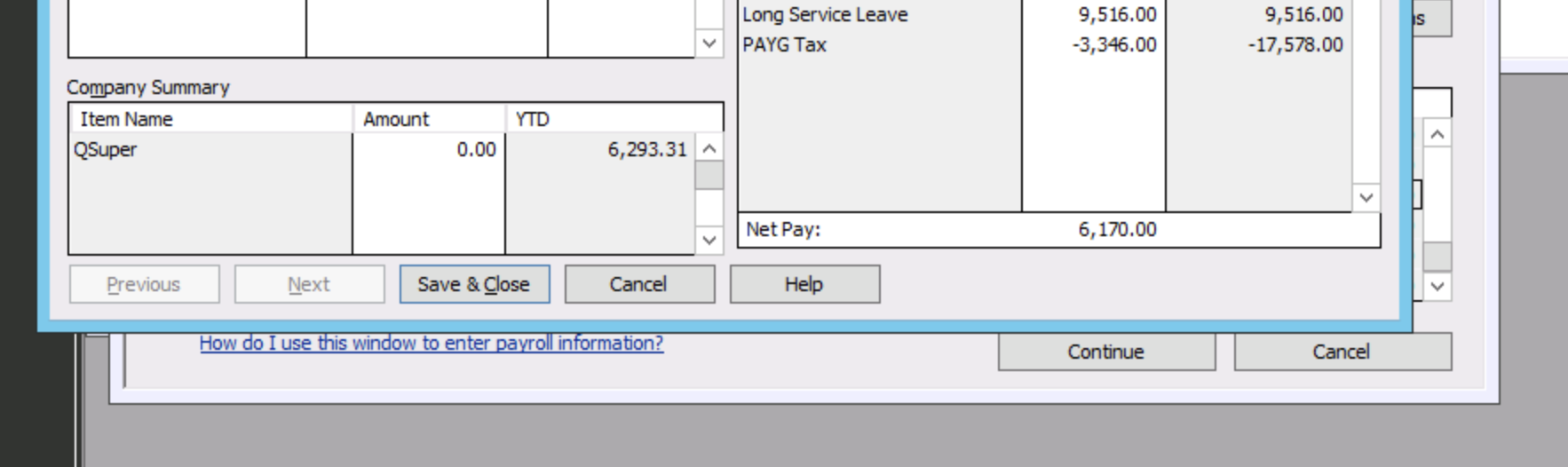
Our employee will be paid long service leave on July 9th. He does not want payg deducted because he is taking a year off. Years ago you could override entries but when I try it now it will not change.
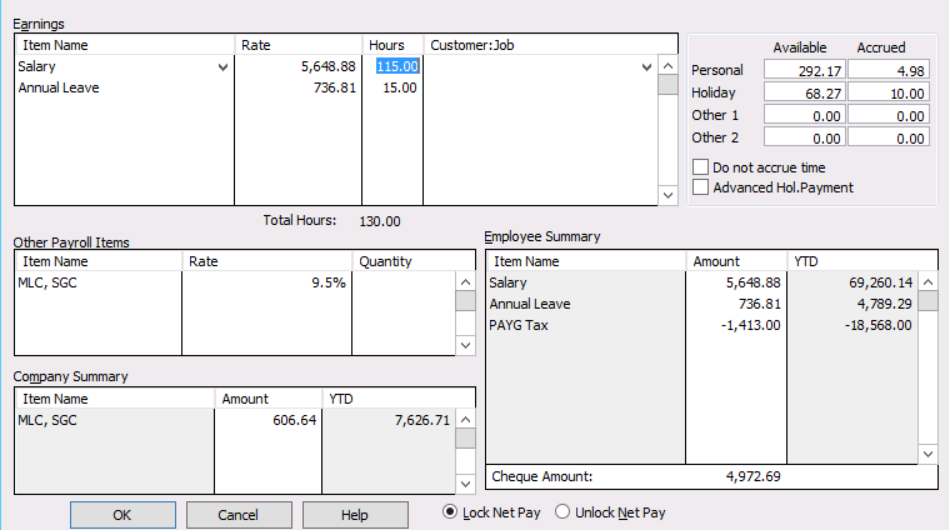
It is easy enough in RAH to change any “payg amount” - just change the negative PAYG Tax amount in the bottom right corner of the "Review Paycheck" screen and the net pay will adjust accordingly.
However, think very carefully before you do this:
Hi Bruce
I tried that a number of times before posting. I can delete the amount, but the net pay did not change, it would not proceed. It is a large amount. Does it depend on the amount?
We are closing. Our employee is travelling for a year (not working) so is a valid request. Thanks for the info on requiring ATO variation
Sorry but I don't know why you can't reduce the payg amount - I certainly have the capacity
I am not a tax agent, but to the best of my knowledge travelling is NOT a valid reason, on its own, not to pay tax. However if the employee can demonstrate to the ATO that their income for the year is going to be down then their may be scope for variation. By means of an example - employee getting 3 months paid LSL but going on 12 months holiday, so 9 months without pay.
Did you unlock the pay, down the bottom?
First to Bruce. As mentioned in first post payment will be in next financial year (July 9th, 2021). No tax deducted based on TFT of 18,000 and the person will not be working and amount is not over the TFT. Looking at getting the ATO variation but no point if I can't change the payment.
To Kris's point. I looked at Bruces example above and there is a box to unlock net pay. My page does not have the two boxes- lock and unlock. I am using Reckon Hosted and do not know why this is missing on the format. Any ideas?
Cathy
Reason for the differences in the "unlock net pay" check button is that it only appears in a pay that has already been processed (as was the image I showed you). It does not appear whilst you are actually trying to process the pay for the first time - which will be your situation. So no need worry about this point.
Unfortunately I still can't shed any light on why you can't change the tax amount.
@Cathy Moss Booth
Are you over typing in the minus field itself? Have never heard of it not being allowable so would need to see it first hand in case it’s something in your pay item set up ?
I have changed the tax before as Shaz said by overtyping in the PAYG field. Sometimes I have to increase it to make adjustments
Zappy Not sure if you read the whole thread. We have never and have no intention of doing anything wrong. We would get approval prior to doing it.
Hi Cathy,
Thank you for your query.
What you're trying to do is absolutely possible. While I can confirm how you can edit the tax amount, this does not mean I agree with what you are doing as we at Reckon do not provide tax/accounting/bookkeeping advice.
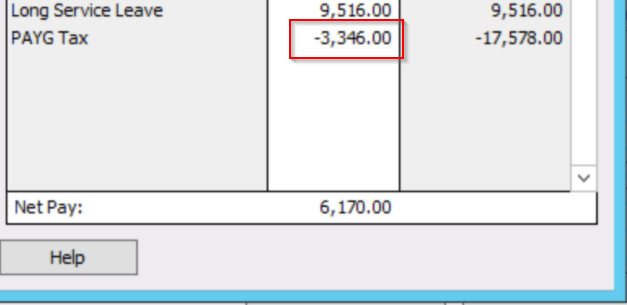
To edit the tax amount, simply write over the current tax amount. You can put in any amount you like here. See below:
HI Luke Thank you very much.
I have tried that and it doesn't work for me. I override the PAYG Tax entry, the space is empty, the net pay doesn't change, and I can't move forward.
I have also just spent an hour with Tech support at Reckon Hosted.
Just further to why we are doing it. It is a large payment in July - the new year, the employee is asking for a variation from ATO because he is finished working and will be under the $18,200 Tax Free Threshold.
Any further help would be greatly appreciated.
This is very strange, never heard of not being able to edit this.
After you change the tax amount, did you press tab on your keyboard? It should then automatically update the net amount.
Hi Luke
I deleted the tax, the box was empty (but the net amount did not change), when I press the tab the tax amount returns. I have tried this a dozen times, closing and restarting the computer, on two different computers (Mac and desktop). 😫
Thanks for explaining further, I can replicate what you're doing!
If you want the tax amount to be $0 you cannot just leave it blank - it will put the correct tax amount back. You need to type in 0 then press tab. This is the same method for any other amount that you want - just type in whatever amount you want and press tab.
Please let me know how you go.
😀Thank you Luke! So simple! It works! 😅
( I spent 45 minutes with Reckon Tech this morning and they couldn't help!)
Yes sorry about that Cathy. Veliana mentioned this case to me that's why I jumped on to help you. It seems like me, Veli was confused as to why you weren't able to edit the amount. I've got her to check this thread out so she can learn next time.
Apologies for taking so long to get to the bottom of why it wasn't working for you but I'm glad it's resolved now. We will close your case.
Have a good day :)
Hi Luke What wonderful followup info! 😁
Yes all resolved!!
Thank you for getting back on Veli, I could see she was really trying to get to the bottom of it.
Check out the latest important info & announcements for Reckon Accounts Hosted
Each Reckon software has its own dedicated category on the Community. Click below to browse all categories.