We are unable to finish the pay run. The selected account no longer exists for these pay items: Ordi
I have set up an employee (Closely Held) in Reckon one
Paid monthly - ordinary - I have created a pay run - however when I try to mark as paid
I get this error ???
We are unable to finish the pay run. The
selected account no longer exists for these pay items: Ordinary. Please
update the accounts on these pay items.
Comments
-
Morning @Janet
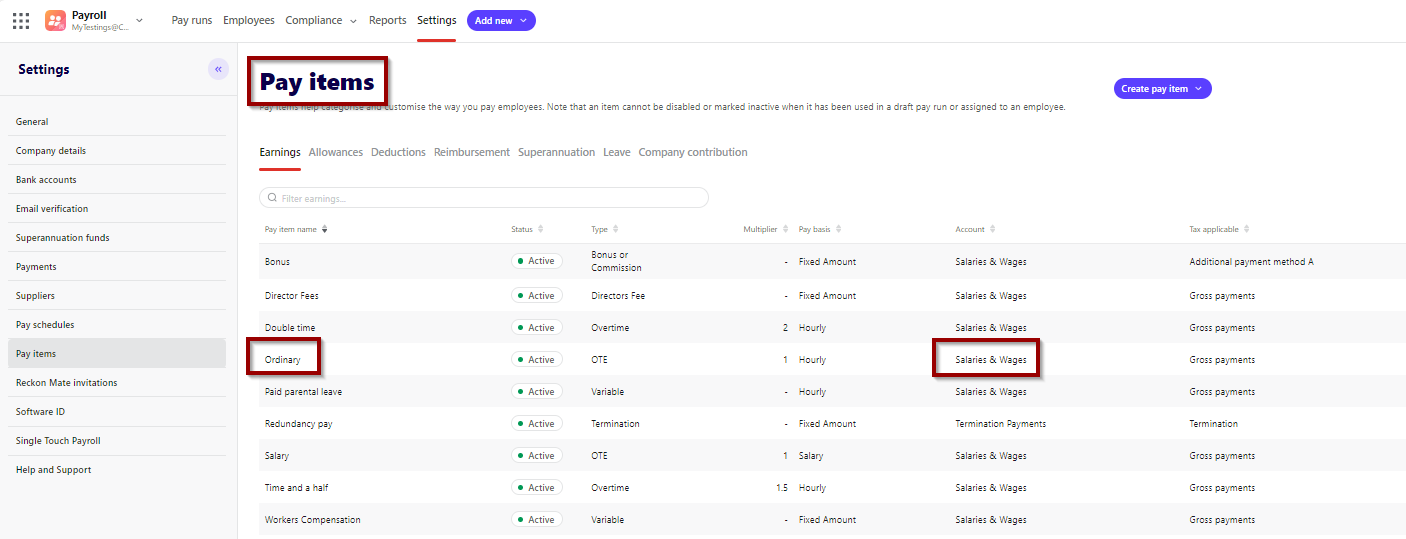
Regarding this error message, there are accounts missing for the Pay items.
If you go to -
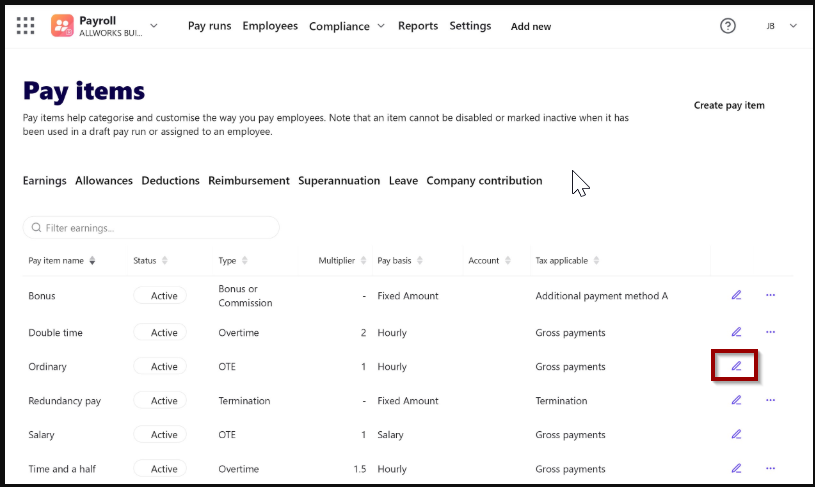
Payroll - Settings - Pay items - Open Pay item and select the Expense account. (As in the screenshot below)
Once you have the account selected, you should be able to create pay run.
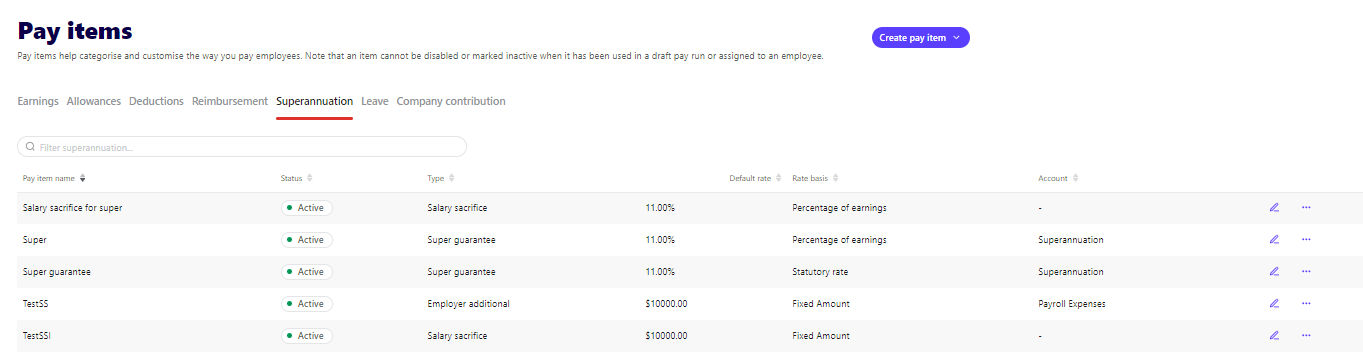
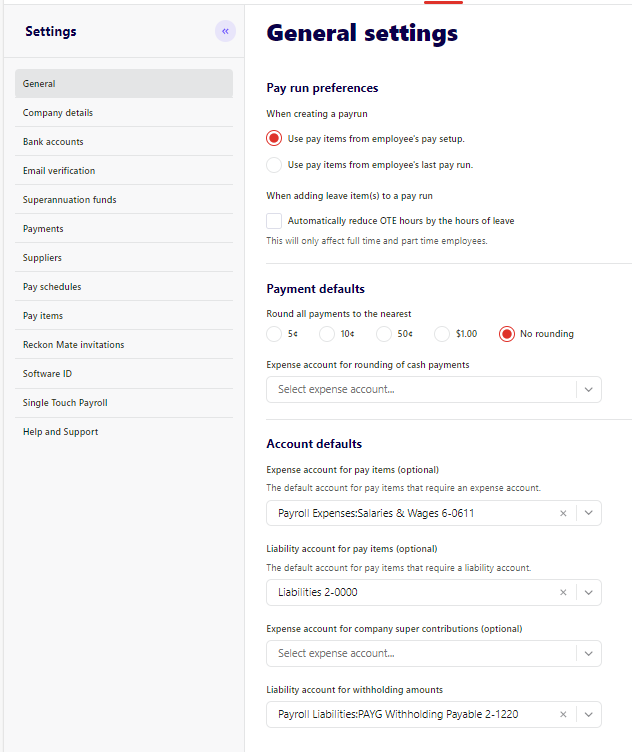
Along with checking the Pay Items accounts, please check for the following as well -
- Pay Items - Superannuation - Super Guarantee Account
- In General Settings - Payroll Liability Account
Feel free to let us know for any concerns. Thank you!
Regards
Tanvi
0 -
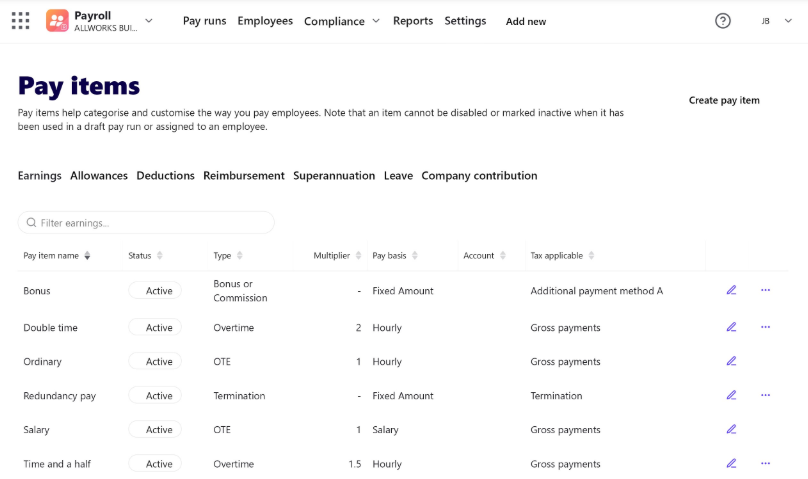
I am not able to change these settings in
My setting says ordinary - OTE - gross wages
0 -
Hi @Janet
If you click on the Pencil (at the end of the Pay Item), it will give you the option to enable and make changes. Then, you go and select Expense Account for Ordinary.
Regards
Tanvi
0