Category column of payment - drop down arrow gives no options


We have upgraded to Reckon Home and Business 2022 from a much older version.
When entering a payment in the split transaction window, in the Category Column the drop down arrow gives me no options. The older version would allow scrolling through the category list to find the relevant item.
Surely the 2022 version has not removed this option.
Answers
-
I would be grateful if technical support staff could advise me how to fix this issue. I have checked - Edit, preferences and the auto fill boxes appear to be correctly ticked.
0 -
Hi @frawley
Are you referring to this category dropdown after selecting the split option?
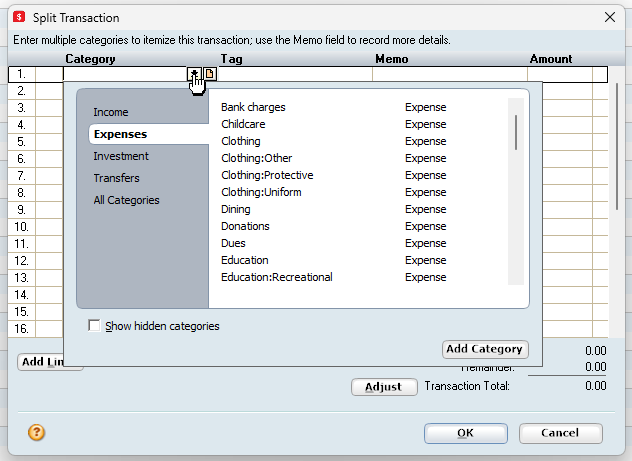
I'm not adept at the use of the Personal Range however, it seems to be working ok on my test file in Personal Plus 2022.
Are you experiencing the same behaviour in the Sample File?
Have you validated and super validated your file?
0 -
Thanks Rav. Yes, that is the category list I am referring to.
However today for some reason the issue has resolved - the drop down arrow is showing the area of the category list typed in , plus the relevant sub categories - and it allows me to scroll through a large area as normal, ( and as was the case in the older version I was using) Problem solved, but no idea why.
No I did not validate and super validate my file.
0


