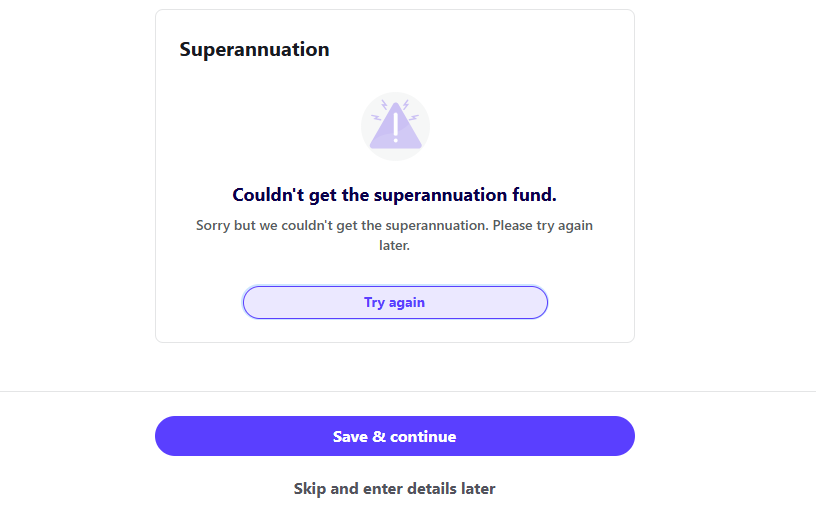
Sorry but we couldn't get the superannuation. Please try again later.Try again
Hi @Kath5318,
Sorry to hear you're having trouble creating a new employee. I'd like to ask a couple of quick questions to help me assist you better:
Let me know and I’ll do my best to help you out!
Cheers Jason
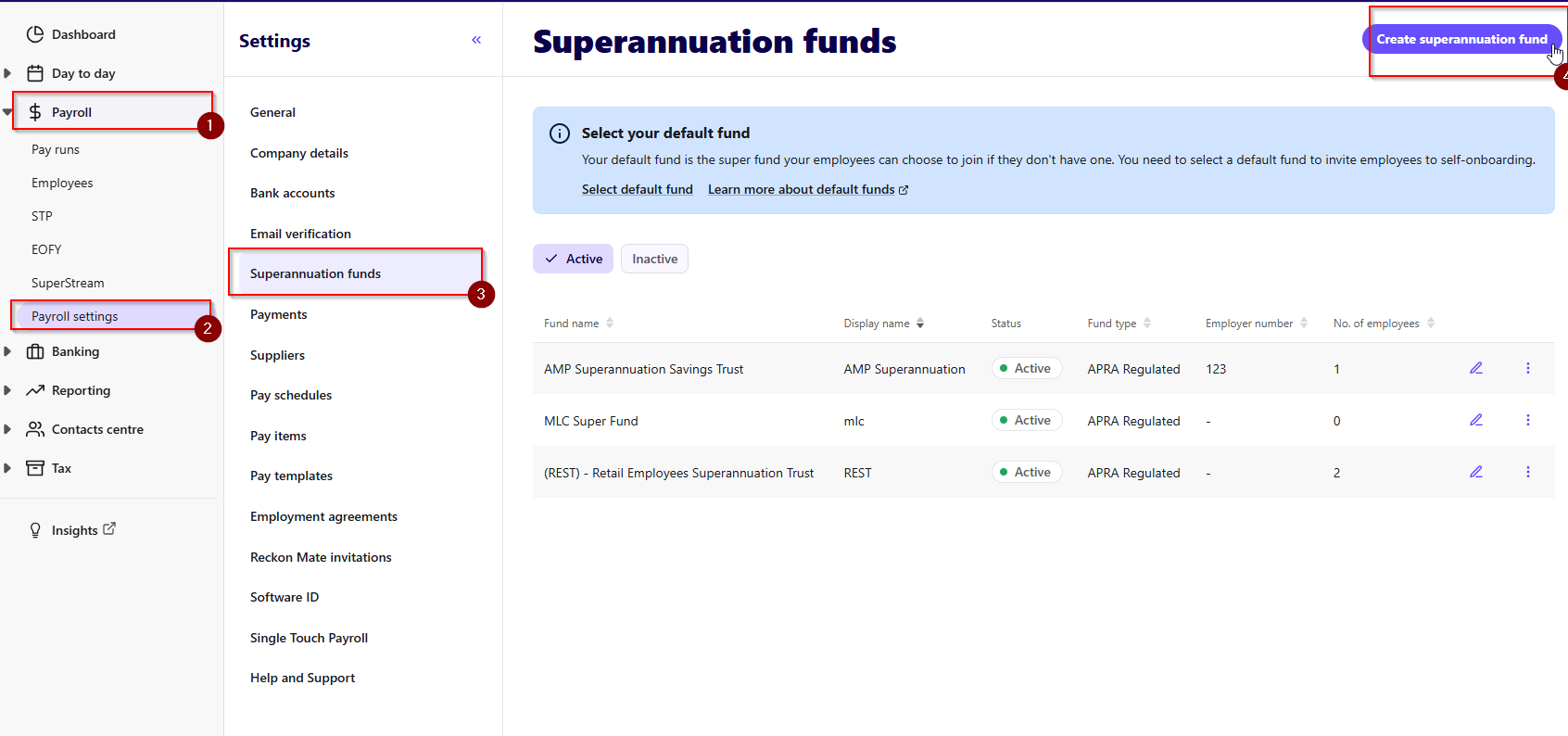
This error usually displays when you do not have a Super fund created in your Payroll settings. I recommend doing the following:
Payroll > Payroll settings > Superannuation funds
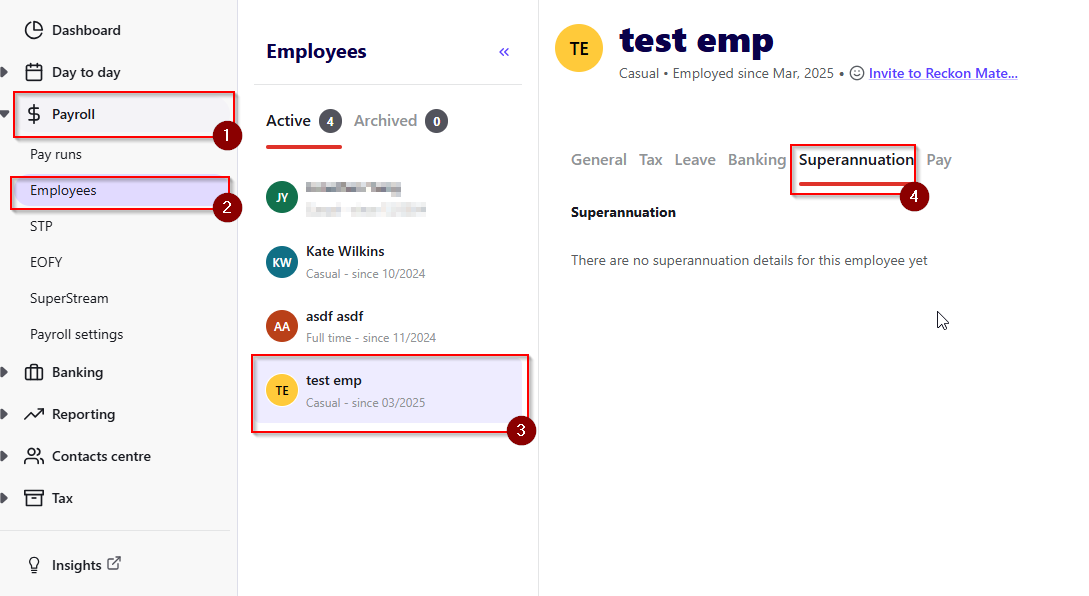
Once you have completed that, please go into your employees and click on the superannuation tab and select the Superfund for them by editing the employee details:
If this error still does occur, please reach out to us and we will assist you as best we can.
Thank you and speak to you soon. Lucas
It happened with one new employee in each of two books/payrolls. The super funds have been setup - REST and Australian Super in both payrolls - since migrating to Reckon Payroll in Jan2024.
I then checked an existing employee by going in to edit his details and received the same message.
This needs to be resolved urgently as I have six payrolls to process on Monday.
What platform did you migrate from to Reckon Payroll? We may need book access to one of your books.
Can you also confirm that it's happening in each book that you have?
Were they all migrated?
Hi Lucas,
All 6 payrolls were migrated from Payroll Premier desktop to Reckon Payroll in December 2023 with the first Reckon Payrolls processed on 8Jan2024. Not had this issue previously.
I have just checked and it is happening in 5 of the 6 books.
Could it be because my access is not being recognised even though I am the admin?
Thanks
I have just started having this issue too with existing employees. I cannot even edit the super details to add or remove. I am trying to add a salary sacrifice. I just get this message when in the edit employee:
Hi @Bronnie
Our team is currently looking into the issue for Kath. Could I also take some details from you to help our team with the investigation? Ill shoot you a message.
Unfortunately, I wasn't able to get in contact with you earlier, but I’ve now been notified that a fix has been implemented.
Could you please try again and let me know if the issue is resolved? If not, I’ll be happy to take another look.
Thanks again for your patience!
Jason
Hi Jason,
It is all working properly now.
Bronnie