emailing a spreadsheet directly from Reckon


Hi, i have always been able to email a spreadsheet or export a spreadsheet directly from my Reckon file. i have been advised by Reckon that this function has been disabled and i have to create and save a .csv then export or email. Has anyone else found this problem? thank you Judyw
Best Answers
-
by doing a full repair of Microsoft 365 on the internet it fixed the problem of another file crashing which saved me uninstalling the latest version of Reckon and reinstalling it again. thank you so much for getting me going again. the reckon community is the very best!🤗
2 -
For anyone having problems with Reckon desktop exporting reports to excel. I went into control panel, then programs and features, clicked on Microsoft Office and selected change. I did a quick repair and then an online repair. This worked for me and was very easy. A big thankyou again to the Reckon community. 😊
1
Answers
-
I exported a file and the only choice was .csv. But I selected browse and chose an old excel file and it just replaced it. Downloaded and seems to be ok
0 -
my only choice was a csv. file but i couldn't see browse it asked me to save the file to my computer?
0 -
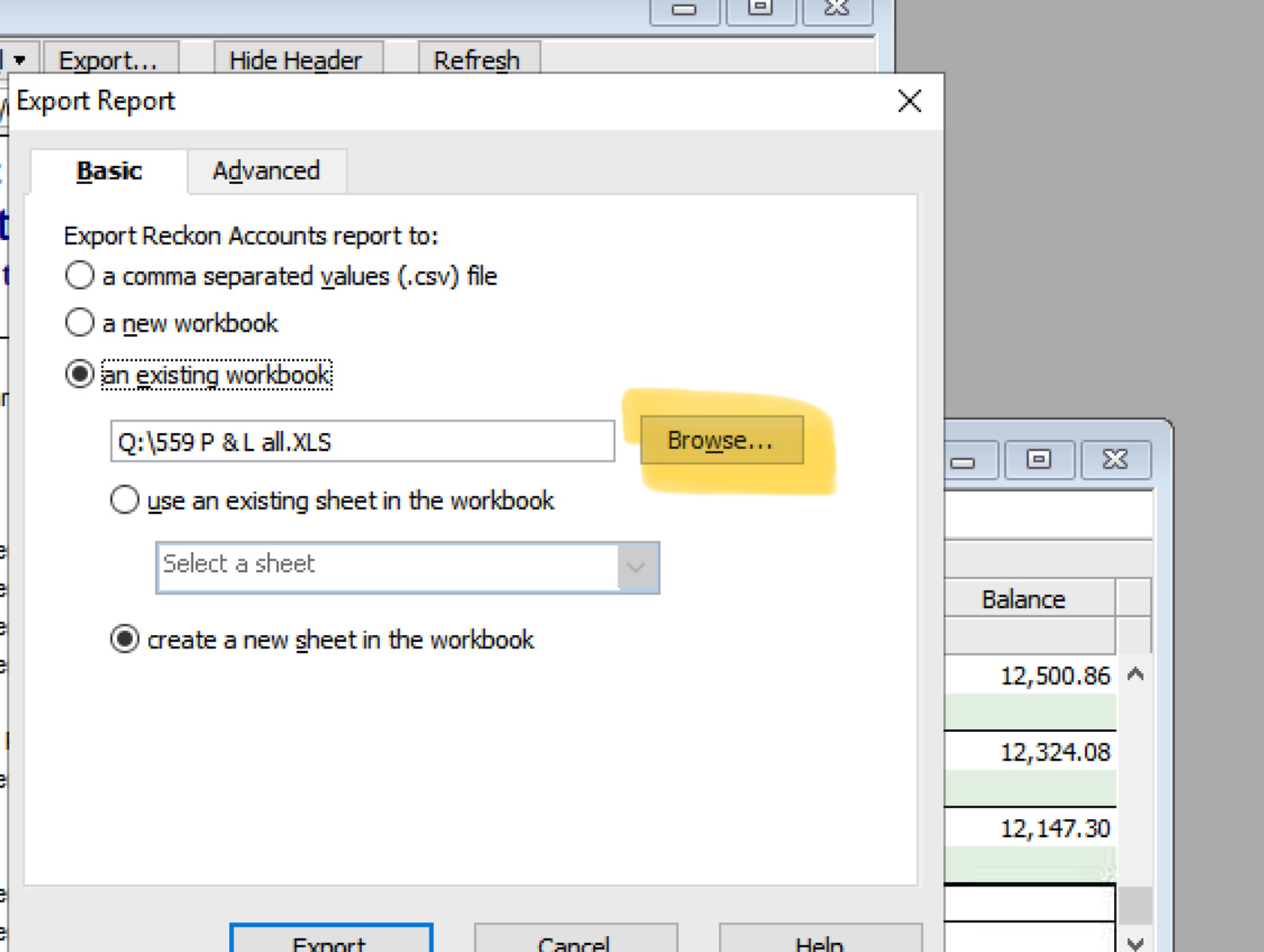
After I selected browse I clicked on an existing xls file
0 -
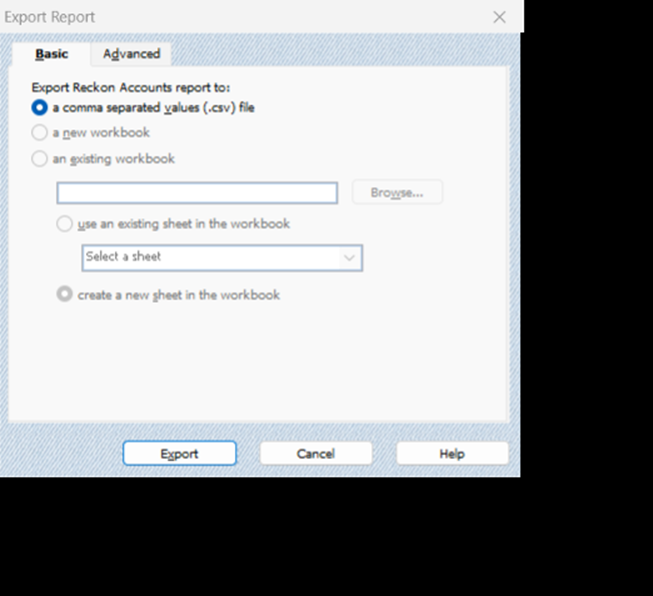
yes that is it. I used to be able to that now it is all grey and my only option is a csv. file.
 0
0 -
select an existing workbook and then Browse will open up
0 -
i am unable to select any other option. the other options are grey, only the csv file is in black and it cannot be unchecked. i selected advanced tab and everything on that page is grey not able to select anything.
0 -
That’s a pain - I just did mine on the the latest Reckon hosted. I see you are using Desktop, I’ll check that out
0 -
thank you so much. I rang reckon support and i was told that that function has been disabled and i had to create a csv. file.
0 -
I can still do the same on Reckon Enterprise on PC but that is the same as Reckon Hosted
0 -
Hi @JudyW
There's an older related post that sounds very similar to what you've described and has some info that might be helpful - Why can't I export to excel?
0 -
thank you ok i will have a look. it does sound like you have to have knowledge about the windows registry
0 -
i did reach out to Reckon support on the phone but was advised that that function had been disabled and i would have to use a csv file
0 -
Apologies for that @JudyW, I'm not quite sure why you would have been advised that. As you'll see below from my test book, the option to export to a new workbook is definitely available in the latest edition of Reckon Accounts Desktop.
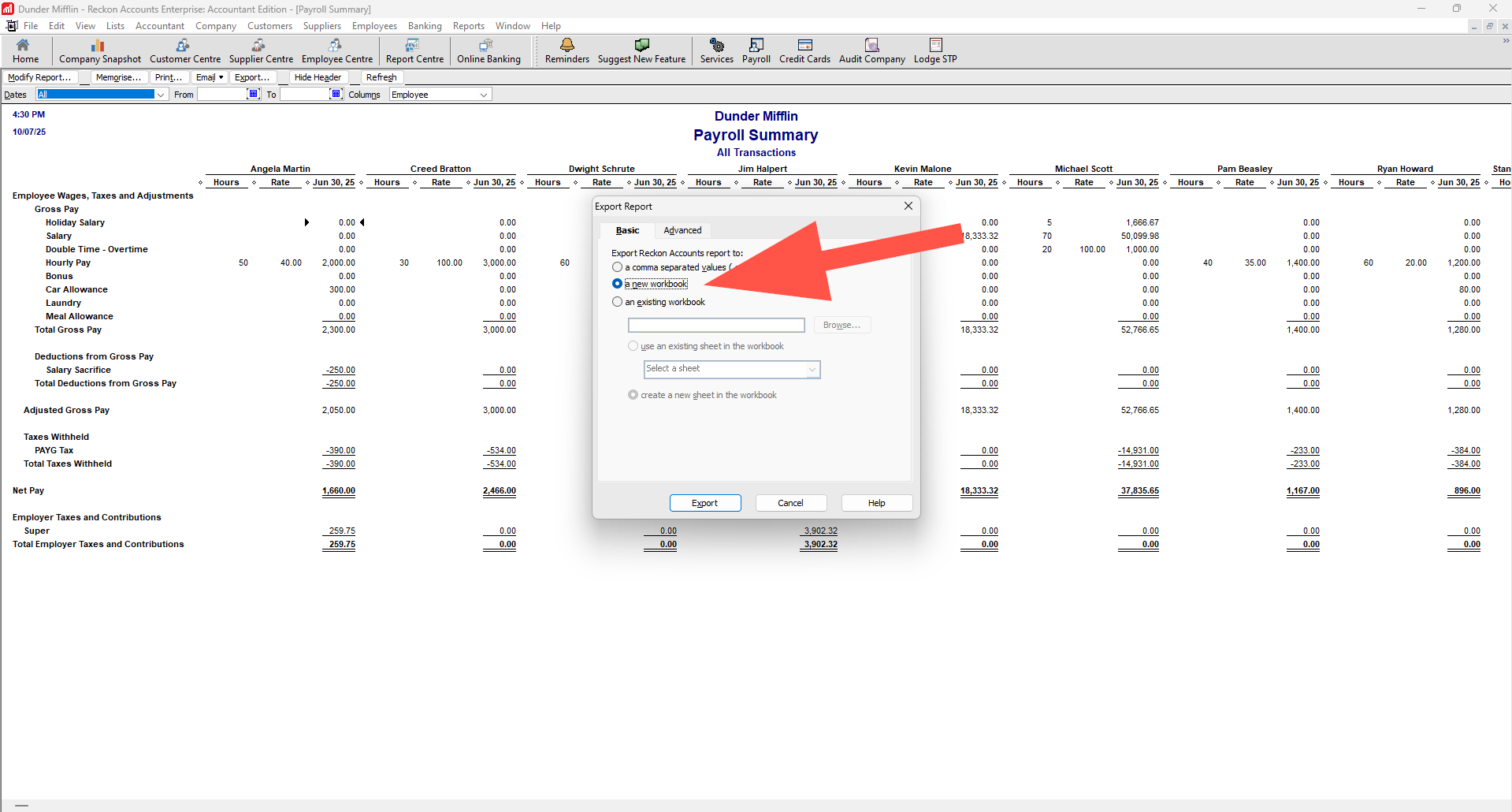
I'll shoot a message through to our teams just as a reminder and ensure we're all on the same page in regard to this.
1 -
a huge thankyou. i followed the advice off the old message you sent me RAV
I did a Quick Repair of my Microsoft 365 Apps for Business and that seems to have done the trick.
thank you very much RAV and to Kris a thank you also. 🤩
3 -
that’s great to hear congratulations
1





