Why are there two employee menus?


I was adding a new employee today and noticed there are two options in the menu for employees. One in payroll and the second in the contact centre and they look quite different.
What's the difference? Which one should I use?
Comments
-
Hi @SydneyFlow
The Contacts Centre is where you keep track of customers, suppliers, super funds, contacts, and employees. It works like an address book where you record their details.
The Employees section in Payroll also stores these details, but includes additional information required for payroll.If you create an employee in one section, it should also appear in the other. However, I would recommend using the one in the Payroll section as it takes you through the new employee setup.
 0
0 -
Thanks Jason. I'll stick with the payroll method, I tried starting it from the contacts centre but then it made me 'finish' the employee from the payroll menu anyway
1 -
Yes, creating an employee in the contacts centre will do that. The employee menu in Payroll is built on the same framework as the new payroll experience, so it takes you through the full employee-onboarding flow.
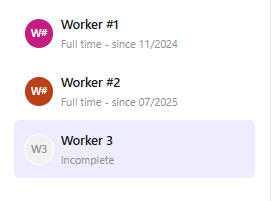
Both employee sections are connected, but the Payroll section is more complete and lets you create an employee from start to finish.
Hope this helps😁
2 -
Thank you for that Jason
0

 Reckon Staff