Back Up Files - RECKON PERSONAL PLUS


Have had quicken/reckon for decades, when it does a backup, it has always saved 5 files
QDF, QEL, QPH, HCX, IDX.
QDF is the main large file.
I have a new laptop and it is only saving the QDF file, is that ok, or do I have a problem? The laptop was mirrored to a point from my old laptop by the computer guy.
I do also save it as a RKN file too.
Answers
-
When you say it’s only saving the QDF file, what exactly do you mean? The QDF is just one part of the full data set. If the other components are missing, some information won’t be available.
A Reckon Personal file requires all of the following components:
- QDATA.QDF – main data component
- QDATA.QSD – supplementary file
- QDATA.QEL – supplementary file
- QDATA.QPH – supplementary file
An RKN file should contain all of these components when saved.
 1
1 -
Thanks for the reply. That is why I asked as there has always been 5 files. But now there is just the QDF
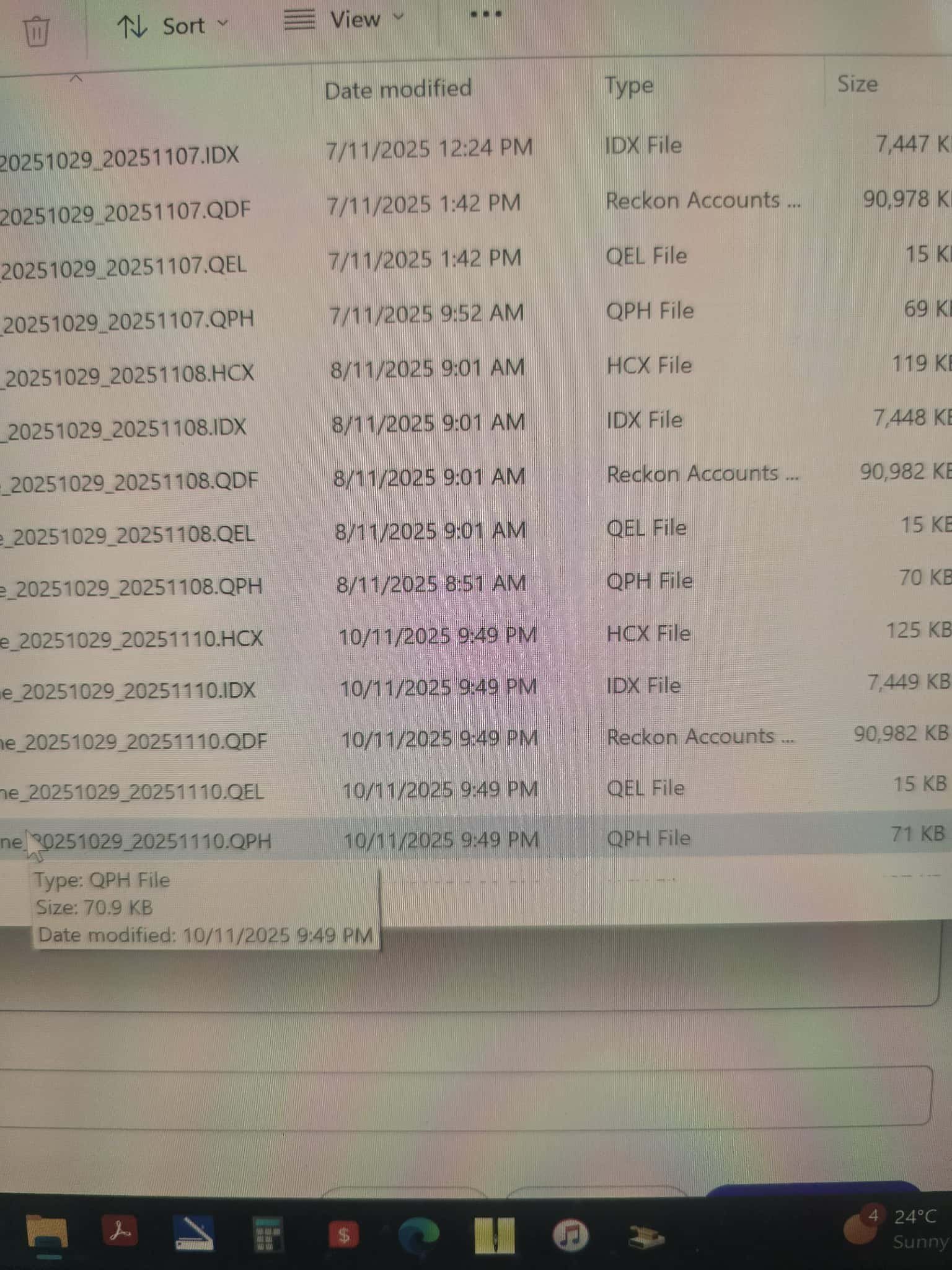
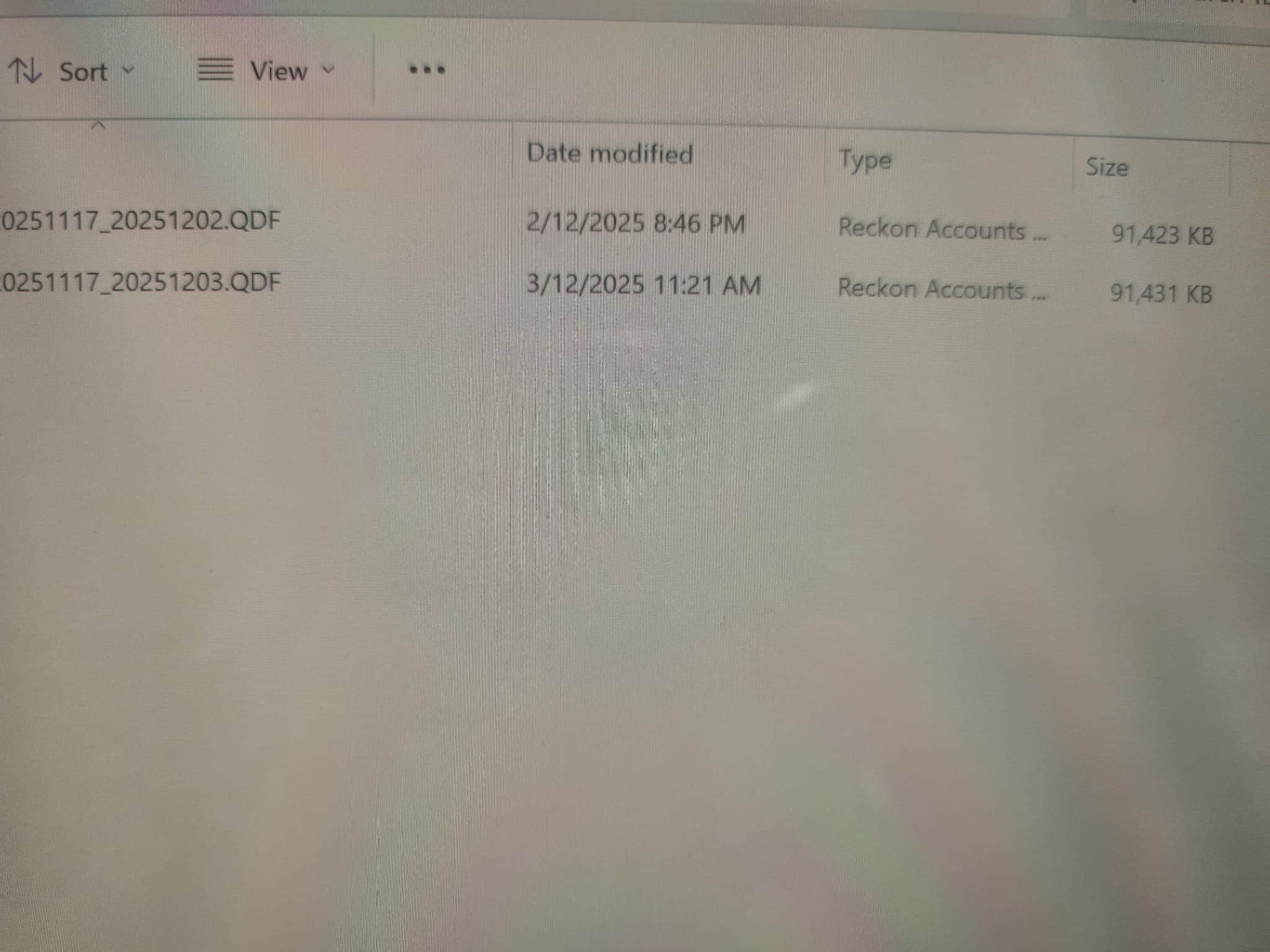 0
0 -
These 2 files are from my new laptop
0 -
Thanks for confirming, I don't think that looks right.
Are you able to try restore the RKN file to see if you can get back the supplementary files?
0 -
I will try later when I get home.
0 -
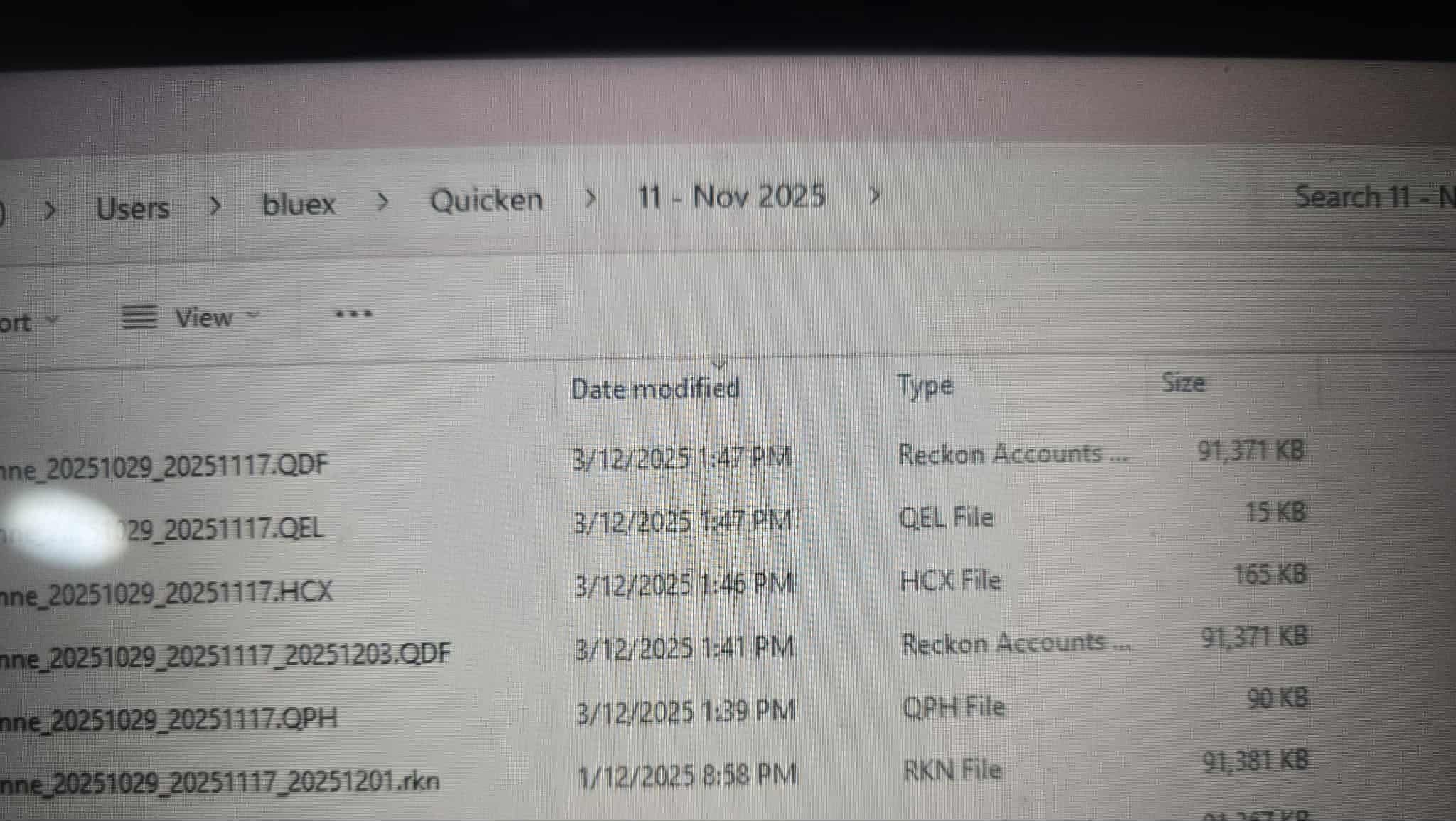
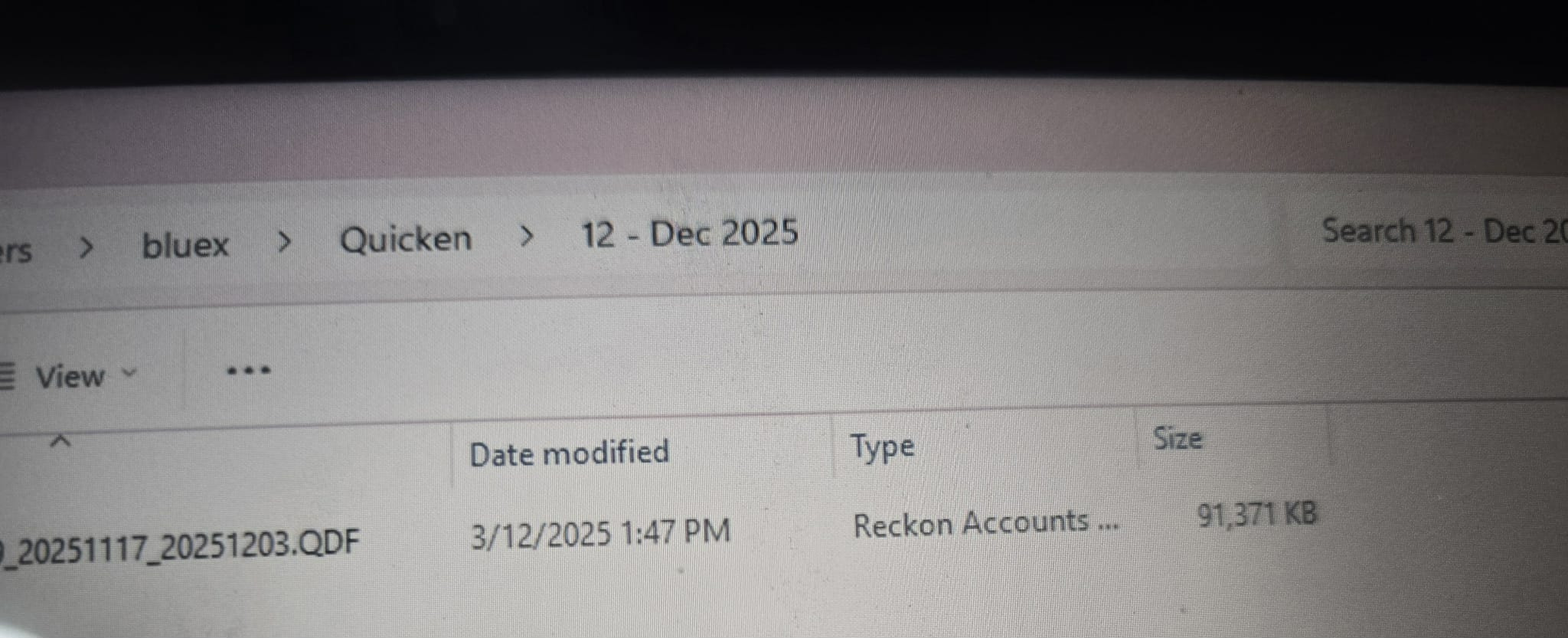
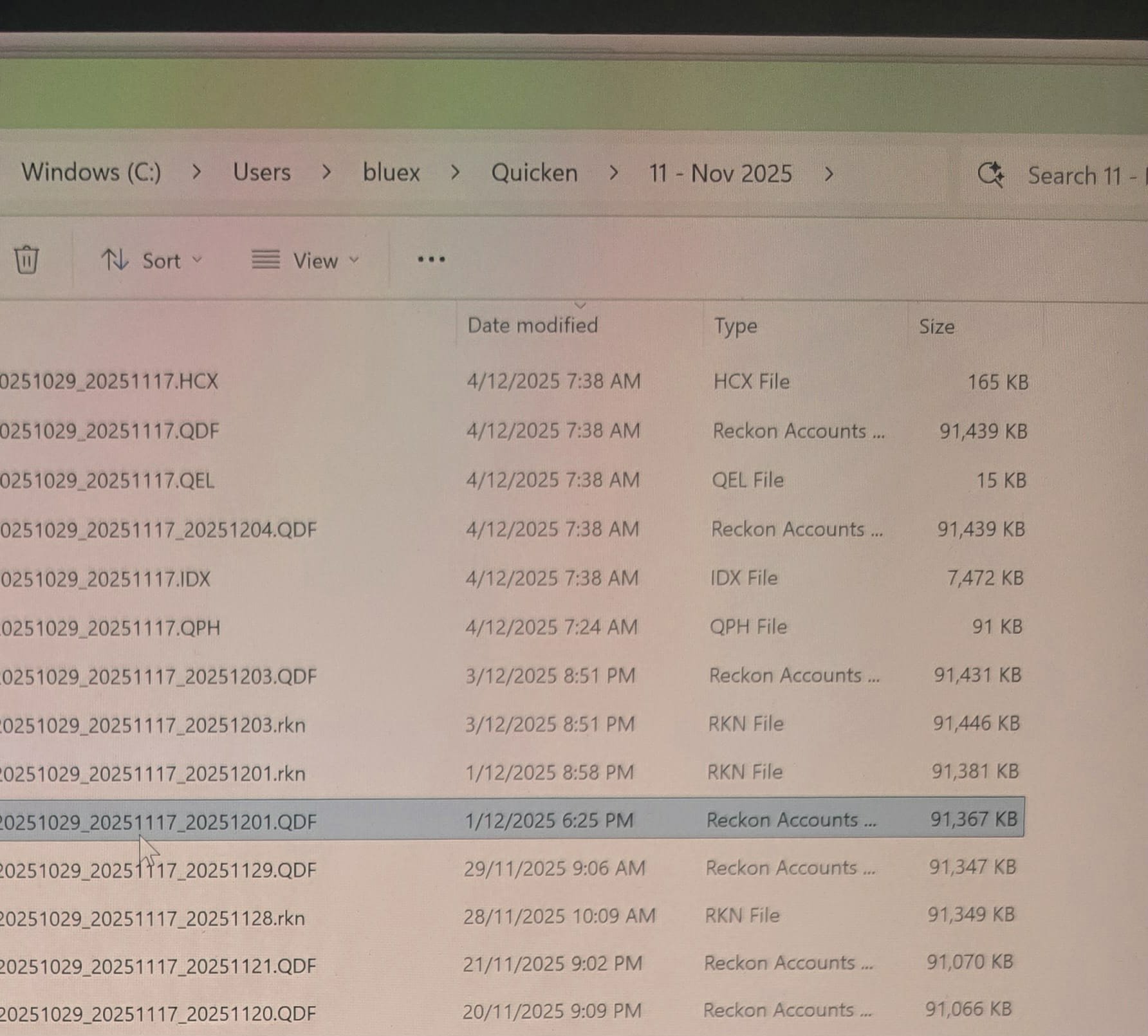
Home now, I am on my old laptop and this is how it backed up.
To the Nov folder it did the 5 files, when I started the Dec folder it did 1 file.
0 -
restore the RKN file and that should give you all the supplementary ones as well
Gerry id 6376
Gerhard Winter
Ph. 0418907140
Reckon Store Next Door
"Always at your Service"
Email: gwinter0808@gmail.com
1 -
I will, but as per the screenshots, backing up to the Nov folder all 5 files are there, I started a new folder for Dec and they are missing.
It seems weird.
0 -
Thank you, that worked, but it did lose all my shares trading history.
0 -
The share price history is handled by the .QPH component of the supplementary files.
To try restoring it, could you check whether you can locate the most recent QPH file that has the largest size?
If the current QPH file is smaller than a previous backup, please do the following:
- Locate a larger (or the largest) QPH file from one of your older backup sets.
- Copy that QPH file into the current data folder.
- Rename the smaller QPH file by adding “.OLD” to the end of the filename.
- Rename the larger QPH file so that it uses the original name of the smaller QPH file.
Let me know if this doesn't make sense
5 -
Beautifully explained, @Jason_Z !👌
4 -
Thanks for your replies. Reckon had some server issue, so its taken me sometime to be able to reply.
The weird part is that if I do a back up to the November folder, the 5 files appear there. But backup to the December folder it is only 1 file. Something has to be wrong there.
I guess I just back everything up to the November folder… When I open it from the November folder it is working and my share history the small amount is has saved over the years is there. Every few weeks I go through and delete the older files.
 0
0 -
I dont think I like your filing system
Gerry id 6376
Gerhard Winter
Ph. 0418907140
Reckon Store Next Door
"Always at your Service"
Email: gwinter0808@gmail.com
0 -
Something weird is happening. I did the restore from the rkn file as suggested, then I copied the larger file QPH file and changed the name of it to the same as the main other 4. Seems to have opened properly, did the backup to the November file all 5 files, then did back to the December folder, but still only 1 file to the December folder…
With this being a new laptop is there any permissions or anything that might have changed when the computer guy reinstalled from my old laptop?
0 -
You didn't like it when we talked on the phone a few years ago…
Where you started the Reckon/Data file which I back up to sometimes.
0 -
The other thing I didn't mention was that the folder is now backup to OneDrive automatically.
0 -
I'd say that's probably contributing to your issue.
Your files should be saved to your C drive and not a cloud folder
1 -
Your working data files should be on C: drive but your backups can be on One drive or anywhere you like.
Gerry id 6376
Gerhard Winter
Ph. 0418907140
Reckon Store Next Door
"Always at your Service"
Email: gwinter0808@gmail.com
2 -
The guy who set up this laptop (never had anyone do it before, as I have always done it myself, this is my 5th laptop and I have built 2 desktops over the years) it saves everything to the C drive, with a copy then being synced to Onedrive. Apparently this way, if the laptop dies, I have everything in Onedrive and it's easier to recover it…
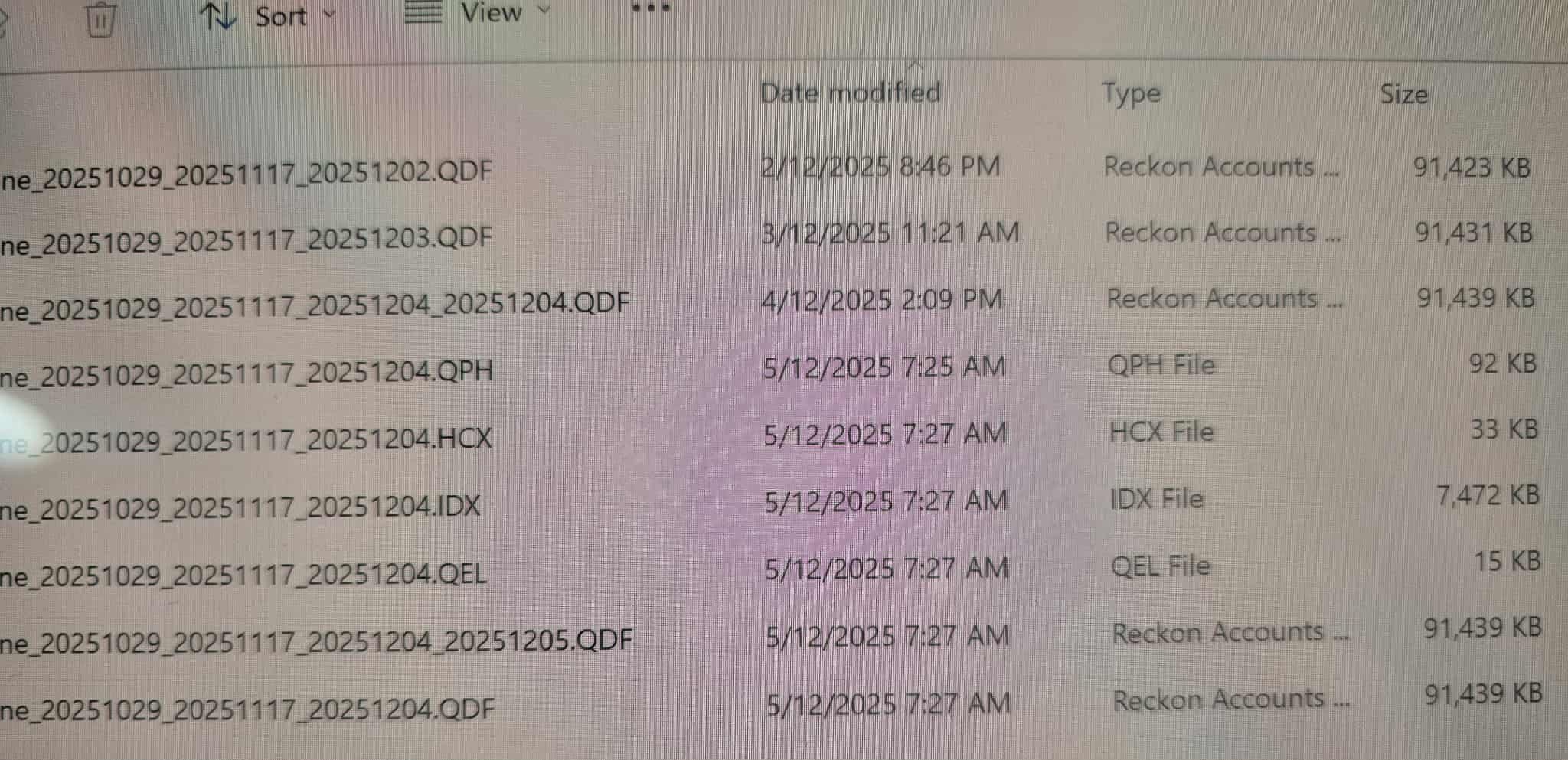
I have just done a backup to the December folder and all 5 files are there plus an extra one. No idea why it seems to be saving the QDF file twice, they are both the same size.
If I save it as a RKN file, and restore from that it seems to lose the share history, and as Jason said, to copy the largest file of QPH and replace the latest file if it is smaller, so I still need all 5 files to appear.
 0
0

 Reckon Staff


