Showing TIL or banked hours on Payslips

Cheryl Medley
Cheryl Medley Member Posts: 154 Reckoner Reckoner

I have a client who is a labour hire company. Recently new rules have popped up and I need to show banked hours used and banked hours saved. I need to call them 'banked hours' as the employees have asked for that name. The calculations are made externally in an Excel file - as per the new rules! My problem is that I have set up the two pay items i payroll but if there is a zero balance (either on the used or the balance), it doesn't show up on the payslip. I have taken over this account from another who has set it up. I spent time editing the standard payslip so that it would look good, but that's not the one that actually goes and I can't for the life of me see how to fix that.

But long story short, I need to show on the payslips each week both used banked hours and the balance owing on banked hours. Is there a way?

This week the workers used up all that they had so that shows up fine but the balance doesn't. The other problem is that I can see it on my screen but what goes out to the workers doesn't. Is there an answer?


Comments

  • Acctd4
    Acctd4 Accredited Partner Posts: 4,303 Reckon Accounts Hosted Elite Expert Reckon Accounts Hosted Expert

    Hi @Cheryl Medley

    This is commonly referred to as Time in Lieu (β€œTiL”/ β€œTOIL”) or Rostered Day(s) Off (β€œRDO”) & can be tracked effectively on one of the (β€œOther …”) leave tabs, by using a linked Payroll Item 😊

  • Cheryl Medley
    Cheryl Medley Member Posts: 154 Reckoner Reckoner

    Thank you. Yes, I realised the common term is TOIL but as I mentioned, the workers (foreigners) are calling it 'banked hours', including my client. I have set these items up but also as I said, if the balance is 'zero' it doesn't show up on the payslip that the workers received. I will keep picking at it until I either get to change the payslip that they receive (set up by another bookkeeper) or I just keep explaining verbally.

  • Acctd4
    Acctd4 Accredited Partner Posts: 4,303 Reckon Accounts Hosted Elite Expert Reckon Accounts Hosted Expert
    edited February 12

    You only need one Payroll Item (which you use as negative, to accrue (bank) additional hours & positive, when those hours are used/taken)

    If it’s linked correctly - & providing you’ve selected the β€œOther …” leave tabs to display in Preferences - it should show as another leave type on the payslip πŸ€”

  • Cheryl Medley
    Cheryl Medley Member Posts: 154 Reckoner Reckoner

    I didn't use 'other'! I'll give that a go. Thank you.

  • Acctd4
    Acctd4 Accredited Partner Posts: 4,303 Reckon Accounts Hosted Elite Expert Reckon Accounts Hosted Expert
    edited February 12

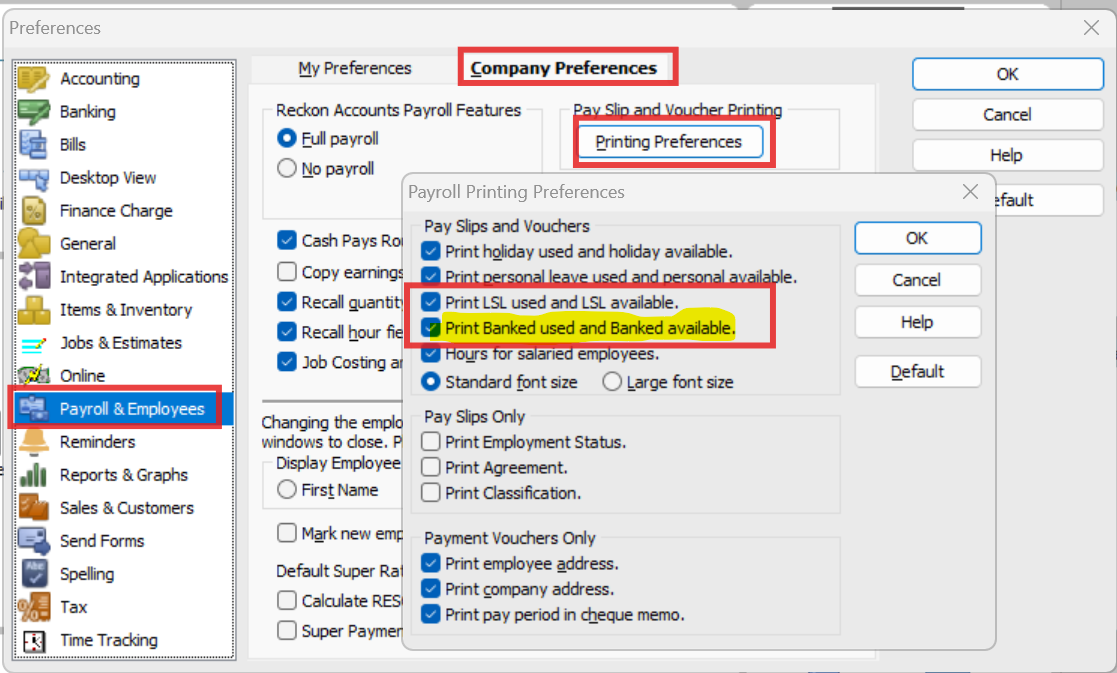
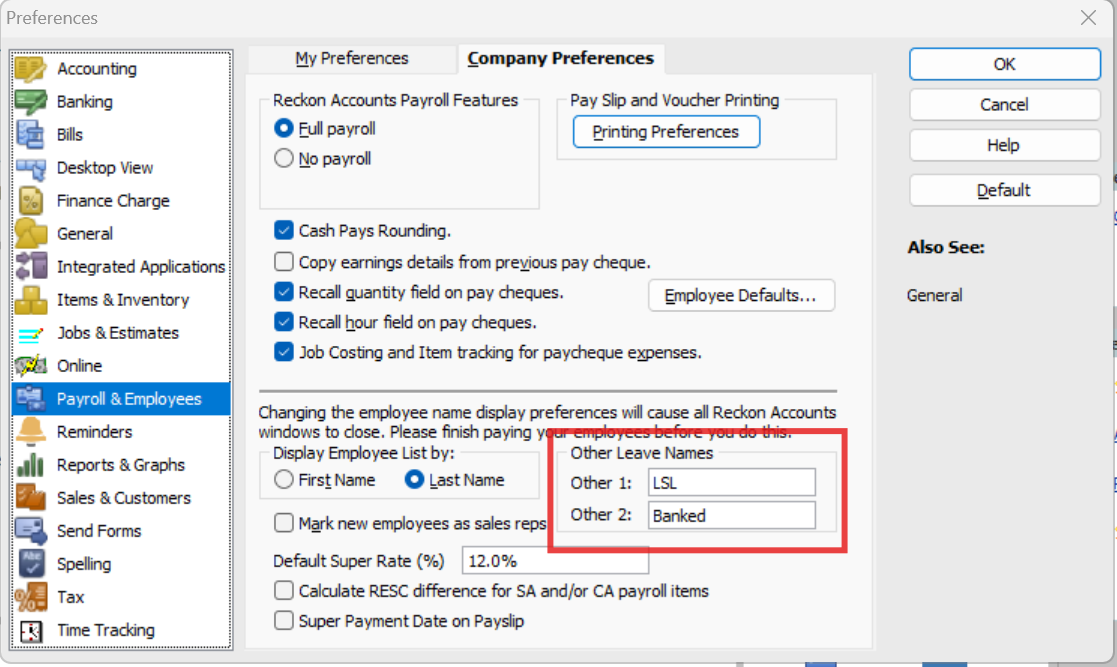
    These 2 are the Other 1 & Other 2 Leave tabs so make sure you have it selected to Print … on Payslips here. (NOTE: The specific names shown will be whatever you've called them in your file!) :

    image.png

    image.png

    (NOTE: There is a short character limit on these labels though, so you can't fit any more than the word "Banked" 😬)

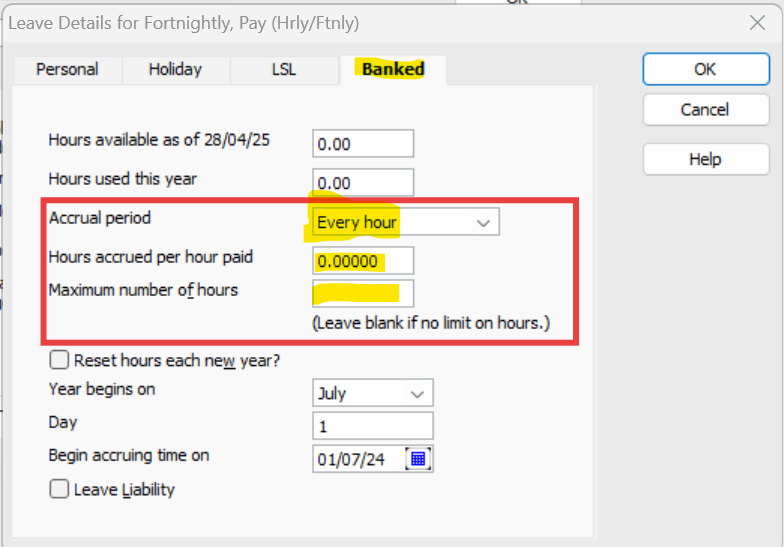
    Here's the tab setup:

    image.png

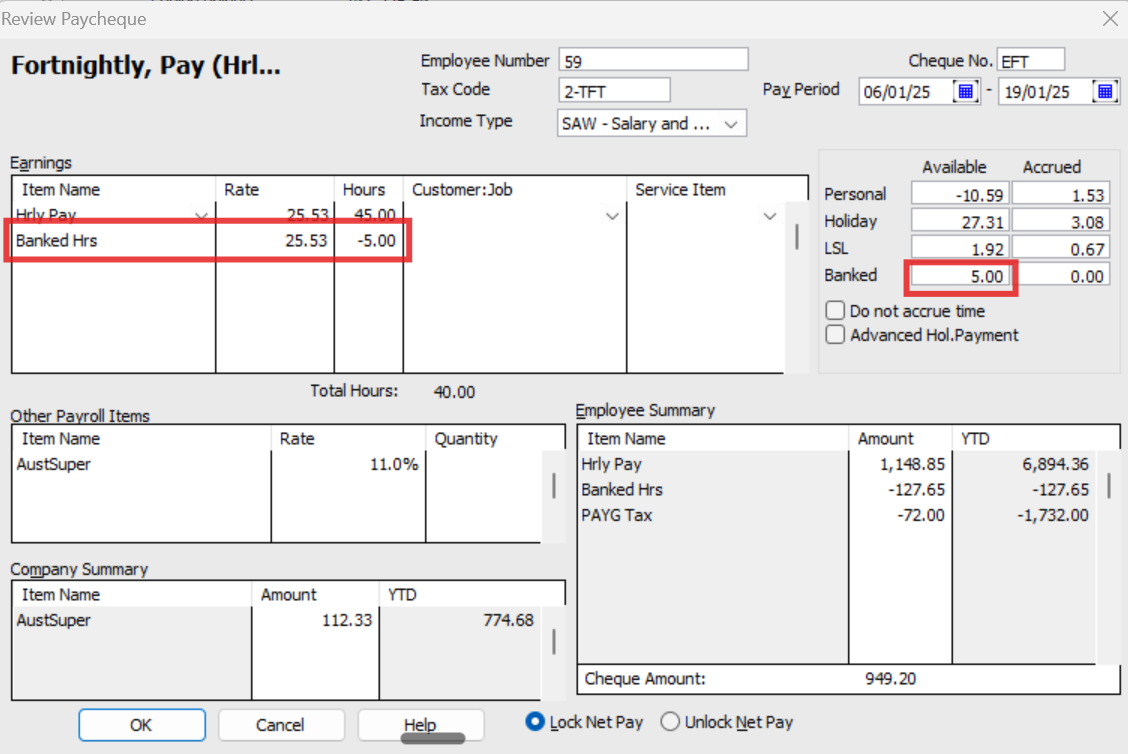
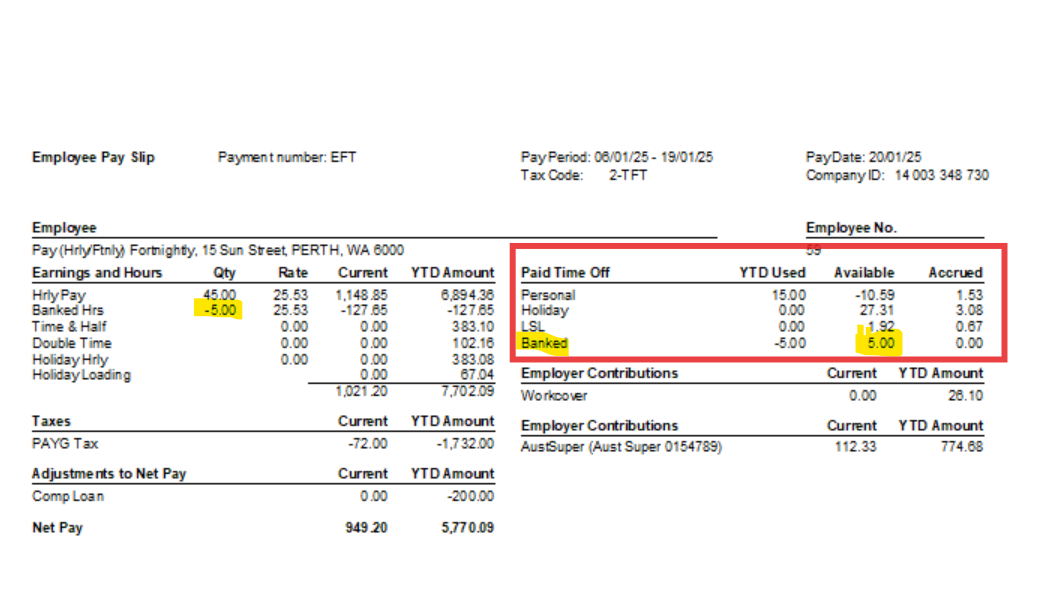
    On the Paycheque, it's essential to reflect the FULL total of hours worked on the first line (eg INCLUDING the additional hours to be banked!), then you use the Banked Hrs payroll item (by deducting (extra hours being banked) or adding (available hours being taken) 😊 :

    image.png

    … & here's how this displays on the Payslip:

    image.png

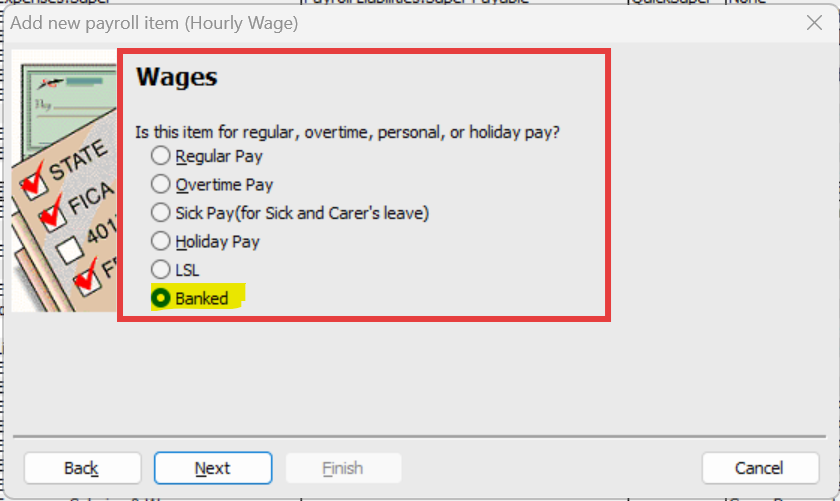
    The payroll item needs to be set up as an Hourly Pay - exactly the same as your regular hours one (for PAYG, Super & Leave configs) - but mapped to Leave - Other Paid Leave (O) for STP2.

    The most essential step is linking it to the correct leave tab in this window, as you only have the option to select this at initial setup ! :

    image.png