
The SuperStream lodgement process has become a lot easier in Reckon One with the ability to create and send lodgements to Beam directly from your pay run!
This is particularly handy with Payday Super taking effect from 1 July 2026 which requires you lodge super contributions on pay day.
How does it work with Beam?
When you mark a pay run as paid, you'll see a Create & Lodge SuperStream button which allows you to create a SuperStream batch directly within the pay run!
If you've already registered and connected your Reckon One book with Beam, you can also send the batch directly to Beam from the pay run!
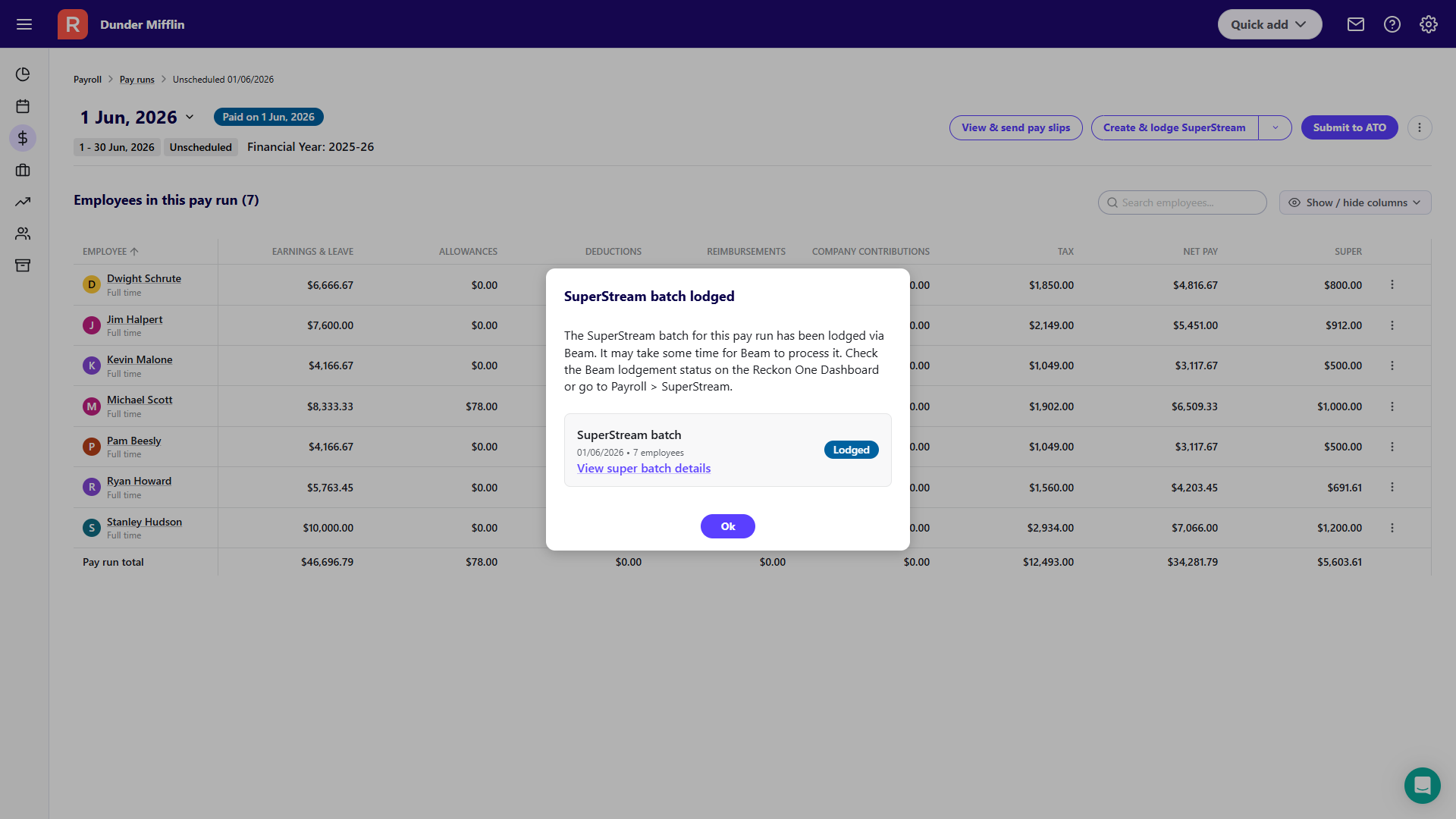
No need to navigate away to separate screens to create SuperStream batches, it can be actioned from within the pay run alongside with sending your STP submission or creating a ABA payments file.
🎥 Check out our how-to video!
Check out our detailed how-to video on setting up and using Beam with Reckon One for SuperStream 👇
I'm not using Beam, can I still use this?
Absolutely you can! While we recommend Beam since its directly integrated with Reckon One and makes the whole process super simple, if you're using an alternative clearing house you can still use this feature to create a SAFF file.
If your book isn't registered with Beam, the button will display Create SAFF file for SuperStream when your pay run is marked as paid.

This allows you to create a draft batch and SAFF file all in one-go to upload to your chosen clearing house.
Questions?
Do you have a question about creating and sending SuperStream from your pay run in Reckon One? Let us know below or feel free to create a new post by clicking HERE.
