Keep getting logged out


Can anyone shed any light on why my Reckon hosted disconnects me if I haven't been active for a while then will not let me log back in. It repeatedly says that the user is already logged in even when I've totally shut down my computer and tried again. Happens regularly at the end of the work day so there is no phone support - so frustrating!🤬
Comments
-
Hi @JenineBH
This is a security feature (similar to your online banking) to protect against any unauthorised access.
Sometimes, the session doesn't properly "disconnect" completely & will still be logged in at Reckon's end (on their server. However, when this happens, you can easily force the disconnection/refresh it by doing the following:
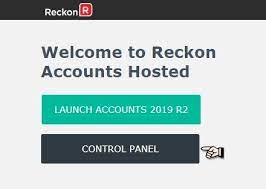
Once you've logged in on the main Reckon Hosted screen ...
Click on the Control Panel (ignore the "2019" reference on this screenshot - it's just an image I google-searched!):

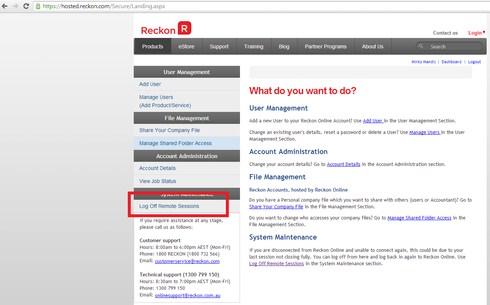
On the navigator options (down the left hand side under System Maintenance), click on Log Off Remote Sessions:

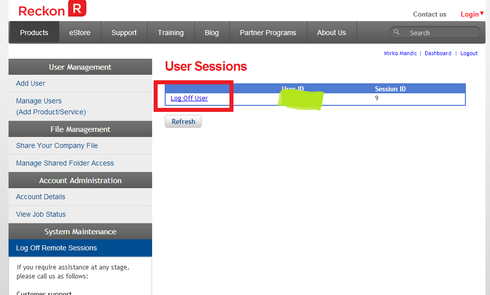
It will display a list of currently logged in users/sessions. Just click on the hyperlink for the User you want to disconnect:

If necessary (eg if the session doesn't disappear from the list straight away), click on the Refresh button underneath.
Once the User session you need to use has cleared from the list, you can return to the main Dashboard (in my first screenshot) - click on the Dashboard middle hyperlink above User Sessions on the right hand side - & you should be able to login to your Hosted data file again now ☺️
1 -
Thanks so much Shaz, you have made my day!!
1 -