Make deposits creating unwanted time/cost billable expenses.


When I make deposits against a customer name Reckon Accounts Hosted automatically creates a negative time/cost billable expense for that Customer in Create Invoices? How do I turn this off?
Answers
-
You wouldn’t normally use the make deposit window, you would use the receive payment window, and in there bank to relevant bank
0 -
Thanks for your response Kris. These are not debtor payments therefore I am not using the receive payments screen. They are just like a loan payment or reimbursement.
0 -
if you are using an existing customer you might be better off creating a new customer with say a dot at the end. I don’t really know why this would happen, but I would separate these transactions from debtors transactions
0 -
Hi @Allie2021
That sounds odd - Are you able to upload a screenshot ?
NB: I wouldn't be creating additional Customers - You want all transactions for each one stored together so they're easy to locate & identify. Debtor payments record differently to stand-alone Deposits so these won't impact your A/R (unless posted to your A/R account)
1 -
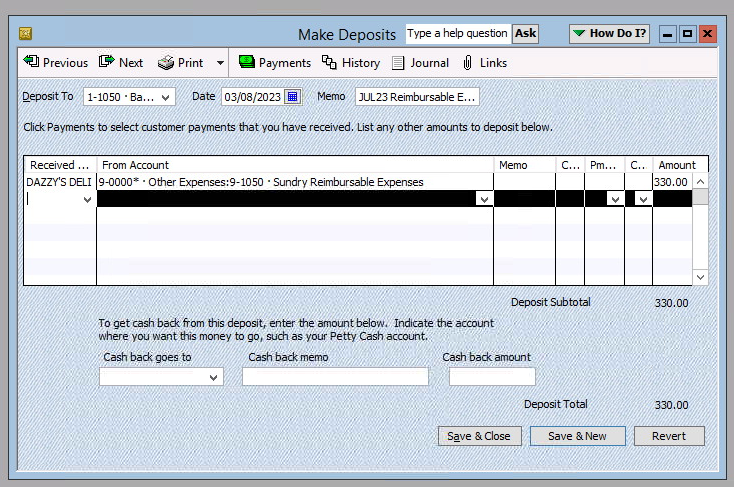
Thanks Shaz, please see screenshots below:


 0
0 -
Do you actually use the Add Time/Costs to auto transfer onto invoices or not ?
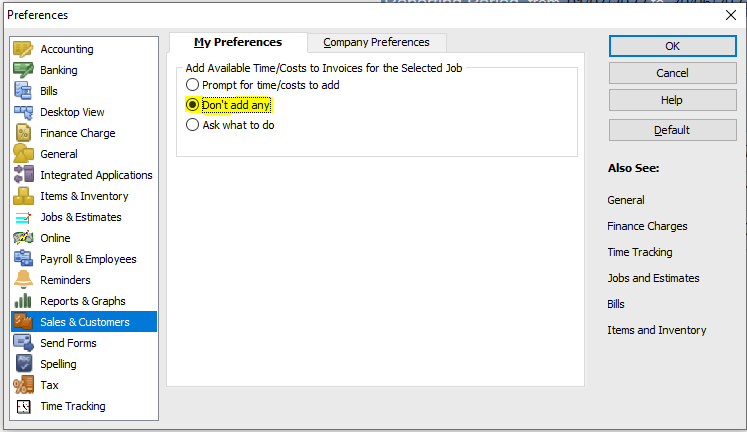
If not, you can turn it off in your Preferences (under the Edit dropdown menu):

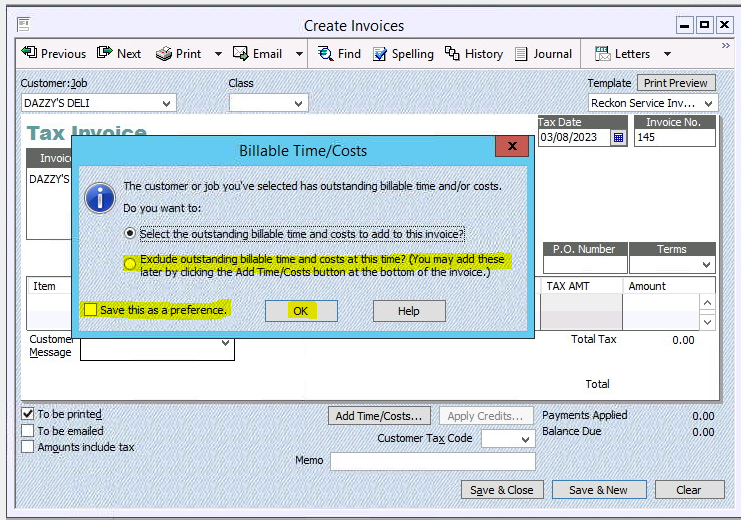
You can also disable it from that popup in your screenshot:

If you do use the Add Time/Costs ...
Is this happening for any other/all Customers or just this particular one ?
Are you verifying your Company File regularly ? Over time in the background, files can get defragmented, links can get lost & data can get corrupted so I'd recommend running the Verify Data process & then running the Rebuild Data 3 times (For some reason, THREE Rebuilds fixes a lot of issues!)
These options are under the File dropdown menu > Utilities
TIP: ALWAYS verify your file before backing it up - A corrupted Backup will NOT restore if you should ever need it!
0