Something went wrong error when creating first payroll


Hi
I am trying to submit my 1st payroll to ATO in Reckon One - I keep getting error messages I think it may have to do with the Gov Connect Branch number the one I have been using for yonks has a branch number of 1 and in Reckon it is 001 I cant change the number in Reckon One - if someone can help me here this would be appreciated

Comments
-
Hi @CarolineS
Great to hear you're starting out with Reckon One 🙂
Lets take a look into that and try to get it straightened out. Can I please grab the ABN number that you're using with this Reckon One book and we'll do a couple of checks on our end.
0 -
Our ABN: 29147089496
0 -
Morning @CarolineS
Apologies for the inconvenience.
Regarding the error message, if you can please confirm whether there is a GovConnect entity registered for the ABN (ABN for the book) and if there is a Product selected for that.
Follow the screenshots for your reference -
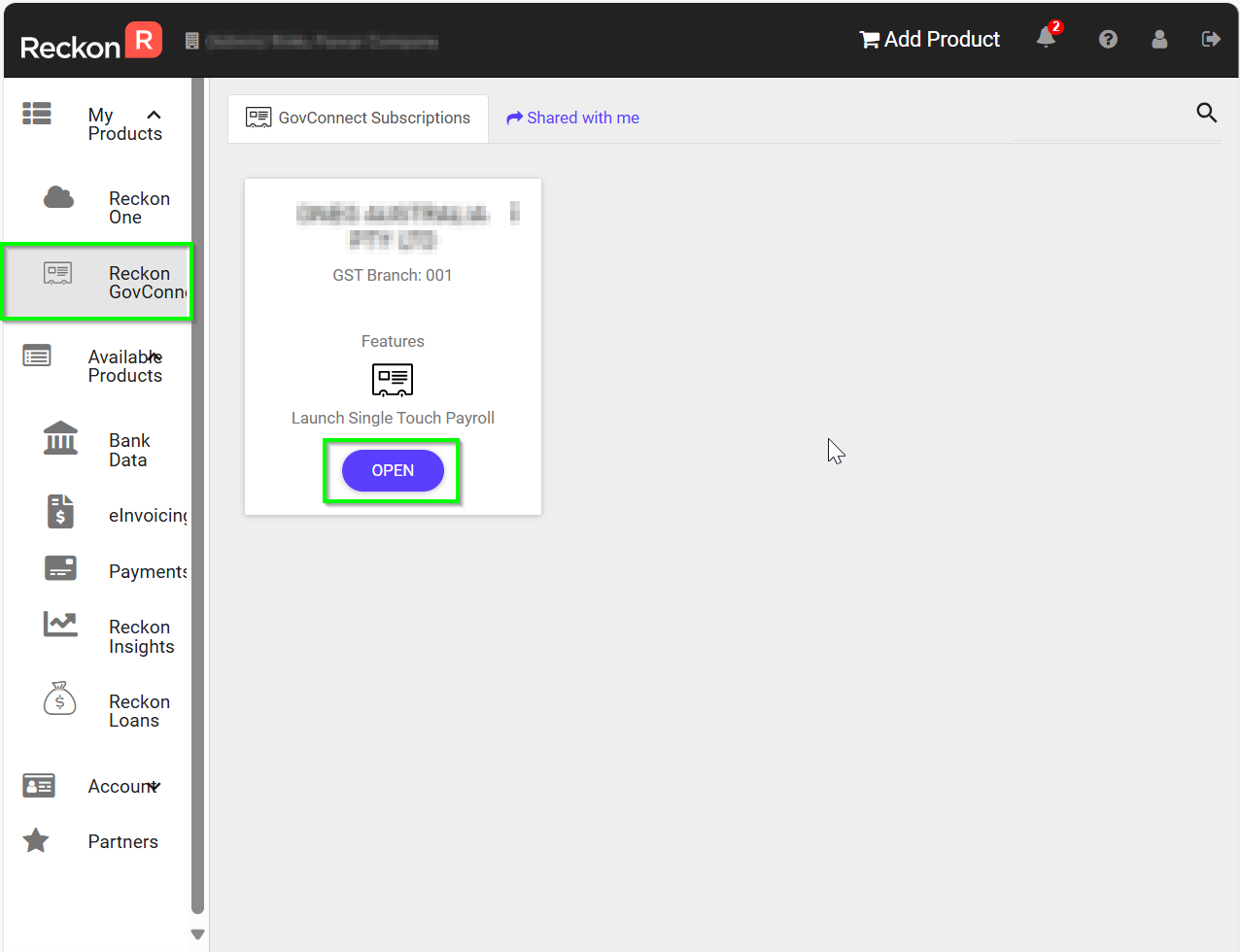
Once you open, you will be asked to select the product, if not selected yet. Feel free to let me know if any concerns. Thank you!
Regards
Tanvi
 0
0 -
Hi @CarolineS
I've just sent you an access request to your book so we can take a closer look at this. It will come through separate via email. Can you please take a look when you have a chance and grant access.
Cheers
0 -
Yes I received and accepted your access
Thank you :)
0 -
Thanks for that @CarolineS
I've just jumped in and taken a look and I seem to be able to access the payroll page ok (see below).
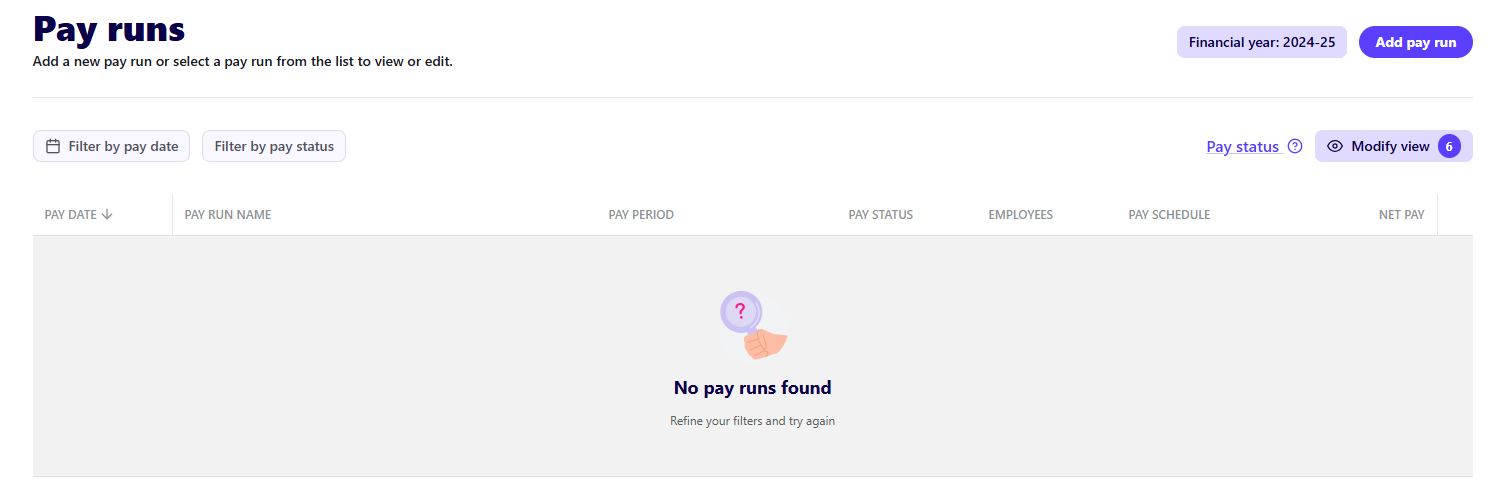
Can you let me know where exactly that error message appears? ie. are you able to create a new pay run but then the error appears when you do something specific?
0 -
pay day is Wednesday 2nd July so you have to change the year
0 -
Very good point! Sorry about that.
I can see there's a pay run in the 2025/26 year. Is the above error appearing when you click the Submit to ATO button to send the STP submission off?
0 -
Yes that is what is happening
0 -
Thanks @CarolineS
I believe I may have found the cause of the error which was related to the format of how the contact numbers were listed in the employee profiles. This has now been corrected, can I please get you to try sending the STP submission again and let me know if its successful for you this time around?
0 -
Thank you that worked :) was it because I had the +61 at the beginning of the numbers?
1 -
Excellent, glad to hear it worked! 🙂
Also, no it was due to the contact numbers for the employees missing the leading 0 ie. instead of 0412345678, they were listed as 412345678
0 -
Ok - however I just checked them on the Reckon Gov Connect & they are zero amounts with the date being 30.06.2026 :? see screenshot (I tried a couple of times)
 0
0 -
It looks like you've sent these submissions as an update event, did you tick the option on the declaration page to send it as an update event? If so, update events only adjust/correct employee data, they don't carry an employer component within those submissions which is why its appearing as $0.00 in GovConnect.
Is this just a normal/standard pay run? If so, send the submission through again but don't tick the
Send as Update Eventoption0 -
Yes that worked - I didnt actually check the box it was already checked (I guess I should have unchecked :/) - is there a way to delete the wrong ones?
1 -
Ah ok, it may have been due to the previous attempts at sending the submission when the error was occurring so the option may have been ticked as it thought you're attempting to send a correction.
You can't delete the previous submissions but I wouldn't worry about them either as the employee balances are only sent on a Year to Date basis so they'll be overwritten.
0 -
even though they are dated 30.06.2026?
0 -
Yep that's fine. Its the pay date of the pay run itself that is the determining date. In your case that is 2 July 2025 so its going to stay within the new 2025/26 financial year.
1 -
Ok thank you for your time :)
1 -
an update to this weeks wages - I had the wrong tax code on an employee which he advised after I sent my reports off - so I have now corrected this and resent my payments etc however I cant send the update file to the ato I keep getting an error message - please see screenshot
if you can please let me know how I can fix this it would be appreciated
Cheers
Caroline
 0
0 -
Hi @CarolineS
That message can appear if you're sending an update event on a pay run that is future dated ie. the pay date is later than today's date.
Regular pay run STP submissions can be sent in advance of the pay date however update events cannot.
What is the pay date of the pay run that you're attempting to send an update event on?
1 -
Ok thank you very much Rav :)
0



 Reckon Staff


