How do you export reports after you have exported them...


the widget isn;t there anymore
Comments
-
Hi @Puketai1878
Just to clarify, do you mean how to export a saved report from your Q drive?
If so, you can download any saved files from your Q drive from the My Files menu. Check out more info on how to download files here - Downloading & uploading files in Reckon Accounts Hosted ⬇️⬆️
There's also more information on how to use the My Files toolbar which I'll also add here - #TipTuesday - Where has the floating toolbar gone? Introducing the My Files menu! ✨
0 -
I am trying export file when you have a report on the screen such as a Budget vs Actual Report. Previously you would export it and then use widget to download. I can still do step one whcih looks like this…
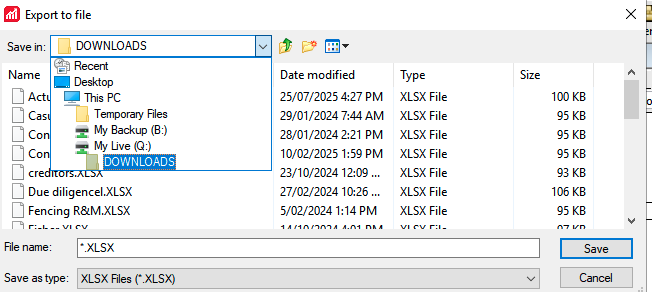
Then I can't find the file to download it as the widget is gone and they don't show in my files either
0 -
It looks like you're saving the report to a folder named Downloads in your Q drive based on your screenshot. So in your case, go to My Files then search for your Downloads folder using the search bar or click Last Modified to sort the list.
Click into the Downloads folder and then download your report by clicking on it.
0 -
Thanks Rav, that helps and I've worked it out now.
1


