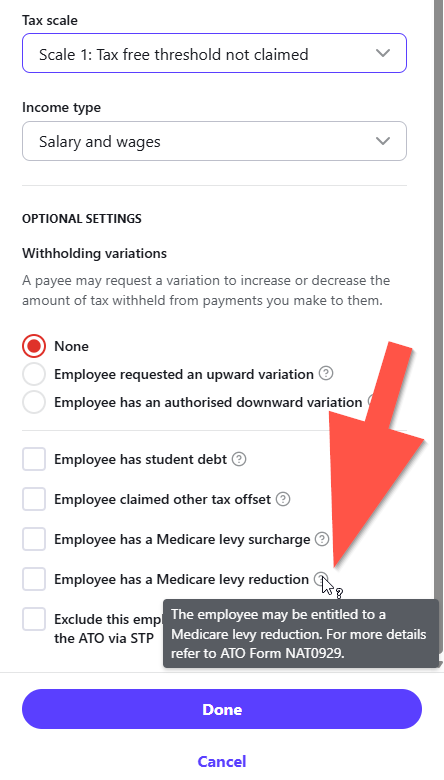
We have a new employee who is not claiming the tax free threshold AND has a Medicare levy exemption, as it is their second job.
At Reckon Payroll > Employees > [Employee Name] > Tax > Edit tax details, the box "Tax scale" appears to contain the two settings we need - "Scale 1: Tax free threshold not claimed" and "Scale 5: Full Medicare exemption" - but it only allows the user to select one or the other.
I called Tech Support and we tested it in a payrun. If Scale 1 was selected, the PAYG deduction in the payrun was correct, but there was no means to apply the Medicare levy exemption. If Scale 5 was selected, the Medicare levy exemption was applied, but the tax deducted in the payrun reduced to the tax free threshold claimed figure and became incorrect.
To cover this situation it looks the Medicare exemption setting needs to be split into two, one for Tax free threshold claimed and one for Tax free threshold not claimed.
Otherwise, is there a way both settings can be applied in Reckon Payroll? I am really not keen on having to do the calculations manually each pay. I'd much prefer to have the software do them so I know they are correct.