Changing branch number


Comments
-
Sure thing @Charlene
I've split your reply off into its own post here, can I grab the ABN that you've registered to GovConnect?
Also, have there been any submissions sent under the existing registration? If there have, I won't be able to delete the existing STP entity but I can check that out for you.
1 -
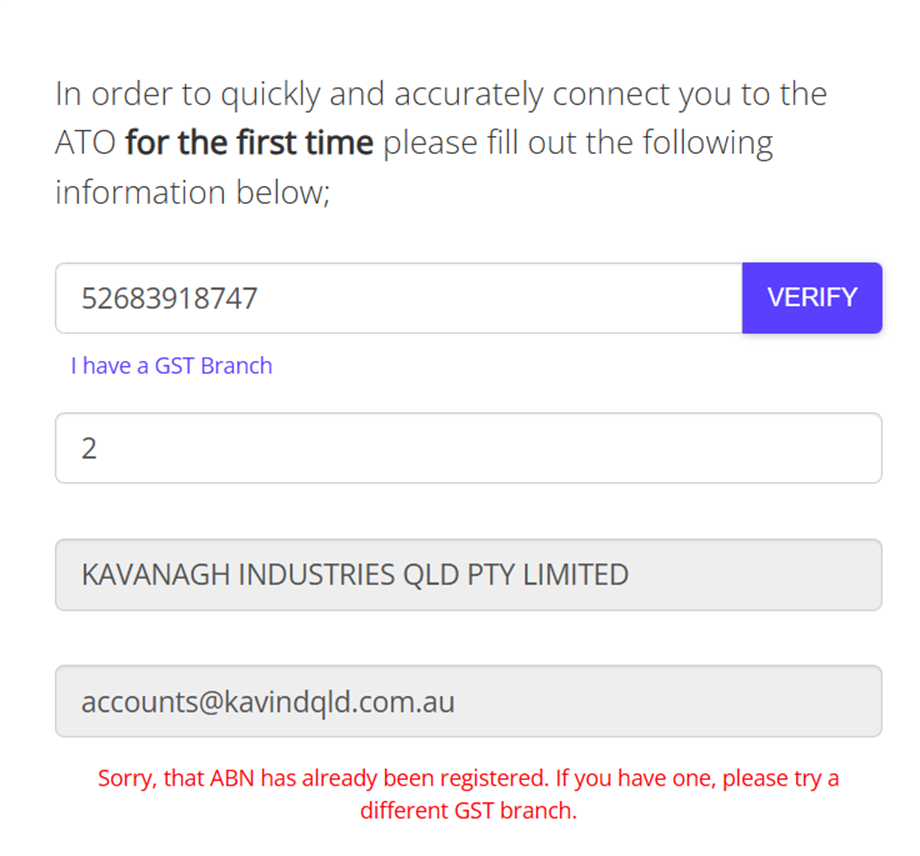
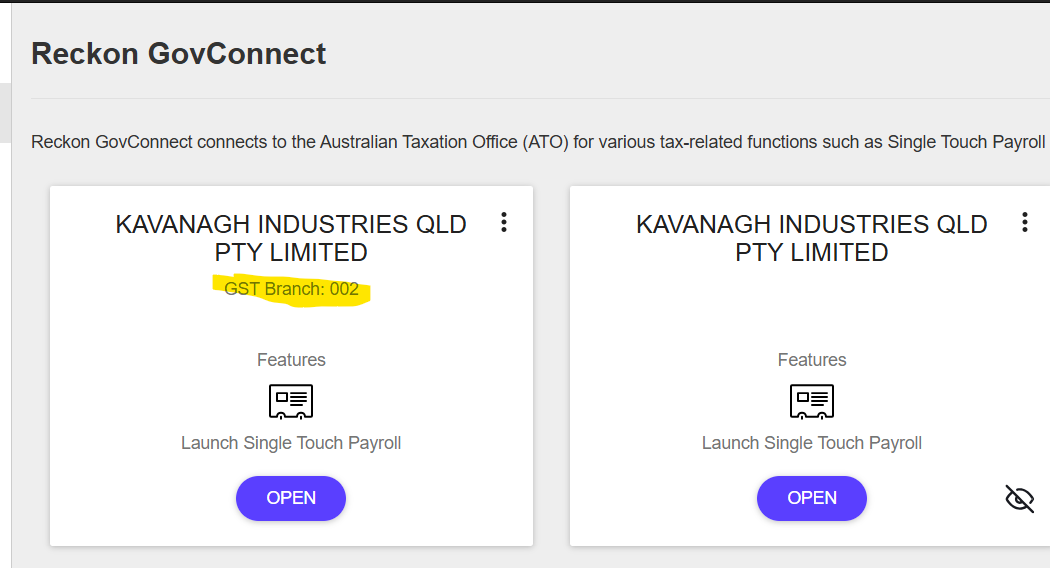
We are already registered with GST Branch 002, but we want to register as the GST Branch "2" not "002", not sure if the zeroes in front matter. There have been no submissions.
0 -
Hi @Charlene
Branch 2 and 002 are the same thing so GovConnect won't allow you to add another registration for the same branch.
Do you actually hold this branch number in reality for your ABN?
Also, just to confirm, are you using Reckon Accounts Desktop (which this post is under) or some other Reckon software? The reason I ask is, do you have your ABN and branch number listed in your company information settings within the software itself?
1 -
Hi Rav.
Yes our accountant has advised to set up using Branch 2.
We are using Reckon Accounts Enterprise.
Upon uploading first STP file, we are getting the error message "Invalid Company Information provided. Please check your ABN/WPN and Branch number match those set in Reckon GovConnect Singe Touch Payroll for your company." We cannot find any discrepancies. Can you please show us where we need to check? Our ABN in "Company & Adviser Info" is correct.
Software ID has also been registered with the ATO.
Thanks for your time.
0 -
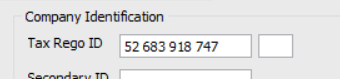
Charlene, in your company file go into company information and check if you have your ABN entered along with the branch
1 -
Hi @Eric Murphy, ABN in Reckon Company Information is correct, where does the branch number get entered? Thanks. Is it that empty box?
 0
0 -
I agree with @Eric Murphy above.
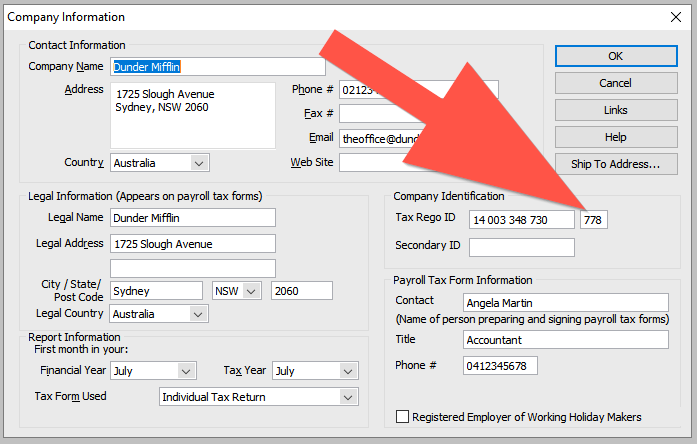
My first advice would be to check a couple of things your Company Information in your file in Reckon Accounts, specifically -
- Your ABN is listed
- Your branch number is listed, in this case 002
I've added a screenshot example below from my own file but its just an example. As you'll see where I have 778 entered, that is my branch number.
I'm assuming this is your first setup of STP and sending submissions ie. you haven't previously been sending under a different branch number for your ABN, correct?
2 -
Great work, glad you got that sorted 🙂
1






