Reference Field on "Invoice" screen and "Receive Money" screen not auto-filling repeat entries


Hi
Before the recent changes to Reckon One, I was able to type the first few letters of common references we use on our invoices & receive money screens and it would remember them………. thus avoiding having to retype the full word/reference each time.
This was a really handy feature and saved a lot of time when doing a lot of invoices and receiving payments.
Do I need to turn something back on in the settings? Or is it that something that has changed from your end?
See below images for the fields I am referring to.
EG: A simple example is in the Record Payment "Reference" (Issue 2 picture) field where I put whether the payment was Eftpos or Hicaps….a drop down list used to appear as soon as I typed the "E" for Eftpos or "H" for Hicaps.


Hope you can advise.
Cheers
Tony
Answers
-
Could that have been an autocomplete setting from your browser?
I've only just started off with Reckon One so could be wrong
0 -
I've checked both Firefox and Chrome settings which are the 2 we use.
I dont see any obvious autofill options to change
0 -
Hey @Tony Finn
Thanks for calling this out. Do you notice this occurring on the invoices screen only or in other areas as well like bills for example?
1 -
Hey Rav.
My receptionist is not in today and she is the one that uses Reckon and noticed this issue.
I will have a guess and say its only invoices but i am not 100% certain of that
Vanessa is back in tomorrow, so I will ask her and repost back in here then.
Cheers
Tony
1 -
Hi Rav
Seems to be the reference field in the "Bills" screen as well.
I used to type "I" for Invoice and it would come up with the most recent invoice numbers……it doesn't do this anymore…..I have to type the whole "INV" for each bill (followed by the unique numbers for each bill which of course is fine).
Having said this, it is not so much an issue for us in the "Bills" screen as the reference changes pretty much every time we enter a new bill in…..with exception of the "INV" part.
Hope that makes sense.
Main inconvenience is in the "Invoices" screen when initially creating the invoice,
the "Record Payment" screen (within the Invoices screen)
and the "Receive Money" screen.
Thanks
Vanessa
0 -
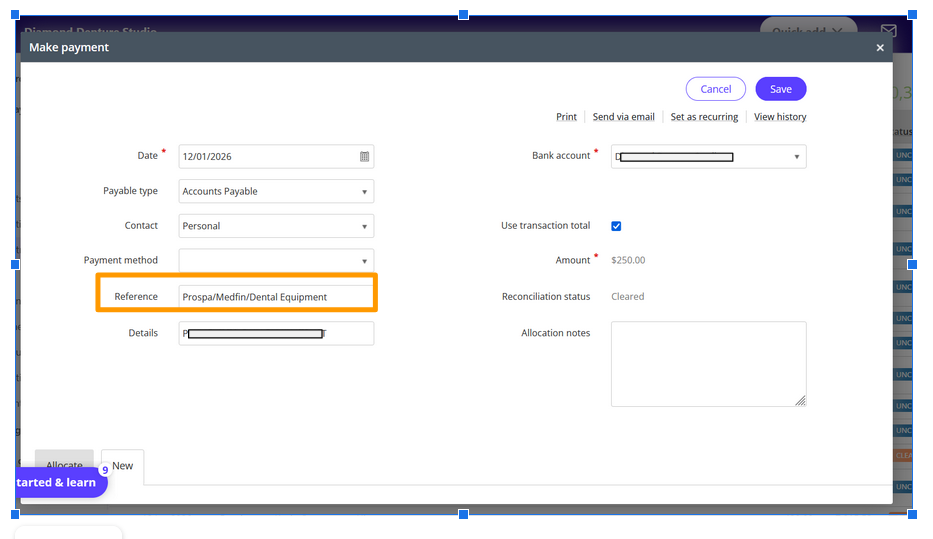
I have also noticed that the "Reference" field in the "Make Payment" screen does not remember regularly used references either anymore.
 0
0 -
Gotcha, thanks for that info Vanessa.
Leave this with me for a bit, the person I need to speak with in relation to this is back on board next week and I'll raise it with them to see what we can do here.
Let me come back to you on this one.
1 -
No worries…..Thanks Rav :-)
Vanessa
0 -
Hi Rav
Just wondered if you had any luck finding any more out about this issue?
Thanks
Vanessa
0 -
Sure do Vanessa and apologies for my delay in getting back to you.
Our devs have raised a ticket to work on bringing this functionality back into the new invoice experience. The good news is, it sounds like they know what changes are required so while I can't say for sure, I'm hoping it'll be a quick job and included in one of the next releases for Reckon One.
I've bookmarked this post and I'll keep you posted as soon as I get more info on its progress.
1 -
Thats great news. Thanks Rav. I look forward to the fix….will make my life (& others) so much easier.
Vanessa :-)
0 -
Hey Vanessa
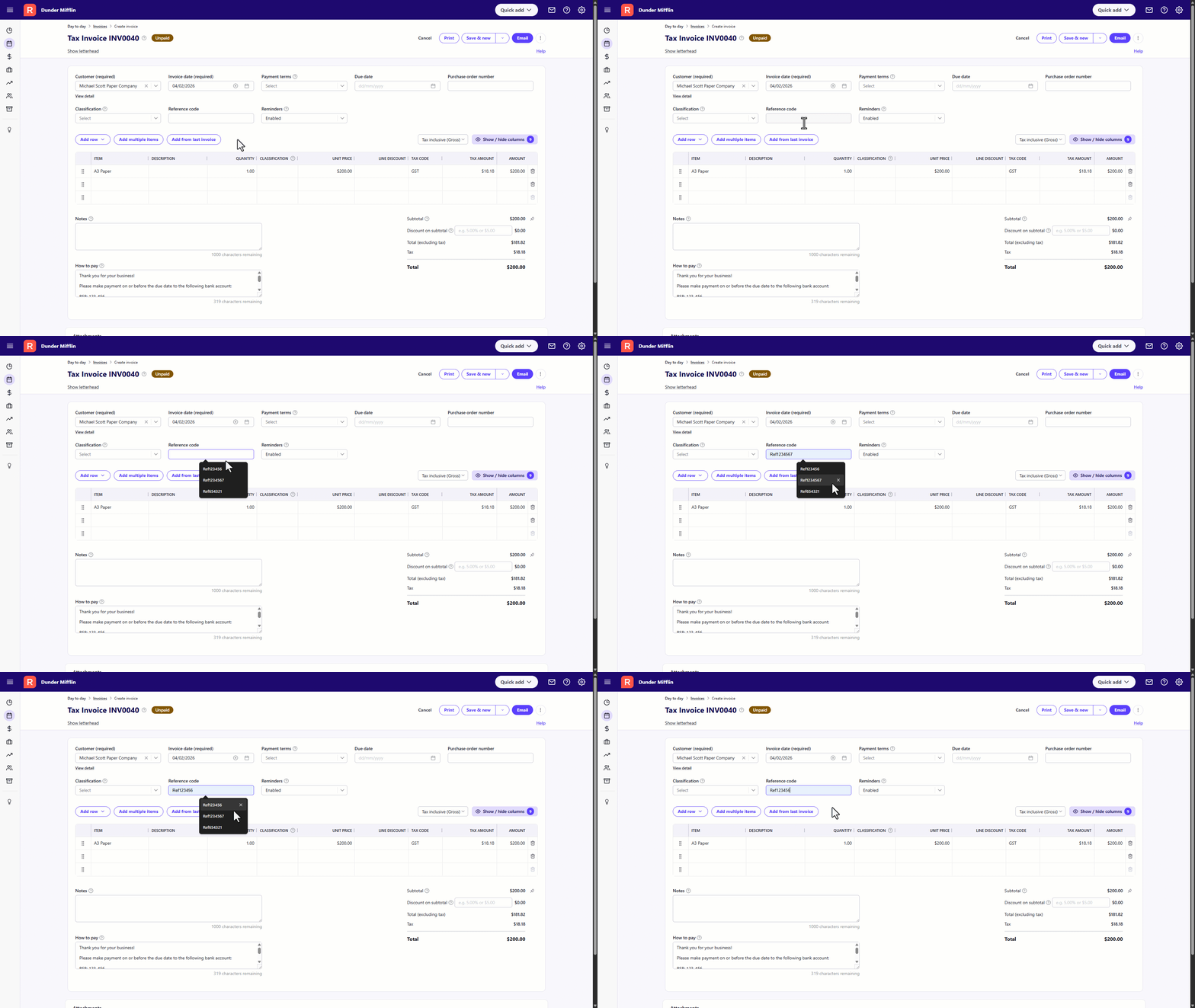
Just wanted to jump back on and let you know that we've just rolled out a new update for Reckon One (info here) which includes an improvement to bring back the autofill on the reference field.
The next time you create an invoice or receive a payment, a little pop-up should appear that allows you to select previous entries.
Thanks for flagging this and hopefully it helps you out 🙂. Let me know how you go with it.
1 -
Thanks Rav. I'll let you know how it goes. :-)
0 -
Hi Rav
The issue with the Invoice Reference field seems to be working well at this stage. Thanks for that.
However, Issue 2 & Issue 3 in my original comment don't seem to have been fixed. Hoping it's still being looked at?
Thanks
Vanessa
0 -
Hey Vanessa
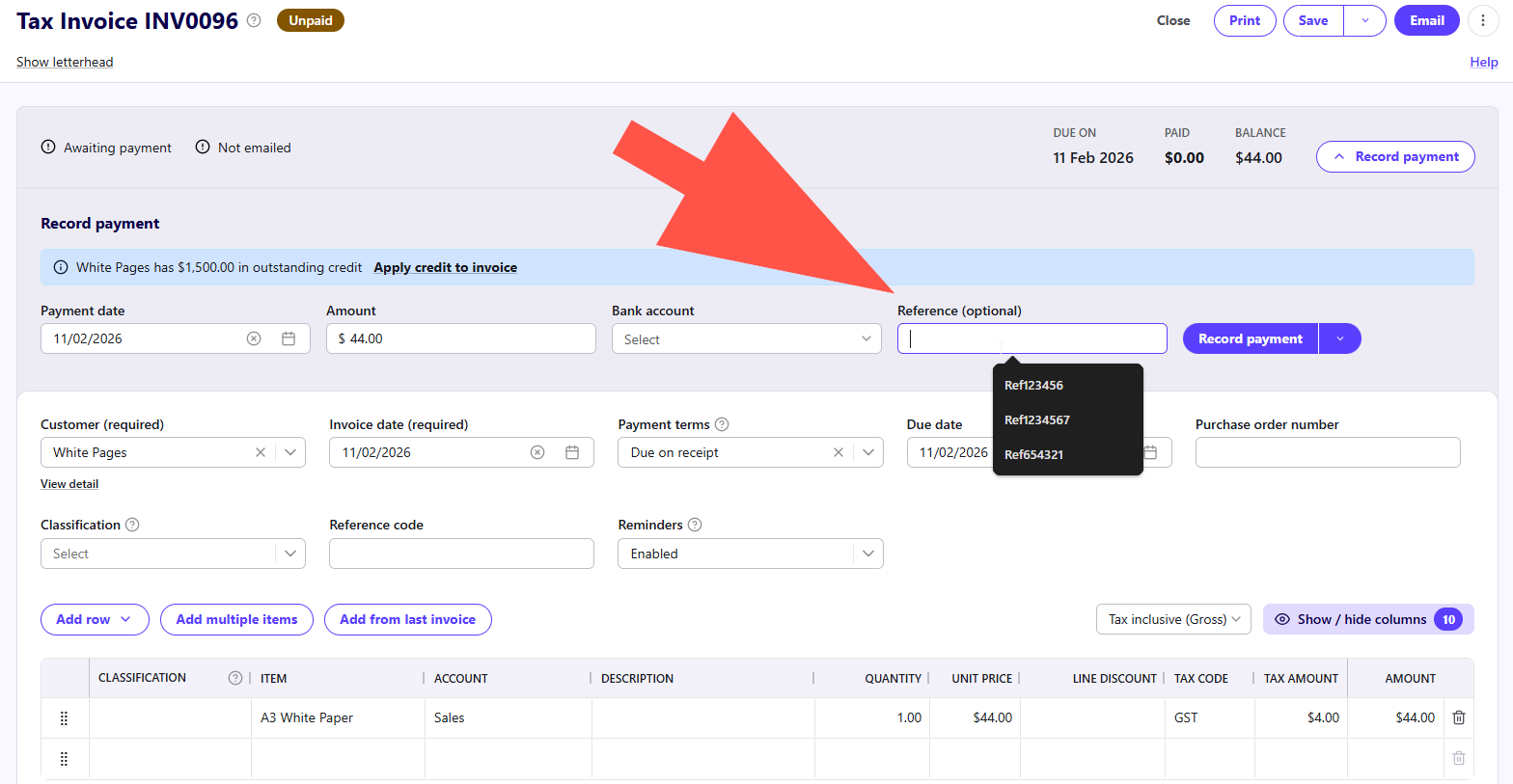
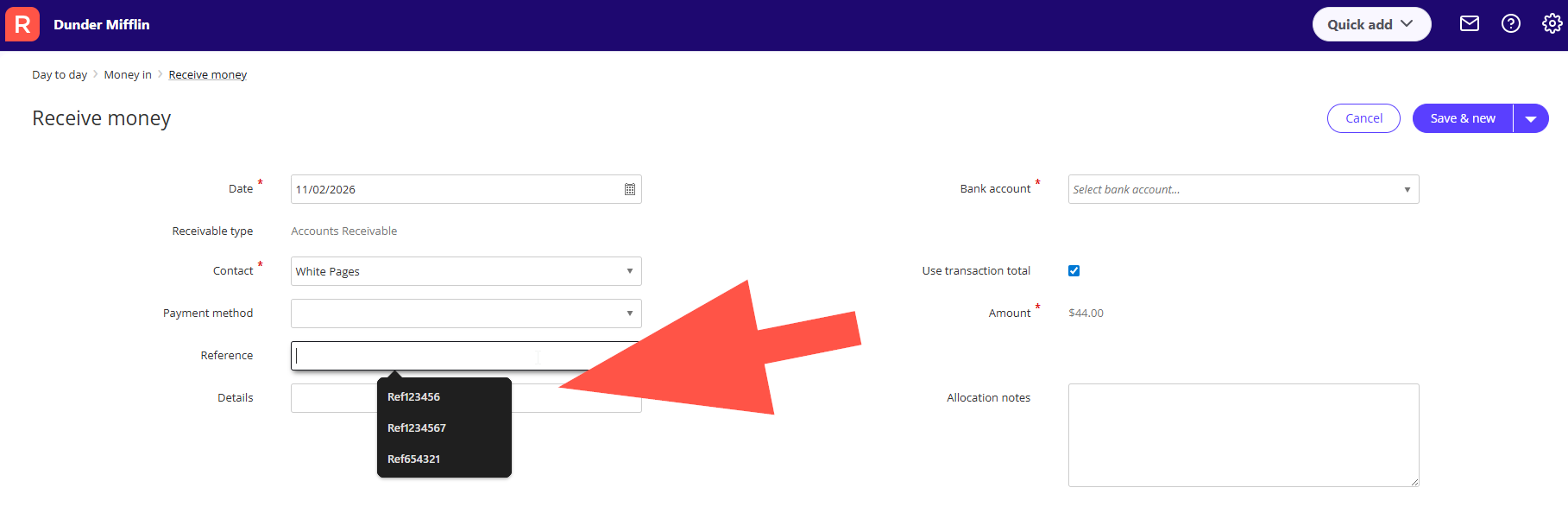
The fields from issue 2 and 3 in your screenshots should have been sorted as well with the previous update last week.
I just had a look in my own book just now to see if its working and in my case anyway, it seems to be. I've added a couple of examples below.
Out of curiosity, which browser are you using? My above test was on Google Chrome.
I'm assuming you have autofill switched on in your browser since its working on the reference field within the invoice itself, correct?
0 -
Hey Rav.
Vanessa is away today. She is back in tomorrow.
But i know she likes to use FIrefox. I myself using Google Chrome.
We did check and auto fill is on in Firefox. I might see if i can get her to convert to Chrome :)
I will at least get her to try it out tomorrow and see if it solves the issue.
Thanks again
Tony
1 -
Thanks Tony, let me know how you go tomorrow 🙂
0 -
Hi Rav
I have been using Chrome today and it seems to be working as it should. I will give you some better feedback next week as I will be doing a stack of invoicing and receiving payments on Tuesday.
Definately so much better already.
Speak soon
Vanessa
1