GST not reporting in BAS from GJ entries


I see this has been an issue for many years. PLEASE will you fix this?
There are some entries that either can only be done via the GJ or it is far simpler to do it this way yet the GST is not picked up on GST reports or BAS reporting.
I don't understand why you haven't addressed this issue as of yet. I see there have been comments as far back as 2017. For the annual subscription price for which you charge, it would be nice to see Reckon a little more responsive to clients needs.
Comments
-
Welcome to the Community @R3Projects ! 👋🏻
Can't say I've come across that issue … Are you able to post screenshots of your entries v reports ? (You can block out any sensitive/identifying info)
0 -
search
GENERAL JOURNAL ENTRIES WITH TAX CODES ARE NOT BEING PICKED UP IN GST REPORT - WHY?This has been commented on before but the thread was closed. The issue I have is that I record income and expenses from an commercial property via the general journal including gst received and gst paid. Our accountant came up with this solution as it was the only way to record the amounts.
An example, we on charge rates, which are GST free, but when on charged via a managing agent, they charge GST. This is not easily reported. Therefore we enter all the income and expenses in the GJ.
These amounts do not get reported when running a GST liability report or when attempting to produce a BAS statement. We have to run a detailed transaction report to get the GST and a P & L to report sales.
I've asked Reckon about this previously but they said the reporting wasn't possible.
I can do the screen shots but it'll take a bit of time. I posted hoping others are still having issues with this and would comment.
0 -
" … Our accountant came up with this solution as it was the only way to record the amounts …"
(This is why accountants shouldn't advise on bookkeeping !🤦🏻♀️😖)
The program isn't designed for exclusively using GJ entries as it's intended to also be accessible for those with no accounting knowledge. Every time you enter any type of posting transaction, the program automatically creates the applicable GJ for you, in the background. The tax reports are completely driven by tax codes. As the GJ window only has the Tax Item column, it may not always be able to reflect.
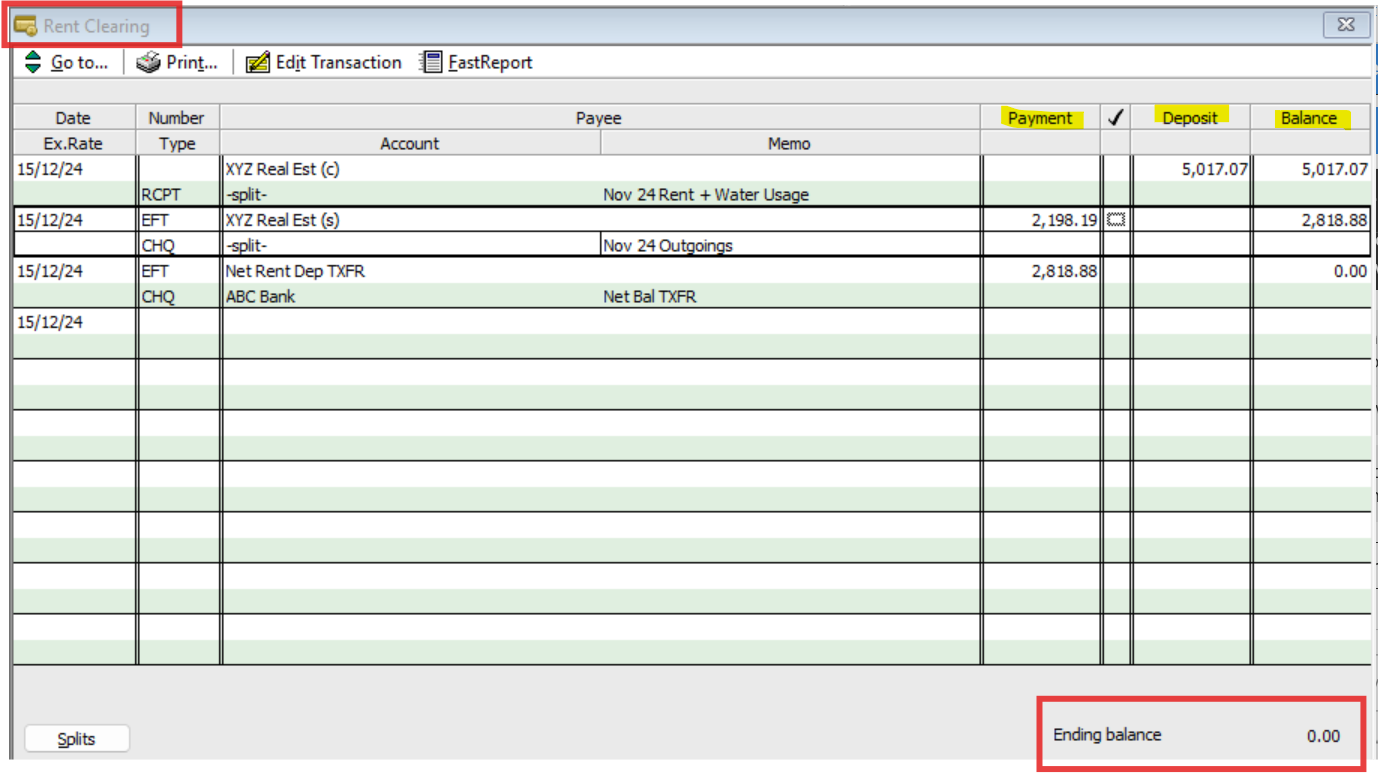
A clearing (Bank-type) account is the best method for tracking rental activity …
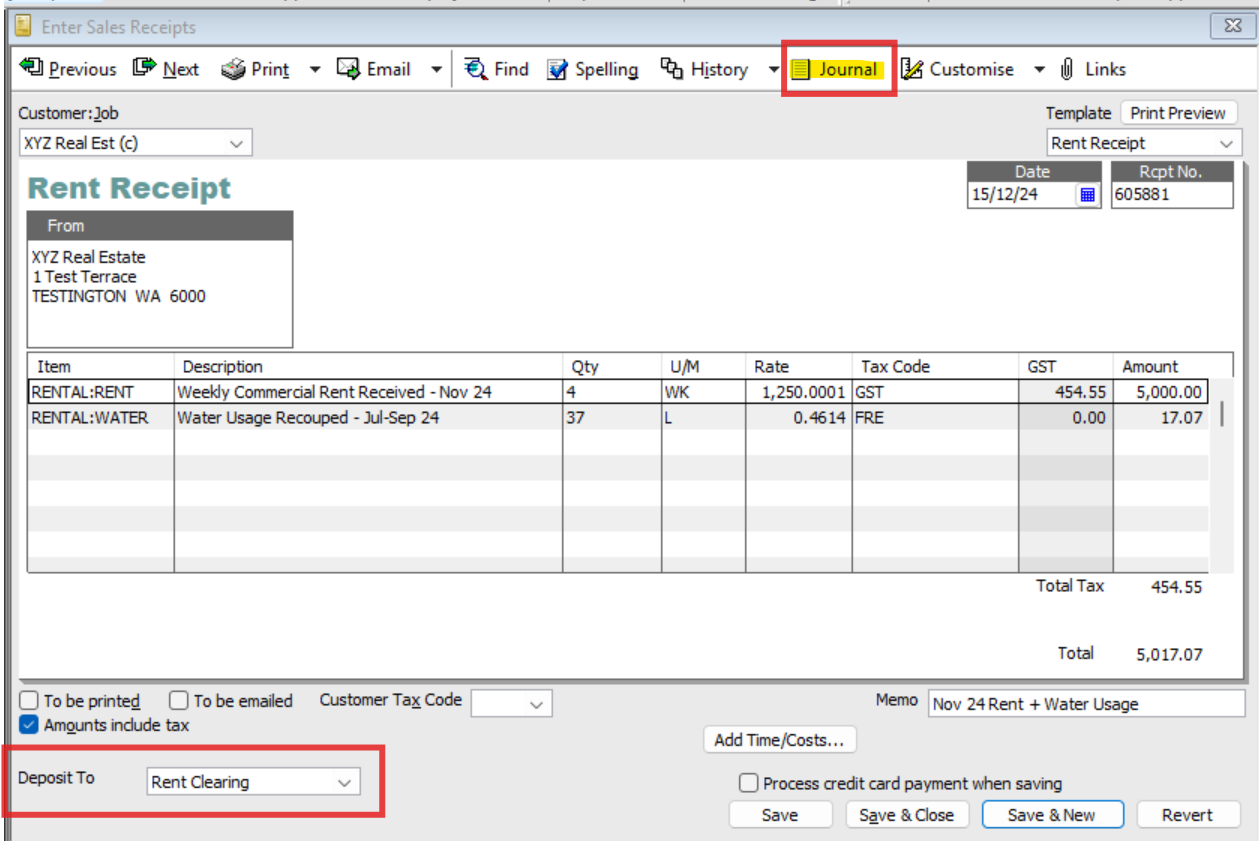
All incoming amounts are entered on Sales Receipts (Note the Journal button - If you click on here after saving, you will see the GJ this entry automatically creates for you) :
… & all outgoings via Cheques (Again, you can see the Journal button) :
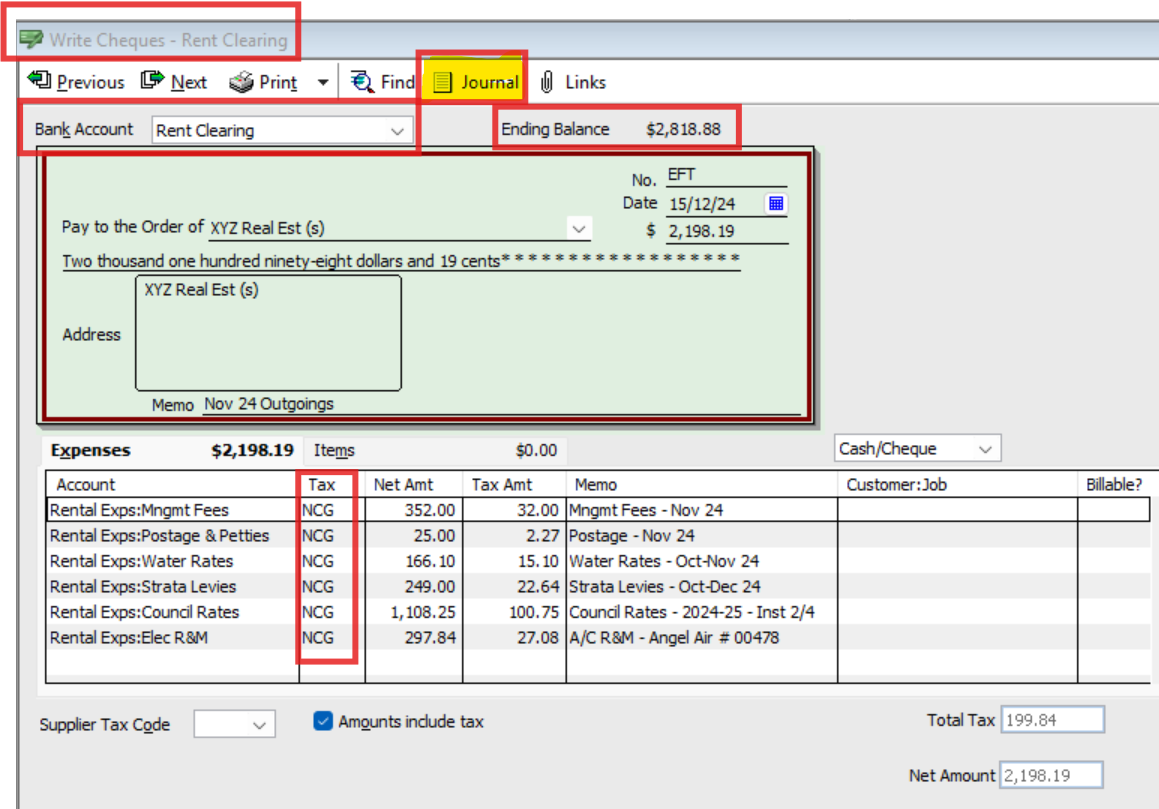
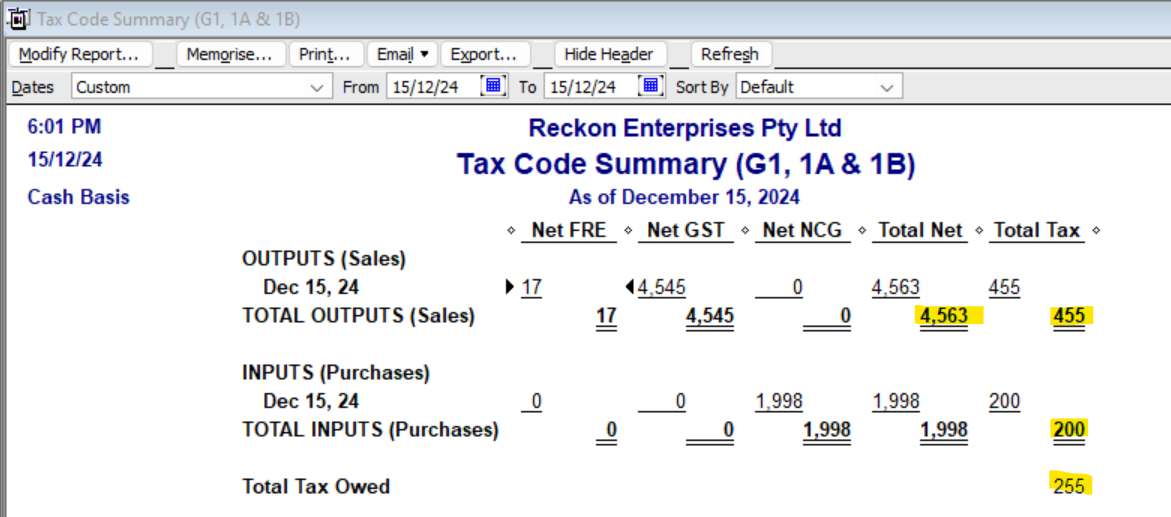
Making entries this way ensures the full amount of income & expenses - along with the correct tax codes - are able to be used & reported on accurately.
The remaining net amount(s) can then be deposited as per the actual bank account deposit(s) you receive. (I use a Cheque for this also):
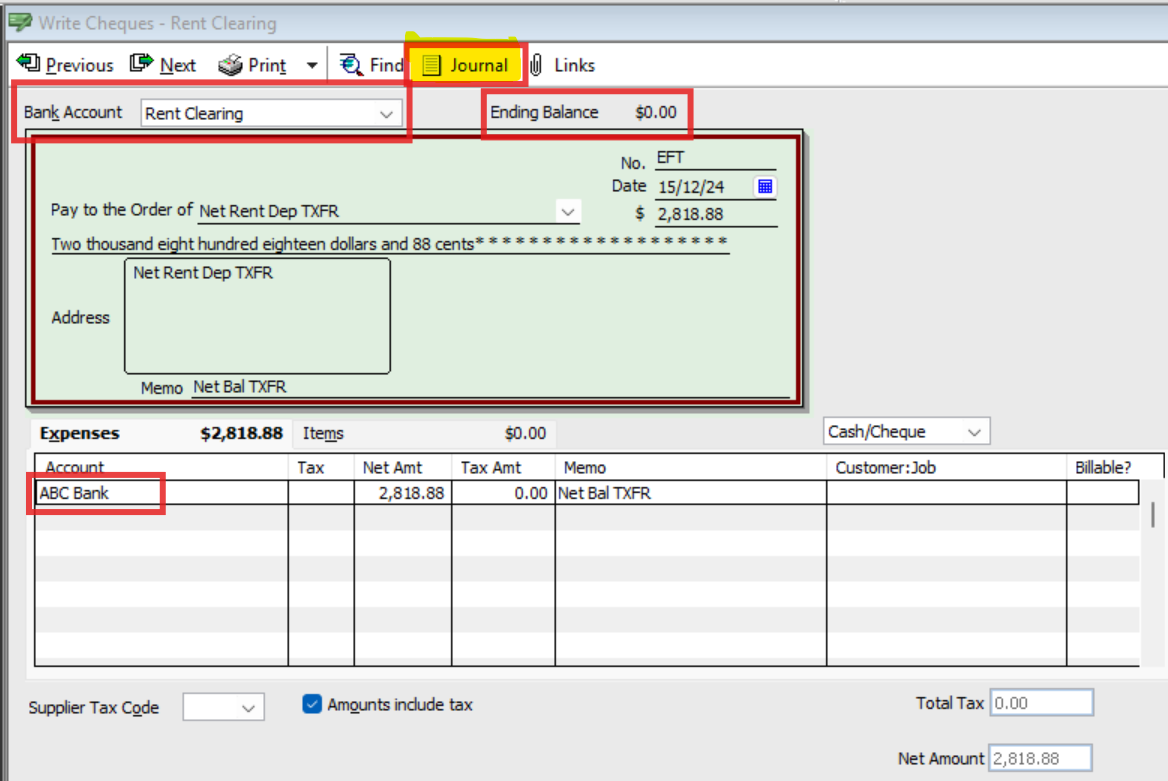
… & here's how the deposit displays in the actual bank account:
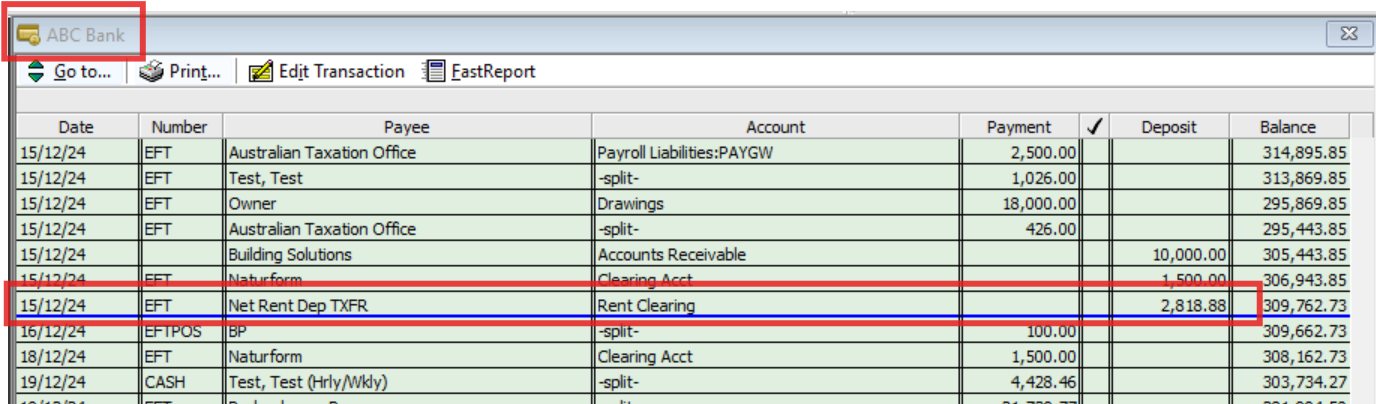
… & on the Bank Rec :
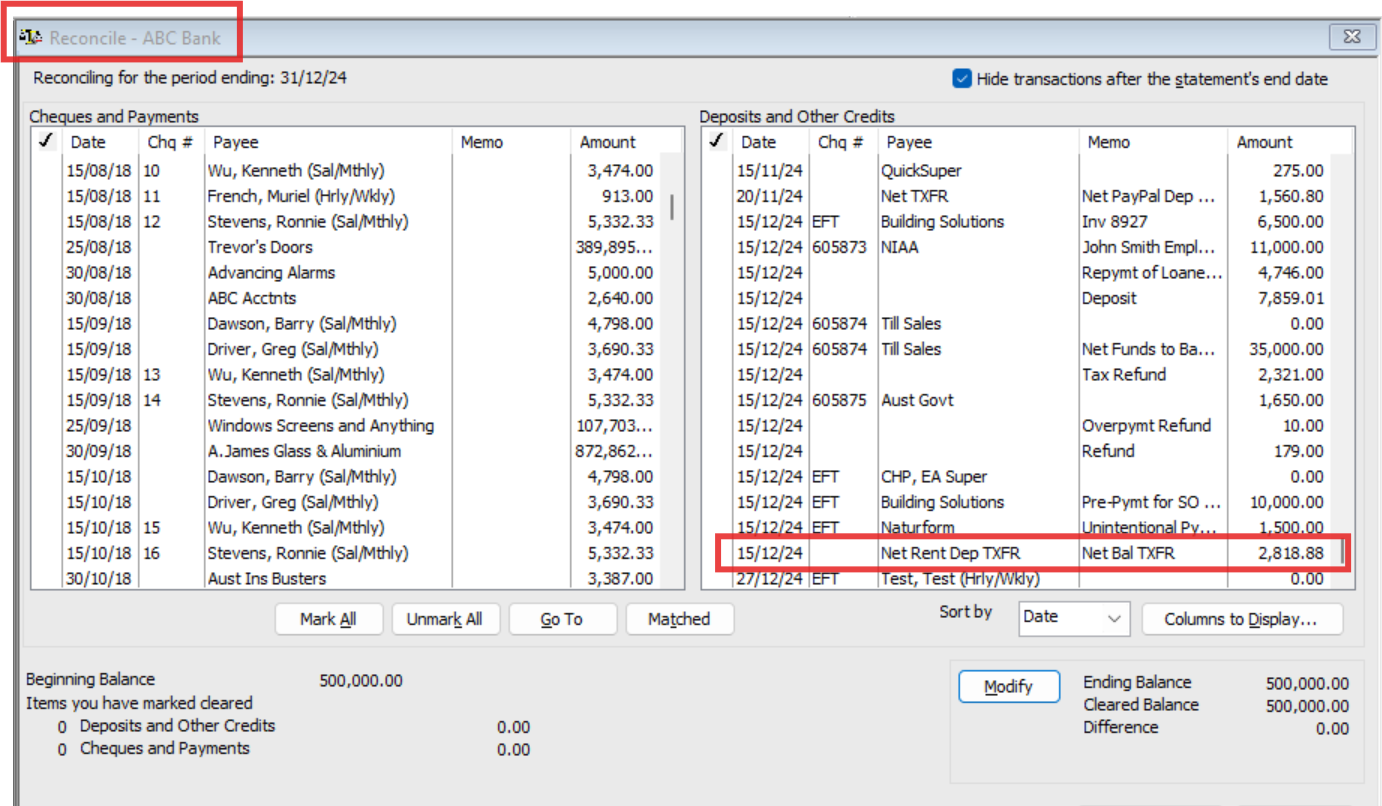
BAS
Tax Summary :
Tax Detail :
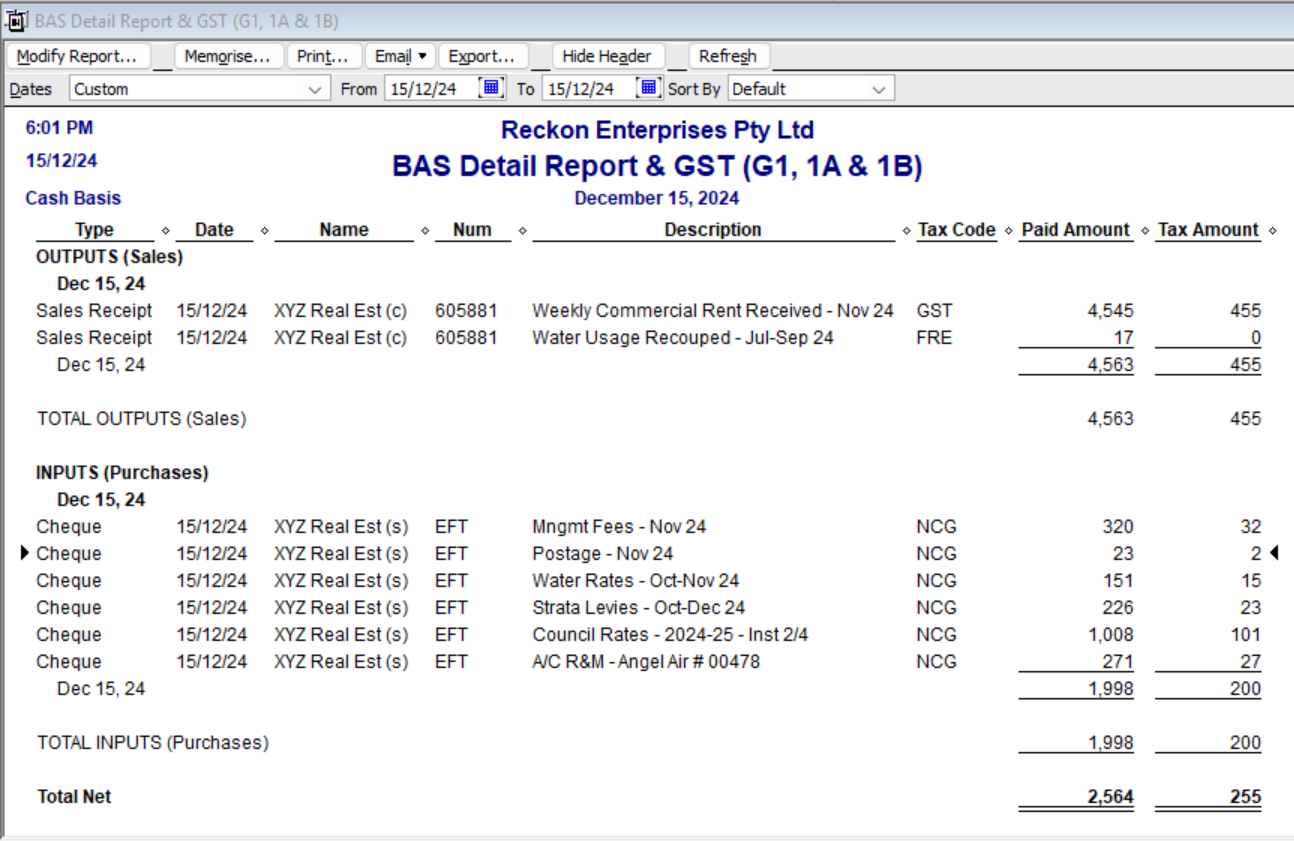
(I remove the cents from my BAS reports as they are reported in whole dollars only)
P&L :
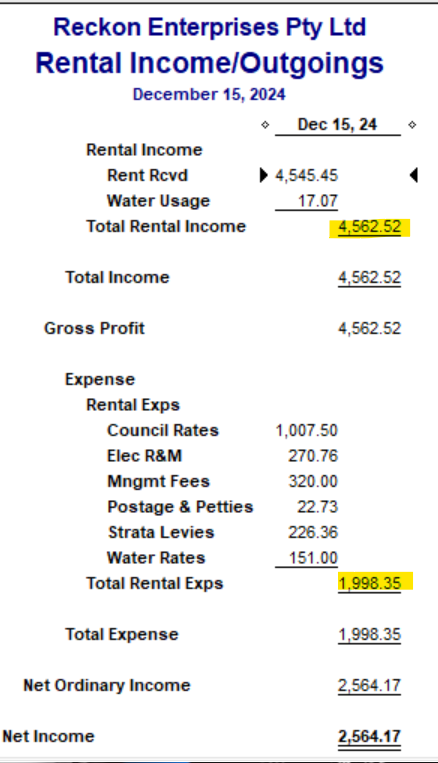
Obviously, I've filtered the above reports to just show the rental transactions only, for the purpose of the example 😁
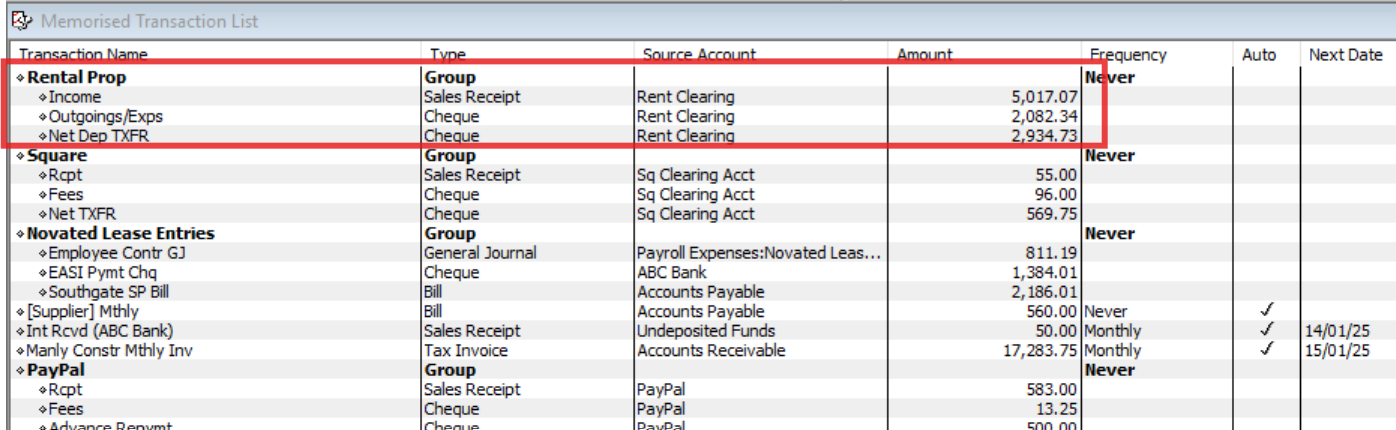
Lastly, I create a Memorised Transaction Group containing the Rental Income (Sales Receipt), Outgoings/expenses deducted (Chq) & net transfer (Chq)
These "templates" can then just be generated & edited as needed 😊 :
Hope that helps 😊
2 -
I was going to comment but that is such an amazing explanation Shaz. Far more eloquent than what I was going to say
1 -
Aww … Thank you @Eric Murphy 🙏🏻
(… Might have to start billing Reckon as that one took me a while! 🤣🤣🤣🤦🏻♀️🫣)
1 -
I can only echo what @Eric Murphy has said, absolutely amazing work Shaz! Thank you again for the expertise and insights you contribute to the Community 👏👏👏
1 -
SrSorry for the delayed response. I cannot thank you enough for your effort in finding a solution.
I'll try this solution in a set of dummy accounts to see if I can make it appear as easy as you did.
Many thanks Chris
0 -
Great to hear @R3Projects 👌🏻👏🏻
(Feel free to shoot me an email direct Chris, if you get stuck with it 😊)
2






