Best Of
Re: Memorise payments for Bills
Chandra
chandra@cosmicinnovations.com
0295411338, 0407068942
 cosmic
Re: buy backs in investment transactions
Hi Raypat
Have you tried deleting your incorrect entry?
If that does not work, than try deleting the last two or three transactions.
Regards
David
 David M
Re: Display DUE DATE on Customer Payment window
Where Customers pay on account &/or if payments aren't in order, it's best practice to obtain a remittance from the Customer so the allocation is correct. Otherwise your Customer's A/R detail will be inaccurate & won't match with their records!
 Acctd4
Re: ACTIVE STAFF LISTS AS AT DD/MM/YY
Cant be done. Ive never heard of "active staff list". Kris solution might be the only work around. You'll need to filter for termination date.
 Zappy
Zappy
Re: ACTIVE STAFF LISTS AS AT DD/MM/YY
Reports -Employees - Employee contact list - Modify and add Hire date to report. Sort by hire date - the rest has to be manual, or export to Excel and customise in there

Re: Matching single banking entry to multiple register entries
You should be using a clearing account. Call me i can talk you through it 0407744914
Zappy
Re: Salary Sacrifice
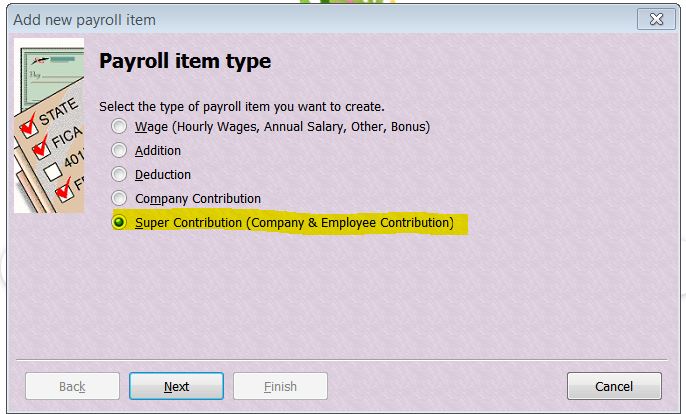
Ahhh ... OK - If it's SUPER SS, that has it's OWN specific Payroll Item Type(s) in order to report correctly as RESC in STP/at EOFY:
Then on the the 3rd screen:
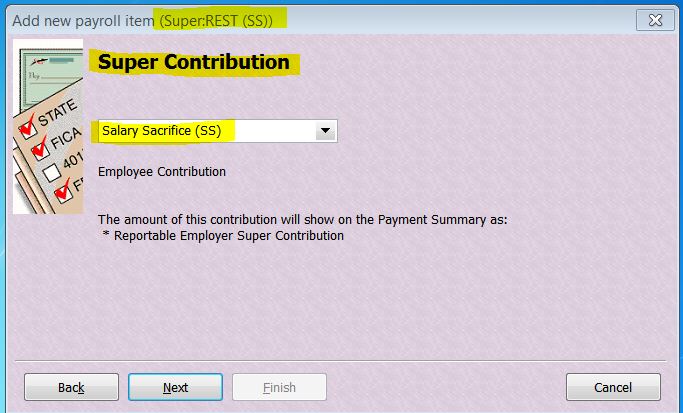
So unfortunately - if this isn't how you've already set it up - then yes, you will need to recreate it in order to achieve this. However if you go into each applicable pay, Unlock ... it & delete the old SS/overwrite with the new one & re-save ("OK"), if it's only this current FY, it won't take long 😁
No, Payroll Items are not employee-specific, they're designed to be applicable to any employee so you should be creating one per relevant type/payee eg If this employee is SS'ing to REST Super, create one for "REST (SS)" - It can be used if any other employee also decides to SS to REST.
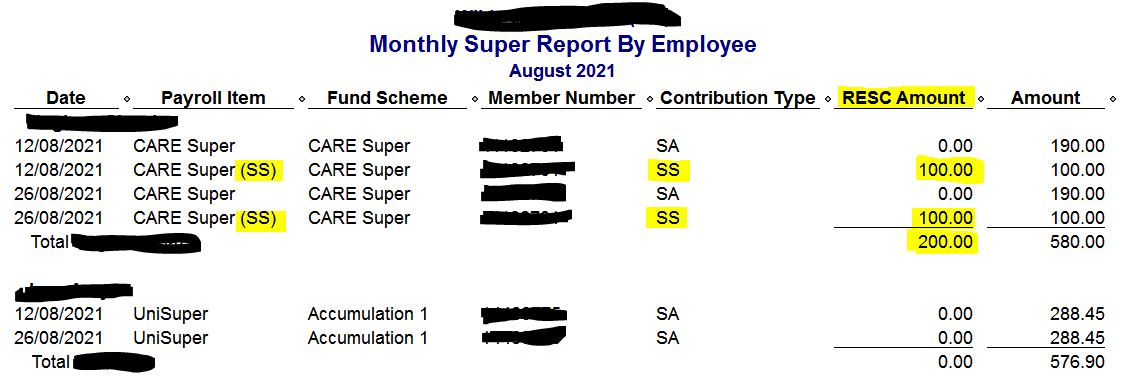
I tend to use the "Super Report by Employee" report rather than " ... by Fund" as the totals have to be reported per employee anyway. This report gives you the total for each employee (incl their SS eg RESC total) as well as the overall monthly/quarterly total too.
The "SS" in the name & it's Payroll Item type are easily identifiable on this report:
 Acctd4
Re: Salary Sacrifice
I've not ever set one up based on quantity as a SS deduction is normally based on a % or $ amount:
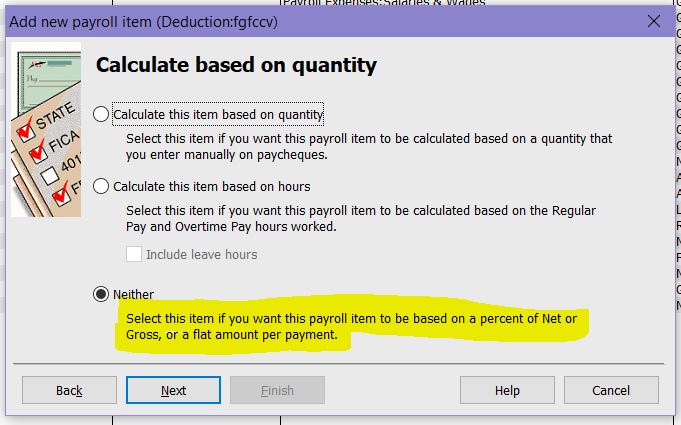
I'd recommend setting it up this way ^
Acctd4
Re: Email of Pay Slips not working with Reckon Hosted
It might be worthwhile giving our technical support team a call so we can have a technician take a closer look into your setup to see what could causing this for you. When you have a moment can you please give us a call on 1300 799 150
 Rav
Rav