Updating Annual and Personal Leave Accruals

Peta Lane_9173307
Peta Lane_9173307 Member Posts: 13 Reckoner Reckoner

When we migrated to Reckon One/Reckon Payroll, the incorrect balances were bought over from the previous application. How can i update?

Comments

  • Rav
    Rav Administrator, Reckon Staff Posts: 14,205 Reckon Community Manager Community Manager

    Hi @Peta Lane_9173307

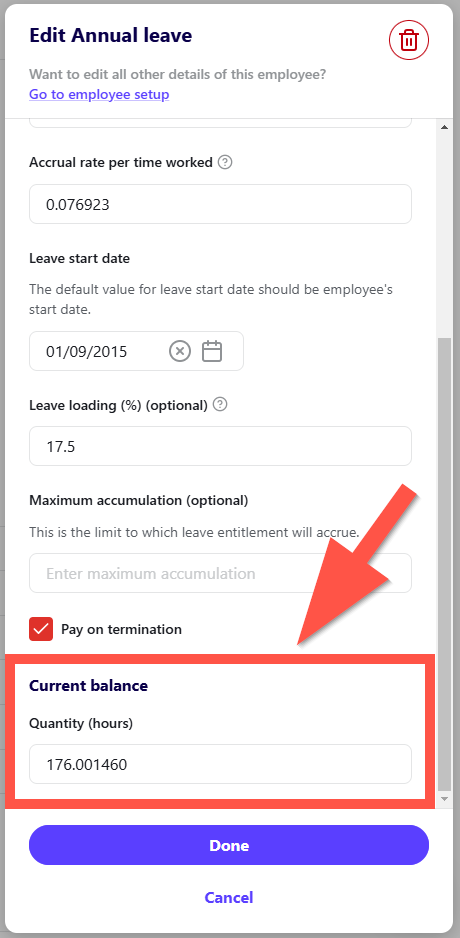
    Head into an employee's profile ➡️ Click on the Leave tab ➡️ Click Edit on the respective leave item ➡️ A window will appear that allows you to edit the leave item setup including current available hours.

    Example below 👇

    image.png
  • Lucas
    Lucas Reckon Staff Posts: 563 Reckon Staff Reckon Staff

    Hi @Peta Lane_9173307,

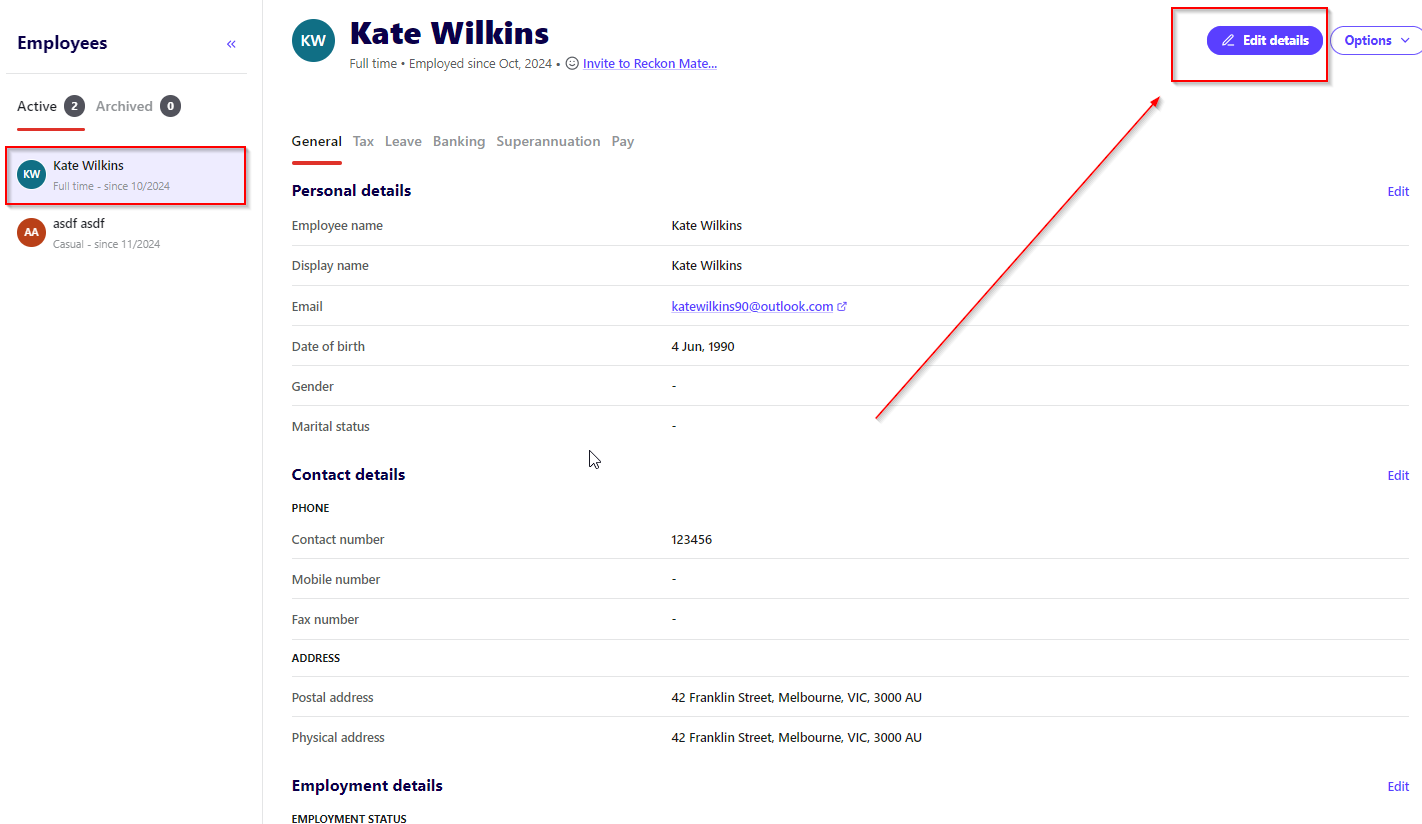
    I think it would be best to into the employee wizard and check that ALL balances have been brought over correctly in your Payroll for Reckon one.

    image.png

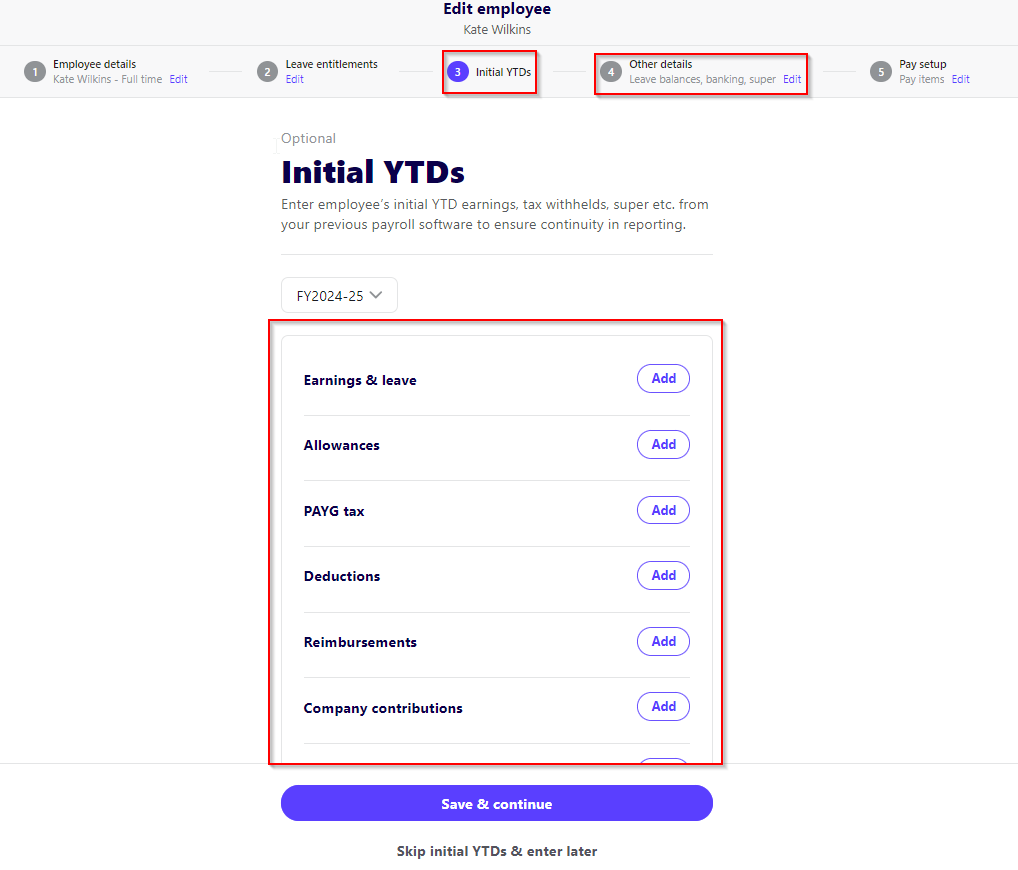
    I would like you to now click on the Initial YTD and check that all values migrated from the other application have come across correctly and as well the other details to check for leave balances:

    image.png

    If you require further assistance at all, please reach out to me and I will help as best I can.

    Thank you and speak soon.

    Lucas