Payroll total report with Emp Department


Hi There ,
anybody knows how to create payroll total report with Emp department??
appreciate your help

Comments
-
as far as I can see - only in the employee contact list
0 -
Hi Kris,
I hope you're doing well.
I've been working on the Group Items in Reckon, and I’ve encountered an issue that I could use your help with. When generating the report for group items using CTRL+Q, it only provides details for the components of the group, not the Group Item itself.
The issue we’re facing is that when our sales team selects a Group Item for sale, sometimes one of the components comes through without quantity, leading to us inadvertently selling only part of the group and missing out on significant revenue.
To address this, I need to retrieve the details of the Group Item, specifically the components and their quantities, and identify any invoices where the component may have been missed.
Could you please assist me to generate a sales report that includes both the Group Items and the corresponding component quantities?
This will help us track any missed items invoicing and ensure we're capturing the full value of the sale.
Thank you in advance for your assistance. I look forward to your guidance on this.
Prasanna
0 -
sorry Prasanna I’m not the one to ask on this, it’s not a feature I use
0 -
Thanks for your prompt reply, Kris
0 -
@prasanna You won't be able to determine that from the FastReport (CTRL+Q) as this only displays a per-transaction summary.
Because a Group is just a "template" for entering multiple Items at once, a "Group" isn't a stand-alone "Item" itself so can't be reported on independently however, you can create & customise your own report for what you need:
I've just had a quick play so there may be a cleaner option but in this particular example, I have 2 Group Items - "Group 1" & "Group 2".
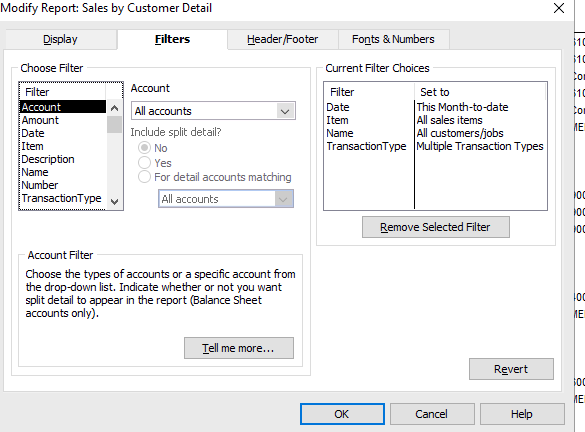
The report is created from Find, by searching with the following Filters:
- Date > [Enter/select as applicable]
- Transaction Type > Multiple … (Select Tax Invoice, Adjustment Note & Sales Receipt)
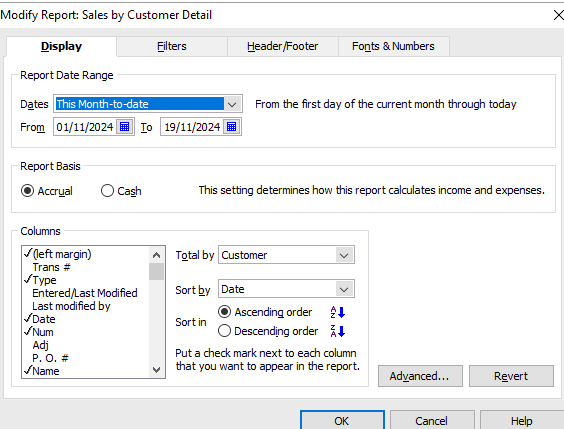
- On the Display tab, I added additional Columns as required - in this case Item, Qty, U/M & Sales Price - & removed those I didn't need (I also opted to Total by Customer & Sort by Date but you can change these to whatever suits you best):
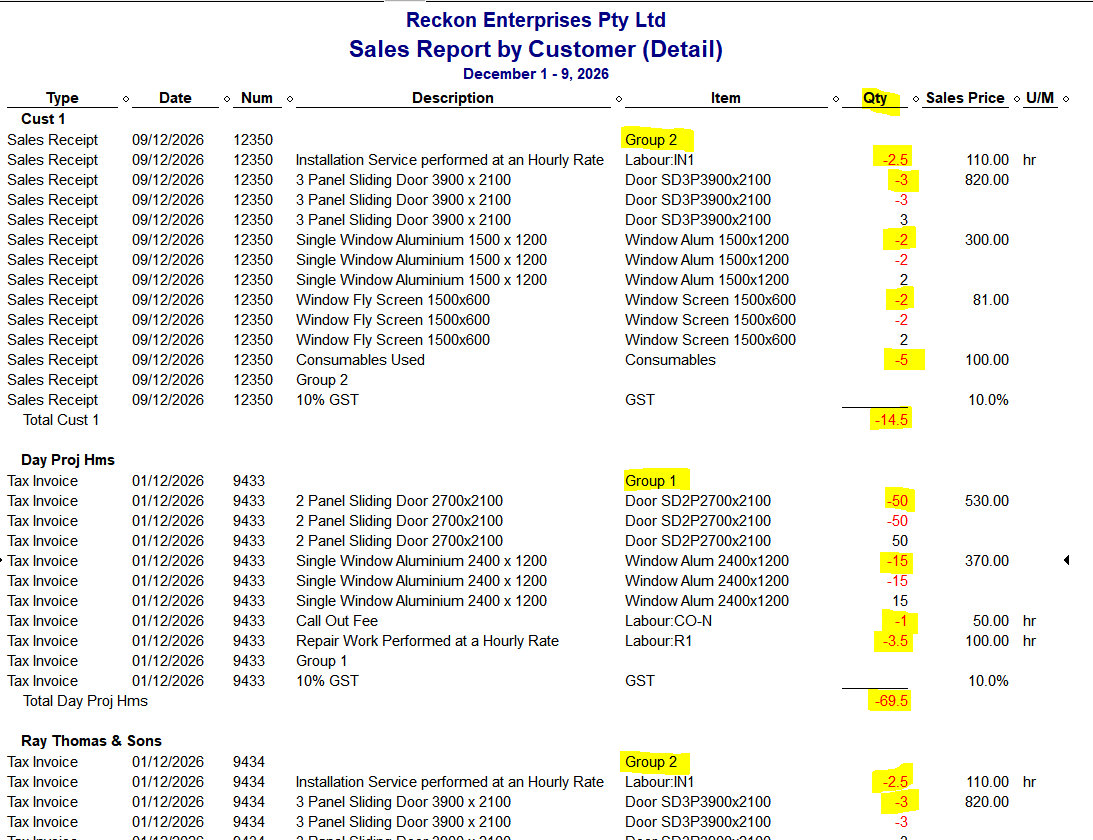
Unfortunately, it is a little clunky (as it shows the full accounting double-entry for each line) but the Sales Price column shows you which lines are the ones to look at (eg just the ones that have a Sales Price) 😬
2 -
Hi @Acctd4
That report could also be exported to Excel and modified to exclude the rows that do not have a value in the Sales Price column (either through scripting or a macro)

Searching the Reckon Help and Support Centre | Asking good questions on the Community
#TipTuesday: Picture Paints a Thousand Words | How do I add screenshots to my discussion?
1 -
Hi Shaz
You are a legend! Thank you so much for all your effort in figuring out a way to solve this headache. Your dedication and hard work really made a difference, and I can’t tell you how much I appreciate it.
You’ve truly gone above and beyond!
Thanks again for everything.
Best regards,
Prasanna
1 -
Hi there ,
I have generated the report as bellow , but it doesn't show the group item which is CE61B and CE61D ,only shows the component (Group - CE61B (Componanat 61B, CEB ) )
below is the snip of the report

copy of the invoice

 0
0







 Reckon Staff


