Reckon Hosted - SYSTEM GENERATED INVOICE


Hi Beautifull Peoples ,
we use reckon hosted , with 25 users , if someone send a statement or invoice through the system , how do we find who did it , here it is really confusing some peoples send statements and nobody can be hold accountable .
can it be controlled by access right without restricting other activities
Thanks
Comments
-
You have different userids in Reckon
Why dont you use this?
Kr
0 -
You mean user rights? , I am going to
but meanwhile can i find who send the statement ? in audit trial or some other way
Thanks
0 -
You cannot unless you have set up different users in which case you would use the audit trail
Kr
0 -
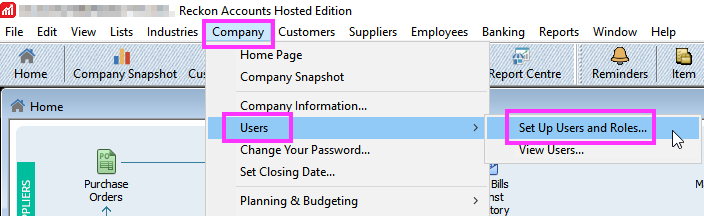
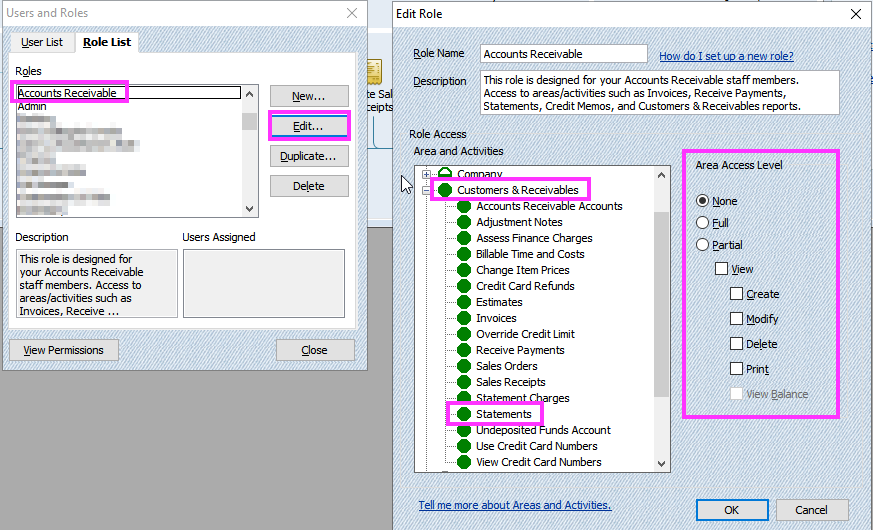
Since you have multiple users, consider what Roles they have been assigned and what the specific area access level is setup.

Searching the Reckon Help and Support Centre | Asking good questions on the Community
#TipTuesday: Picture Paints a Thousand Words | How do I add screenshots to my discussion?
0 -
Hi @prasanna
Do all users not have their own login in the company file ?
0 -
Thanks you
You cannot unless you have set up different users in which case you would use the audit trail
we have different users but sending an statement not a transaction
how do we monitor it
0 -
Even if you only have 1 paid licence, there is no limit on the number of Users that can be set-up within the company file itself so if you have multiple people working in it, each person should have their own User login setup & configured appropriately for their level of access, in order to identify who is entering what.
With 1 paid licence, only 1 user can be logged in to Reckon's Hosted platform, at any one time. As sending statements doesn't record an actual transaction, the best workaround is to check the email log to determine when it was sent & from that, you can then determine who was rostered/working in it at that time:
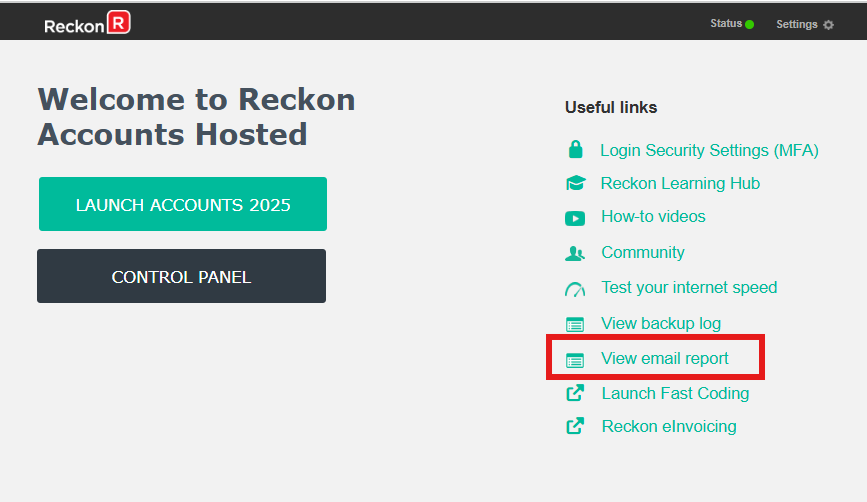
‼️TIP: I have my email address in the bcc field in my file's Email Preferences. I also create a designated subfolder(s) in my email, which I set a Rule(s) for so that all emails from the Hosted domain go direct to there. You can then easily track what's sent out of Hosted & when 😊
1 -
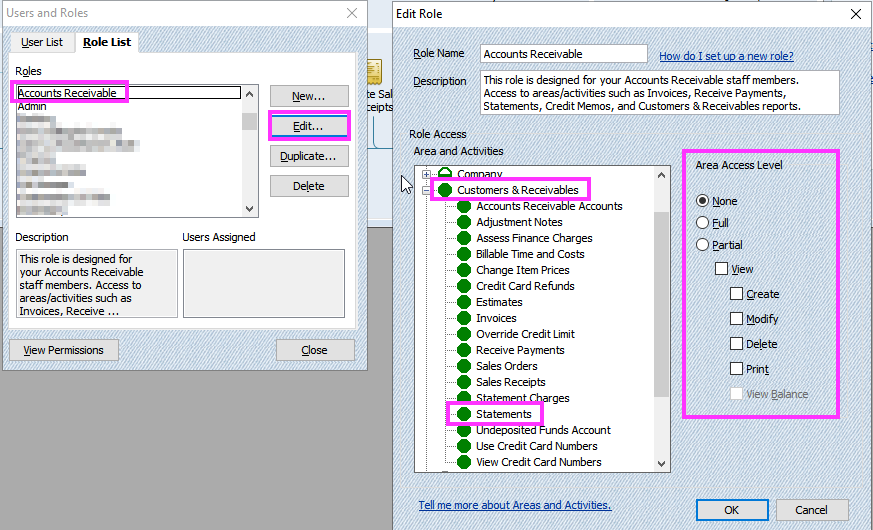
Review the Roles setup for each user.
Confirm what Access Area Level is setup for each of those roles.
Modify the role if needed to restrict the ability to interact with Statements.
Searching the Reckon Help and Support Centre | Asking good questions on the Community
#TipTuesday: Picture Paints a Thousand Words | How do I add screenshots to my discussion?
0 -
Thank you very much for sharing it
0



 Reckon Staff






