Open full item list when using Adjust Quantity/Value instead of individual item


Requesting update from Reckon so that when you look up an item in the Item List then right click on that item and select 'Adjust Quantity/Value on hand' it automatically goes to that item instead of the whole list.
I rang Reckon today and they advised this is currently not available. Bit crazy. What happens if you had thousands of products.
Comments
-
You have added this Idea to the "Reckon One" ideas section.
Currently "Reckon One" does not yet have the Inventory functionality.
The functionality you are describing sounds like it is for the Reckon Accounts Desktop or Reckon Accounts Hosted product range which has inventory.

Searching the Reckon Help and Support Centre | Asking good questions on the Community
#TipTuesday: Picture Paints a Thousand Words | How do I add screenshots to my discussion?
2 -
I've moved your idea over to the right place but can I also get a little more info from you to clarify.
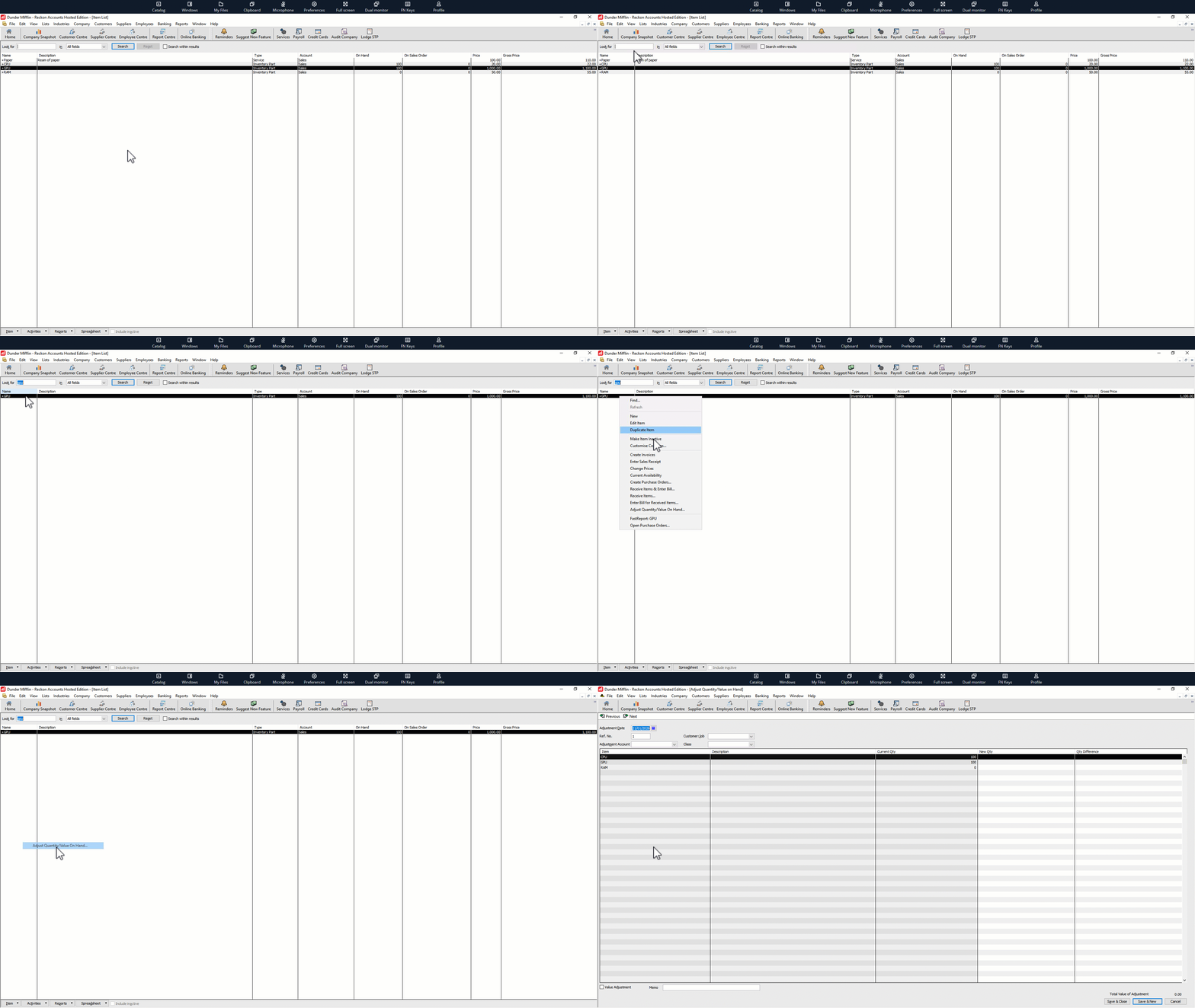
I've tried to go through the workflow you've mentioned in your post and, in my case at least, it seems like the full item list opens rather than the individual item.
Check out my example below. Am I going through the same process as you?
 0
0 -
@Rav - Yes that is exactly what we have been doing.
0 -
For what it's worth, my file works the same as Rav's example.
You might want to double check or maybe even re-sort your lists.
0 -
I think @Jenny Sanders_9401411 is referring to being able to SEARCH for/ISOLATE Items in the Adjust Qty … window as it can be quite difficult to find the one you’re looking for when the list is extensive 😬
0

 Reckon Staff






