How can I bulk reconcile transactions or What happens when client exceed 500 transaction ?

Swift Accounting
Swift Accounting Member Posts: 3 Novice Member Novice Member
edited October 2024 in Reckon One
  1. How can I bulk reconcile transactions or I have to dig in each transactions to reconcile, for example if I manually up load 1000 transaction & 500 are straight sales, do I have to do one at a time?
  2. What happens when client exceed 500 transaction ?

Comments

  • Zappy
    Zappy Accredited Partner Posts: 5,257 Accredited Partner Accredited Partner
    edited August 2019
    What does "bulk reconcile" mean?
  • Swift Accounting
    Swift Accounting Member Posts: 3 Novice Member Novice Member
    edited November 2018
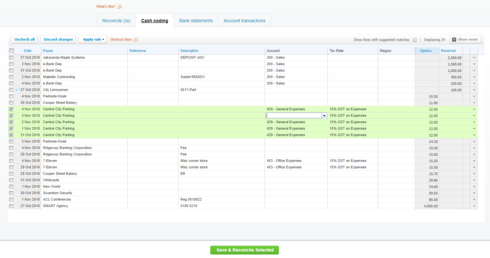
    Hi, Thanks for your reply. In xero, You can select bulk transaction & reconcile them together. For example a Liquor store has 500 traction from Eftpos, these can be bulk selected & reconciled. See screen shotimage
  • Zappy
    Zappy Accredited Partner Posts: 5,257 Accredited Partner Accredited Partner
    edited November 2018
    Well clearly Xero invented this process because they dont understand the way eftpos works. It is a NZ company so I guess they cant be expected to know everything. And to be clear this isnt simply reconciling the transaction. It is also allocating the expense. Its why we have rules in Reckon one.
  • Swift Accounting
    Swift Accounting Member Posts: 3 Novice Member Novice Member
    edited November 2018
    So, No. That is ok. Thank you.
  • Rav
    Rav Administrator, Reckon Staff Posts: 14,235 Reckon Community Manager Community Manager
    edited November 2018
    Hi Swift Accounting,

    What Kevin has mentioned about transactions rules is correct. To give you a bit more context, transactions rules in Reckon One allow you to setup rules that suit you based on different criteria, see screenshot for just one example.

    image

    Once setup, Reckon One will then pick up these transactions automatically and can bulk reconcile them so you don't have to go through the laborious process of allocating these transactions manually.

    For the remainder of the 500 transactions outside of sales in your example, you can create rules for them also or allocate them as it suits you. 

    Check out this Knowledgebase article and video for more info -

This discussion has been closed.