If you have an older QuickBooks (Australian/New Zealand) data file from version 2006 or older, or (version 8 or lower) it would first need to be upgraded to the 2007/08 data file format.
On the Reckon website, you can download the prior versions that you can use to step-upgrade your older data file up to the 2007/08 format so it can be recognised by the Reckon Accounts 2019 software.
Here is a link to the prior relevant software
https://www.reckon.com/au/prior-versions-and-retail-downloads/Here is a link to the Installation and Upgrade Guides (PDF documents)
https://www.reckon.com/au/downloads-guides/Alternatively, we offer a data file upgrade service where we can do it for you.
Submit a request for a Reckon data service
Select the correct product and service.
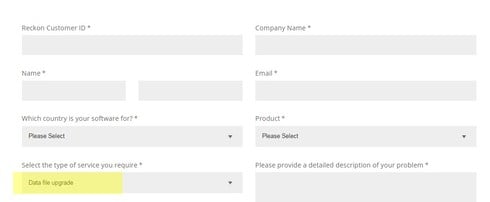
Note: this is a chargeable service.
In your service request you will need to:
- Let us know what the older product version is and if it is installed on your computer
- Let us know if you are still able to open the data file in the older version
- Let us know what the current product version is already installed on your computer
DATA RECOVERY: What are my Reckon Accounts business range (Desktop) file types and what do I send in for analysisRegards,
Data Recovery Team


