I have received a refund from a supplier re goods returned for credit. how do I process this through reckon?
Was the refund cash or a form of credit?
Hi Shaz @Acctd4,
I haven't jumped into the community for a little while but today I really need some extra brain power!! 🤗
I'm stuck on this exact issue…I can't get my head around how to enter a "refund" from Elders Insurance.
I first thought it was as simple as creating a "Bank Deposit", but that doesn't account for the GST... 😕
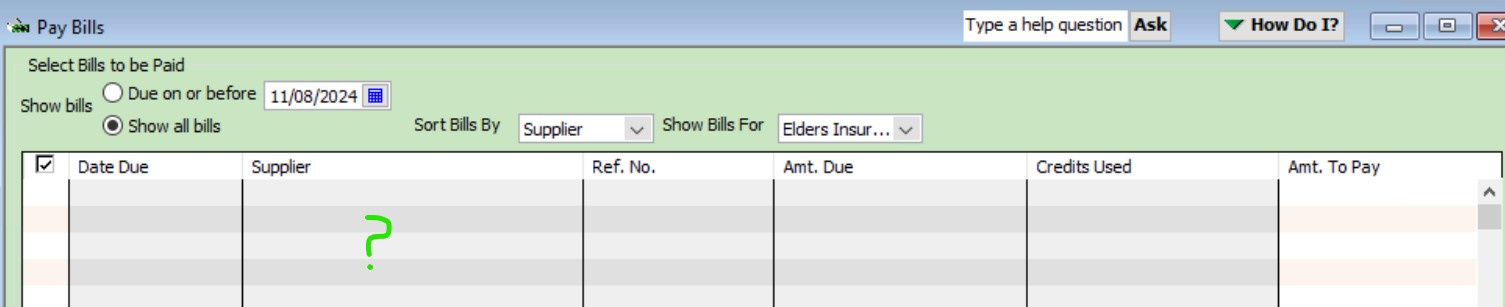
I followed your steps up above 1)create the credit according to the correct accounts, and 2) Make the deposit into our bank account but can't see anything to clear in my "Pay Bills" window… idk!
Help please! 🙃
From Glynis in FNQ 🏝️
Hi @GlynisFNQ
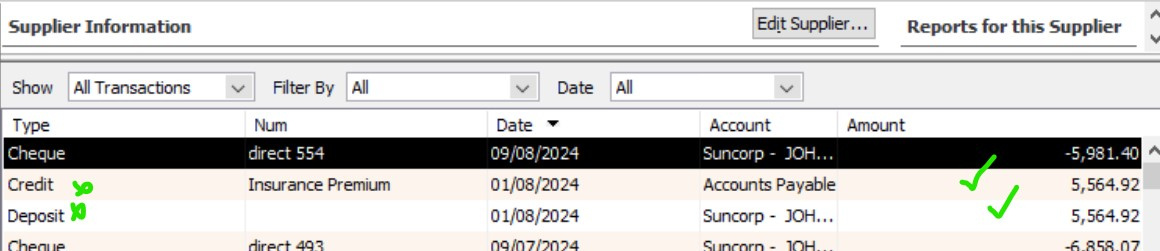
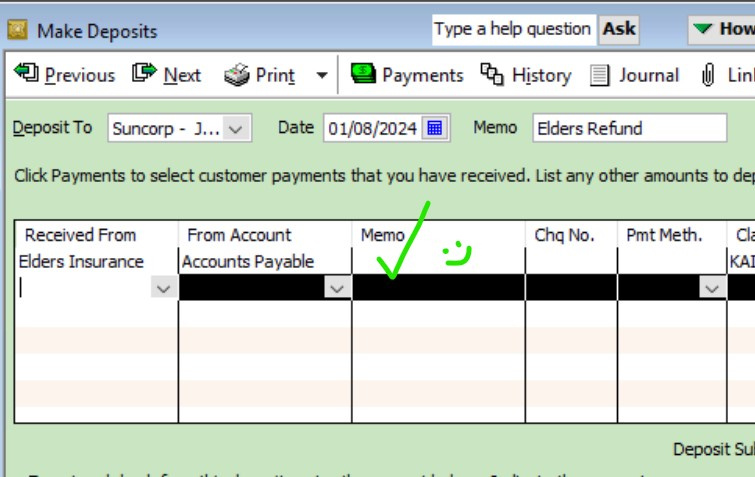
Make sure you’ve created the Adjustment Credit as a Bill Credit (with the relevant insurance expense account(s) & tax codes on) & that the actual refunded Deposit is posting to Accounts Payable with the same Supplier name 😊
(In your bank register, re-add the Supplier name to the deposit in the Payee dropdown as it will have dropped out)
Thanks Shaz,
It seems the only thing I am doing differently to your instructions is 'not being able to' post to "Accounts Payable"… the option isn't available! 😰 I can see it exists in the Chart of Accounts should it's Type be "Other current liability" ? Because it says "Accounts Payable" as "Type"… Hmmmm… the mystery is getting to me!!
This should be SO SIMPLE! 🤩
It’s an Accounts Payable account type but it could well be called something else in your accounts list then (eg Trade Creditors) ?
God bless your cotton socks Shaz - I see what you mean!
I was posting the Credit back to the relevant accounts in the 'Deposit' as well!
I have now entered it as in the screenshot, and walah! It then (of course!) appeared in my Pay Bills to have the Credit cleared!!! In my 5 years of Reckon I haven't come across this until now… it really had me going nuts! 😅
THANK YOU as always Shaz!!!
🤩🤗🤩
Great to hear @GlynisFNQ 👌🏻👏🏻☺️
@Acctd4 amazing work as always Shaz, you're an absolute star! Loving having you here on the Community 😊
100% AGREED @Rav !! This isn't the first time Shaz @Acctd4 has saved me and it won't be the last!!
Thanks Reckon & Partners for the Community!! 🤩
Aww … thanks for the lovely feedback @Rav & @GlynisFNQ ☺️🙏🏻