DATA RECOVERY: Error message is "Invalid credentials. Check your account name and password" when lau

Datarec
Reckon Staff Posts: 1,435  Reckon Staff
Reckon Staff
If you are currently able to login to the Reckon Account Hosted platform,
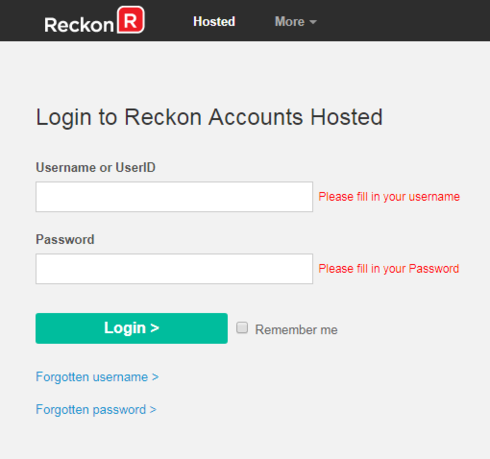
but when clicking the LAUNCH ACCOUNTS 2019 R2 button you encounter the error message

"Invalid credentials. Check your account name and password."
Data Recovery Team
but when clicking the LAUNCH ACCOUNTS 2019 R2 button you encounter the error message
"Invalid credentials. Check your account name and password."
Try the following solution:
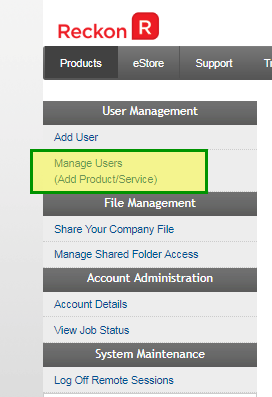
Click on the Control Panel button.
Click on Manage Users
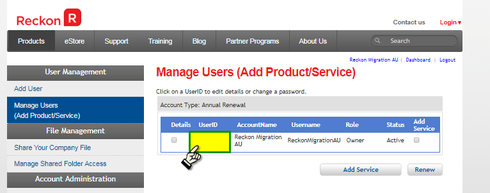
Click on the User ID link
Tick the Change Password checkbox
Set a new password and click the Update ?button
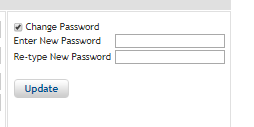
Note: This will become the password you will use to login to the Hosted platform.
Click on the Logout link

Log back in using the existing Username or UserID and the new password.

Data Recovery Team

Searching the Reckon Help and Support Centre | Asking good questions on the Community
#TipTuesday: Picture Paints a Thousand Words | How do I add screenshots to my discussion?
1
This discussion has been closed.